
Key facts
- Manuals
- 2
- Languages
- EN
- Last added
- 2026-11-11
Featured Kübler manuals
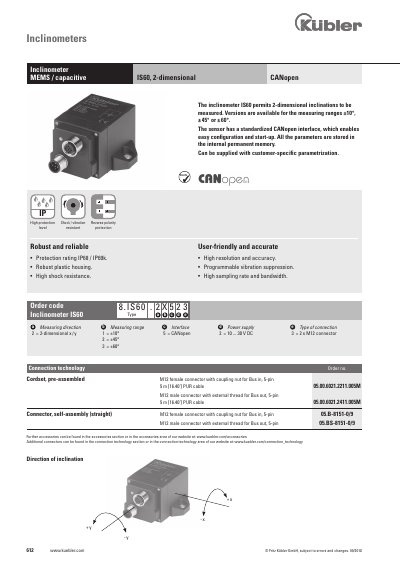
Kuebler IS60 Inclinometer Product Leaflet
The Kübler IS60 is a two-dimensional inclinometer designed for industrial applications. It utilizes either MEMS or capacitive technology to measure inclination in the x/y directions. The device features a standardized CANopen interface, allowing for easy configuration and startup with parameters stored in internal permanent memory. It is available with measuring ranges of ±10°, ±45°, or ±60°.
Covers: Inclinometer IS60 · Measuring direction · Measuring range · Interface · Power supply · Type of connection
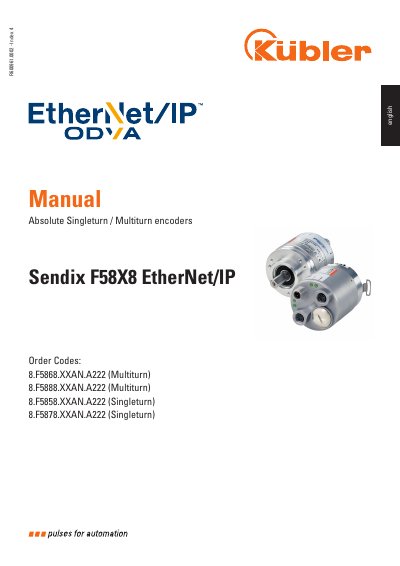
Kuebler F58X8 EtherNet/IP Encoder User Manual
The Kuebler F58X8 EtherNet/IP series includes absolute singleturn and multiturn encoders that support various order codes, such as 8.F5868.XXAN.A222 for multiturn and 8.F5858.XXAN.A222 for singleturn applications. The manual provides comprehensive guidance on identification, maintenance functionality, and quick start procedures using Rockwell Studio 5000 software.
Covers: Identification and maintenance functionality · Quick Start Guide · Technical details and encoder characteristics · Process + configuration data · EtherNet / IP / CIP Position Sensor Object Class Services · Encoder rotary switches
Latest Kübler manuals
Kuebler IS60 Inclinometer Product Leaflet
Product Leaflet 2 pages · 449 KB · ENA 2-dimensional MEMS or capacitive inclinometer with CANopen interface, measuring ±10°, ±45°, or ±60° ranges.
Kuebler F58X8 EtherNet/IP Encoder User Manual
User Manual 53 pages · 12.5 MB · ENThis manual covers the setup, configuration, and technical details of the Kuebler F58X8 EtherNet/IP absolute singleturn and multiturn encoders.
Which document do I need?
User Manual
Day-to-day operation, settings and troubleshooting. Start here if the product is already set up.
Questions answered in Kübler manuals
What is the measuring range of the IS60?
The IS60 is available for measuring ranges of ±10°, ±45°, or ±60°.
What interface does the IS60 use?
The sensor has a standardized CANopen interface.
What is the standard IP address range for the encoder?
The manual suggests using an IP address from the 192.168.1.x range, as this is the standard setting of the encoder.
How can the encoder be configured using a PLC?
You can configure the encoder by setting up a connection in the Logix Designer, selecting the encoder model, and defining connections for full process data.