
Key facts
- Manuals
- 5
- Languages
- EN · ZH-TW
- Last added
- 2026-11-04
Featured Ipswitch manuals
Ipswitch IMail Anti-Virus powered by Symantec Installation Guide
This document serves as an installation and configuration guide for IMail Anti-Virus powered by Symantec, a virus scanning solution for IMail Server administrators. It provides details on the Scan Engine versions 5.2.8 and 5.2.7, including new features such as Java LiveUpdate integration and support for JRE 1.6. The guide explains how to find and repair infected messages before they reach mail customers by scanning incoming and outgoing mail.
Covers: About IMail Anti-Virus · Minimum System Requirements · What's New with Scan Engine v5.2.8 · What's New with Scan Engine 5.2.7 · Installing the Server · Configuration Options
Ipswitch WhatsConnected v14.2 User Guide
WhatsConnected is a software plug-in designed for Ipswitch WhatsUp Gold that provides comprehensive tools for discovering and visualizing network device connectivity. It supports both Layer 2 and Layer 3 protocols to map physical infrastructure, including VLAN overlays and individual port details.
The guide details the installation process, license activation via the MyIpswitch portal, and configuration of discovery settings using industry-standard protocols like ICMP, SNMP, and LLDP. Users can generate topology maps, view network data in various formats (lists, grids, trees), and utilize tools such as Layer 2 Trace and IP/MAC Finder to locate devices.
Covers: Welcome to WhatsConnected · Installing and Configuring WhatsConnected · Discovering Networks · Using the WhatsConnected console · Viewing Network Data · Using WhatsConnected Tools
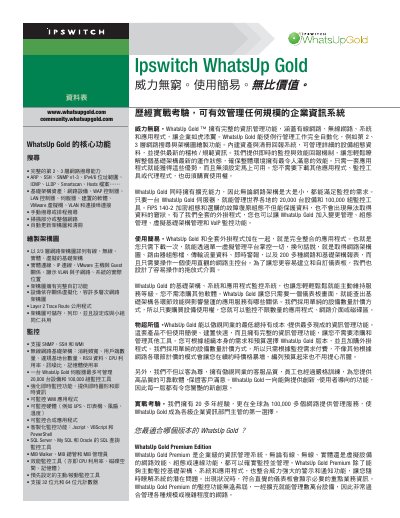
Ipswitch WhatsUp Gold Standard Edition Product Brochure
The document introduces the Ipswitch WhatsUp Gold Standard Edition as a cost-effective network management solution. It highlights core features such as complete Layer 2/3 topology discovery, asset reporting, and real-time monitoring of devices including routers, switches, servers, and VMware virtual machines. The software supports various protocols like SNMP, SSH, WMI, ICMP, LLDP, and VoIP. This manual is written in Chinese.
Covers: Core Features · Topology Discovery · Monitoring Capabilities · Asset Reporting · Alert Management · Security
Ipswitch WhatsUp Gold v16 Event Log Management Reports Configuration Guide
This guide explains how to configure and use Event Log Management (ELM) reports in Ipswitch WhatsUp Gold v16. It covers setting up database connections, defining notification tables, and customizing dashboard reports for critical, warning, and informational events. Reports include summaries by computer and user, and detailed event logs from ELM Event Archiver and Event Alarm systems.
The guide provides step-by-step instructions for adding SQL server databases, selecting ELM tables, configuring report views, and adjusting display settings such as date ranges and column widths.
Covers: Using ELM Summary Dashboard Reports · Using ELM Alarm Dashboard Reports · ELM Plug-in Full Reports · Configuring ELM Summary Reports · Configuring ELM Alarm Reports · Adding Dashboard Reports to a Dashboard View
Latest Ipswitch manuals
Ipswitch IMail Anti-Virus powered by Symantec Installation Guide
Installation Guide 4 pages · 106 KB · ENInstallation and configuration guide for Ipswitch IMail Anti-Virus powered by Symantec, covering system requirements, setup steps, and Scan Engine versions…
Ipswitch WhatsConnected v14.2 User Guide
User Manual 76 pages · 1.6 MB · ENThis user guide covers the installation, configuration, and usage of WhatsConnected, a Layer 2 and Layer 3 network discovery plug-in for Ipswitch WhatsUp Gold.
Ipswitch WhatsUp Gold Standard Edition Product Brochure
Product Leaflet 2 pages · 407 KB · ZH-TWA product brochure for Ipswitch WhatsUp Gold Standard Edition, a network monitoring and management system suitable for small to medium-sized enterprises.
Ipswitch WhatsUp Gold v16 Event Log Management Reports Configuration Guide
User Manual 9 pages · 1.1 MB · ENConfigure and view Event Log Management reports in Ipswitch WhatsUp Gold v16 for system monitoring and alert management.
Ipswitch MOVEit® DMZ User Manual
User Manual 652 pages · 10.4 MB · ENUser guide for Ipswitch MOVEit® DMZ, a secure file transfer server with FIPS 140-2 AES encryption and SSL/SSH support.
Which document do I need?
Installation Guide
Mounting, wiring and first power-up. Read it before the hardware goes in.
User Manual
Day-to-day operation, settings and troubleshooting. Start here if the product is already set up.
Questions answered in Ipswitch manuals
What are the new features in Scan Engine version 5.2.8?
Version 5.2.8 retains only one backup copy of definitions, integrates Java LiveUpdate version 3.6, permits configuration of the Java Virtual Machine via an external file, and checks for hung JavaLiveUpdate processes.
From: Ipswitch IMail Anti-Virus powered by Symantec Installation Guide
What new support was added in Scan Engine version 5.2.7?
Version 5.2.7 added Symantec Scan Engine support for the JRE 1.6 family.
From: Ipswitch IMail Anti-Virus powered by Symantec Installation Guide
What is WhatsConnected?
WhatsConnected is a layer 2 and layer 3 network discovery and visualization plug-in for WhatsUp Gold.
How do I start WhatsConnected?
From the WhatsUp Gold console, click Tools > WhatsConnected.
How many devices can one WhatsUp Gold server manage?
One WhatsUp Gold server can manage up to 20,000 devices and 100,000 monitoring tools.
From: Ipswitch WhatsUp Gold Standard Edition Product Brochure
What encryption standard does the software support?
The software supports FIPS 140-2 encryption.
From: Ipswitch WhatsUp Gold Standard Edition Product Brochure