
Key facts
- Manuals
- 1
- Languages
- ZH
- Last added
- 2023-11-03
Featured Intelligent manuals
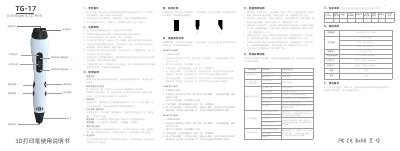
Intelligent TG-17 3D Printing Pen User Manual
The Intelligent 3D Pen TG-17 is a 3D printing pen. The manual describes its parts, including the LCD display, ceramic nozzle, extrusion and withdraw buttons, speed controls, filament loading hole and power socket.
It explains how to select PCL, PLA or ABS filament, preheat the pen, load and unload filament, adjust temperature and one of five speed gears, and change filament types. It also lists safety tips, specifications, troubleshooting steps, packing contents and warranty terms. This manual is written in Chinese.
Covers: Safety Tips · Precautions · Instructions For Use · Filament Handling · Instructions for Replacing Filament · Temperature Adjustment Instructions
Latest Intelligent manuals
Intelligent TG-17 3D Printing Pen User Manual
User Manual 2 pages · 2.6 MB · ZHBilingual user manual for the Intelligent TG-17 3D printing pen covering setup, filament loading, temperature and speed settings, troubleshooting and specs.
Which document do I need?
User Manual
Day-to-day operation, settings and troubleshooting. Start here if the product is already set up.
Questions answered in Intelligent manuals
What filament types does the Intelligent TG-17 support?
The TG-17 supports ABS, PLA and PCL filament with a diameter of 1.75 mm.
How do I unload filament from the pen?
When the LED light is green, press and hold the Withdraw Button for 3 seconds; the filament unloads automatically.