
Key facts
- Manuals
- 1
- Languages
- EN
- Last added
- 2023-11-11
Featured insys icom manuals
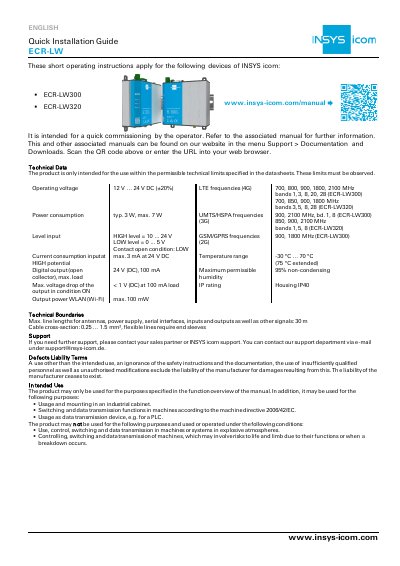
INSYS icom ECR-LW300/ECR-LW320 Router Quick Installation Guide
This Quick Installation Guide from INSYS icom describes the initial commissioning of the ECR-LW300 and ECR-LW320 cellular routers. It is intended for quick commissioning by the operator, and the associated manual with further information is available on the INSYS icom website.
The guide lists the technical data of the devices, including operating voltage, LTE/UMTS/GSM frequency bands, power consumption, level input and digital output parameters, and the permitted temperature range. Step-by-step sections cover router connection and SIM card insertion, LAN settings of the configuration PC, web interface access, configuration as an Internet router via cellular radio, changing the access data, and rebooting or resetting the router.
Covers: Technical Data · Intended Use · Router connection · LAN settings of configuration PC · Web interface access · Configuration as Internet router via cellular radio
Latest insys icom manuals
INSYS icom ECR-LW300/ECR-LW320 Router Quick Installation Guide
Quick Start Guide 4 pages · 239 KB · ENQuick Installation Guide for INSYS icom ECR-LW300 and ECR-LW320 cellular routers covering setup, web interface access, and technical data.
Which document do I need?
Quick Start Guide
The shortest path to a working setup, usually only a few pages.
Questions answered in insys icom manuals
What is the default IP address and login for the web interface?
The default IP address of the router is 192.168.1.1, and the default login is the name "insys" with the password "icom".
From: INSYS icom ECR-LW300/ECR-LW320 Router Quick Installation Guide
How do I reset the ECR-LW router to default settings?
In the menu Administration > Reset, check all options and click Reset now, or press the reset key on the device front three times briefly within 2 seconds.
From: INSYS icom ECR-LW300/ECR-LW320 Router Quick Installation Guide