
Key facts
- Manuals
- 1
- Languages
- ZH
- Last added
- 2023-11-01
Featured FOXEER manuals
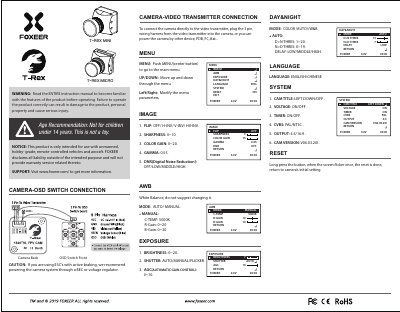
Foxeer T-REX MINI/T-REX MICRO Camera Video Transmission Connection Guide
This guide explains how to connect the Foxeer T-REX MINI or T-REX MICRO camera to a video transmitter using a 3-pin harness. It includes menu navigation for adjusting settings like exposure, white balance, and output format. The camera is designed for hobby-grade RC vehicles and aircraft only. Safety warnings and age restrictions are included.
The guide also covers voltage detection, OSD control, and system reset procedures. Menu options include brightness, shutter speed, gamma, and noise reduction. Language settings can be switched between English and Chinese. The camera firmware version is V06.03.20I. This manual is written in Chinese.
Covers: Camera-Video Transmitter Connection · Menu Navigation · Exposure Settings · White Balance · Language and System Reset · Voltage Detection
Latest FOXEER manuals
Foxeer T-REX MINI/T-REX MICRO Camera Video Transmission Connection Guide
User Manual 2 pages · 1.6 MB · ZHUser guide for connecting Foxeer T-REX MINI/T-REX MICRO camera to video transmitter with menu controls and settings.
Which document do I need?
User Manual
Day-to-day operation, settings and troubleshooting. Start here if the product is already set up.
Questions answered in FOXEER manuals
How do I connect the camera to the video transmitter?
Plug the 3-pin wiring harness from the video transmitter into the camera. You can also power the camera via other devices like PDB, FC, or battery.
From: Foxeer T-REX MINI/T-REX MICRO Camera Video Transmission Connection Guide
How do I reset the camera to factory settings?
Long press the button until the screen flickers once to reset and return to initial settings.
From: Foxeer T-REX MINI/T-REX MICRO Camera Video Transmission Connection Guide