
Key facts
- Manuals
- 1
- Languages
- EN
- Last added
- 2023-10-18
Featured East Tester manuals
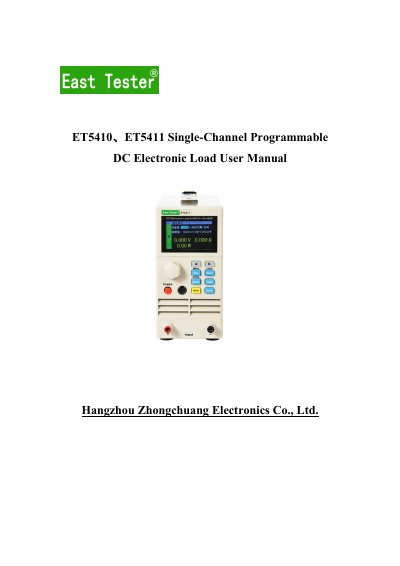
East Tester ET5410, ET5411 Single-Channel Programmable DC Electronic Load User Manual
This user manual provides detailed instructions for operating the East Tester ET5410 and ET5411 single-channel programmable DC electronic load. It covers basic modes like constant current, voltage, resistance, and power, as well as advanced test modes such as battery, LED, and short circuit testing. The device features a 2.8-inch TFT LCD screen, remote/local operation via USB/RS-232/485, and multiple safety protections including overcurrent, overvoltage, and overtemperature. Setup and parameter adjustments are performed via on-screen menus or physical keys.
Covers: Quick Start Guide · Function Operating · Remote/local Switching · System Setup · Load Setup · Basic Mode
Latest East Tester manuals
East Tester ET5410, ET5411 Single-Channel Programmable DC Electronic Load User Manual
User Manual 18 pages · 827 KB · ENUser manual for East Tester's ET5410 and ET5411 single-channel programmable DC electronic load, covering operation modes, setup, and safety features.
Which document do I need?
User Manual
Day-to-day operation, settings and troubleshooting. Start here if the product is already set up.
Questions answered in East Tester manuals
What are the basic operating modes of the ET5410 and ET5411?
The device can operate in constant current (CC), constant voltage (CV), constant resistance (CR), constant power (CP), constant current to constant voltage (CC+CV), and constant resistance to constant voltage (CR+CV) modes.
From: East Tester ET5410, ET5411 Single-Channel Programmable DC Electronic Load User Manual
How do I switch between remote and local operation?
In remote mode, the interface is locked and controlled via upper computer commands; switch back to local mode by pressing [Shift]+[ ](Local) on the panel.
From: East Tester ET5410, ET5411 Single-Channel Programmable DC Electronic Load User Manual