
Key facts
- Manuals
- 1
- Languages
- EN
- Last added
- 2026-10-08
Featured Dataton manuals
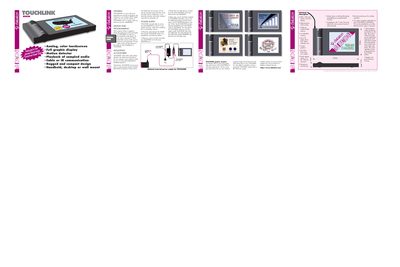
Dataton TOUCHLINK Technical Specifications and User Guide
The TOUCHLINK is a color LCD touch panel designed for use with Dataton TRAX‑based systems. It offers a 320×240 pixel backlit display, high‑resolution touch surface, built‑in motion sensor, loudspeaker, and IR communication for cordless operation. The panel can be powered from the SMARTPAX or an external 12 V DC supply for longer cable runs.
The guide covers graphic programming via TRAX, mounting options with a tilt‑stand or optional wall kit, power supply configurations, and button programming. It also lists technical specifications such as memory, power requirements, and mechanical features.
Covers: Technical Description · General · Design and Programming · Mounting Accessories · Power Supply
Latest Dataton manuals
Dataton TOUCHLINK Technical Specifications and User Guide
User Manual 1 pages · 335 KB · ENThe Dataton TOUCHLINK user guide provides specifications, mounting, power, and programming details for the color LCD touch panel.
Which document do I need?
User Manual
Day-to-day operation, settings and troubleshooting. Start here if the product is already set up.
Questions answered in Dataton manuals
What power supply does the TOUCHLINK require?
It needs 12 V DC at up to 500 mA, normally taken from the SMARTPAX, but an external 12 V DC injector and adaptor can be used for longer cable runs.
From: Dataton TOUCHLINK Technical Specifications and User Guide
How can the TOUCHLINK be mounted?
It ships with a clear plastic tilt‑stand for desk‑top use, or can be wall‑mounted using the optional TOUCH‑LINK WALL KIT (product number 3551).
From: Dataton TOUCHLINK Technical Specifications and User Guide