
Key facts
- Manuals
- 3
- Languages
- EN
- Last added
- 2026-10-24
Featured Corelis manuals
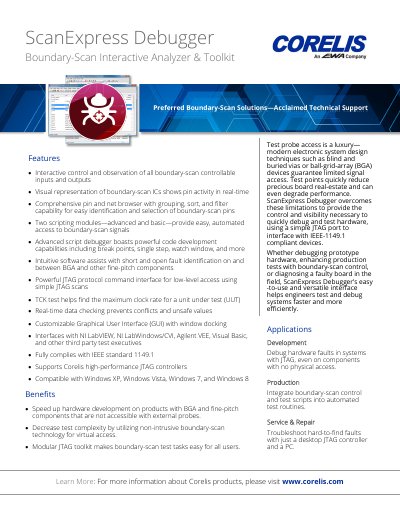
Corelis ScanExpress Debugger Boundary-Scan Interactive Analyzer & Toolkit Datasheet
ScanExpress Debugger is a software application designed to assist engineers with hardware debug during prototype design verification and testing. It facilitates boundary-scan control in both automated and manual test environments by utilizing a high-performance Corelis JTAG controller along with user-friendly Windows-based software.
The tool provides an interactive Graphical User Interface (GUI) featuring a pin grid for monitoring individual pins and IC display windows for visualizing pin activity. It includes scripting modules for automation, a protocol command interface for low-level register scans, and tools to determine maximum clock rates and test for undocumented op codes.
Covers: Overview · Graphical User Interface · Script Debugger · Additional Tools · Application Programming Interface (API) · Ordering Information
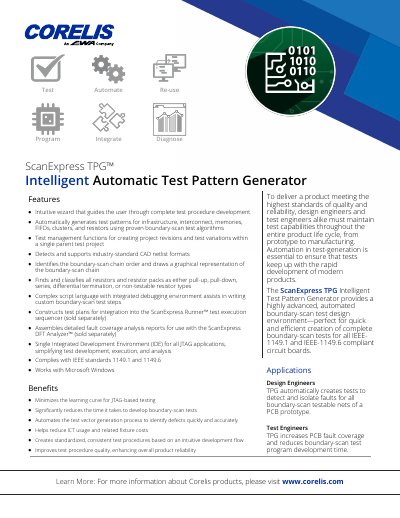
Corelis ScanExpress TPG Intelligent Automatic Test Pattern Generator Product Leaflet
The ScanExpress TPG Intelligent Automatic Test Pattern Generator is a software tool designed to assist design and test engineers in creating complete boundary-scan tests. It provides a highly automated environment for developing tests for all IEEE-1149.1 and IEEE-1149.6 compliant circuit boards, featuring an intuitive wizard and automatic test pattern generation for various components.
Covers: Features · Benefits · Interface · Preparation Phase · Generation Phase · Test Project Management
Corelis ScanDIMM-240/DDR3/R Digital Tester User's Manual
The ScanDIMM-240/DDR3/R Digital Tester module provides an easy-to-use method for structurally testing 240-pin Registered Dual Inline Memory Module (DIMM) sockets using boundary-scan technology. It offers 232 fully bi-directional test signals and is compatible with the Corelis ScanExpress boundary-scan test development tools.
The document details the hardware components, including the module itself, host adapter cable, and daisy-chain cables. It explains how to connect the device to a boundary-scan controller via the TAP IN connector and describes the indicator LEDs for power and connection status.
Covers: Product Overview · Installation · Hardware Components · Software Files · Connecting to Boundary-Scan Controller · Indicator LEDs
Latest Corelis manuals
Corelis ScanExpress Debugger Boundary-Scan Interactive Analyzer & Toolkit Datasheet
Product Leaflet 2 pages · 601 KB · ENA software application for hardware debugging and boundary-scan control using a JTAG port, featuring interactive pin observation and scripting capabilities.
Corelis ScanExpress TPG Intelligent Automatic Test Pattern Generator Product Leaflet
Product Leaflet 2 pages · 506 KB · ENThis document describes the Corelis ScanExpress TPG, an automated boundary-scan test design environment for IEEE-1149.1 and 1149.6 compliant circuit boards.
Corelis ScanDIMM-240/DDR3/R Digital Tester User's Manual
User Manual 17 pages · 7.5 MB · ENThis manual covers the installation, software setup, and operation of the Corelis ScanDIMM-240/DDR3/R boundary-scan based digital tester for 240-pin DDR3…
Which document do I need?
User Manual
Day-to-day operation, settings and troubleshooting. Start here if the product is already set up.
Questions answered in Corelis manuals
What is the primary function of the ScanExpress Debugger?
It is a software application designed to assist engineers with hardware debug during prototype design verification and testing as well facilitate boundary-scan control in both automated and manual test environments.
From: Corelis ScanExpress Debugger Boundary-Scan Interactive Analyzer & Toolkit Datasheet
What operating systems are supported by the ScanExpress Debugger?
The software is compatible with Windows XP, Windows Vista, Windows 7, and Windows 8.
From: Corelis ScanExpress Debugger Boundary-Scan Interactive Analyzer & Toolkit Datasheet
What standards does the ScanExpress TPG comply with?
The device complies with IEEE standards 1149.1 and 1149.6.
From: Corelis ScanExpress TPG Intelligent Automatic Test Pattern Generator Product Leaflet
What operating system is required to use the ScanExpress TPG?
The product works with Microsoft Windows applications.
From: Corelis ScanExpress TPG Intelligent Automatic Test Pattern Generator Product Leaflet
What voltage is required for the TAP interface?
The TAP Voltage for the boundary-scan controller should be set to 1.8V.
From: Corelis ScanDIMM-240/DDR3/R Digital Tester User's Manual
What do the indicator LEDs indicate?
The PWR LED indicates power status, and the TAP ON LED indicates whether an active TAP connection is present.
From: Corelis ScanDIMM-240/DDR3/R Digital Tester User's Manual