
Key facts
- Manuals
- 1
- Languages
- RU
- Last added
- 2023-11-15
Featured Bruker AXS manuals
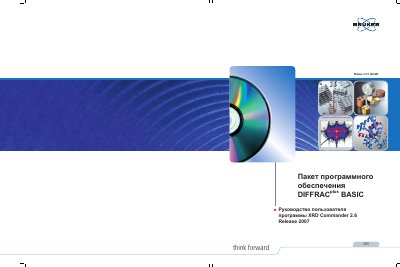
Bruker DIFFRACplus XRD Commander 2.6 User Manual
This is the Russian-language user manual for XRD Commander 2.6, the main program of the Bruker AXS DIFFRACplus BASIC software package, released in 2007 (document DOC-M88-EXX060 V2.6). The program is used to run quick measurements to obtain basic sample characteristics, to set up the diffractometer and to perform streaming measurements.
The manual describes the program's main window with its five pages (Adjust, Jobs, Geometry, Details and Camera), control of the sample changer, drives and diffractometer components such as the absorber, rotation, detector slit and shutter, the File, Diffractometer, Jobs and View menus, setup of the measurement server, and the DIFFRACplus command language with its scripting objects and automatic alignment functions. This manual is written in Russian.
Covers: Введение (Introduction) · Параметры командной строки (Command line parameters) · Главный вид и работа с программой (Main view) · Adjust page (страница регулировки) · Jobs Page (страница пакетных измерений) · Menubar (строка меню)
Latest Bruker AXS manuals
Bruker DIFFRACplus XRD Commander 2.6 User Manual
User Manual 81 pages · 5.9 MB · RUUser manual for Bruker AXS DIFFRACplus BASIC XRD Commander 2.6 software, covering quick measurements, diffractometer control and the command language.
Which document do I need?
User Manual
Day-to-day operation, settings and troubleshooting. Start here if the product is already set up.
Questions answered in Bruker AXS manuals
What is XRD Commander used for?
XRD Commander is the main program of the DIFFRACplus package and can be used for quick measurements to obtain basic sample characteristics, for diffractometer setup and for streaming measurements.
How do I connect XRD Commander to a specific diffractometer?
Start the program with the /d: parameter and the diffractometer address, e.g. "xrdcmd.exe /d:diff1!lab" connects to diffractometer "diff1" on the computer named "lab"; use /proxy if the connection goes through a proxy server.