
Key facts
- Manuals
- 5
- Languages
- ZH · EN
- Last added
- 2026-10-16
Featured Bachmann manuals
Bachmann M1 Controller Hardware System Overview
The Bachmann M1 controller hardware offers a diverse range of high-performance industrial controllers based on Pentium processors. The system combines the openness of PC-based controllers with the reliability of industrial hardware platforms, designed for robust operation in temperatures between -40 and +70 °C without fans.
The documentation details various hardware components including processor modules (ME203, MX200, MC200, MH200 series), digital and analog I/O modules, function modules for counting and PWM, and system modules for power and backplanes. It also covers extensive networking capabilities via industrial Ethernet and various fieldbus systems such as CANopen, DeviceNet, EtherCAT, PROFIBUS, PROFINET, and Modbus. This manual is written in Chinese.
Covers: Processor Modules · Digital Input/Output Modules · Analog Input/Output Modules · Function Modules · System Modules · Networking
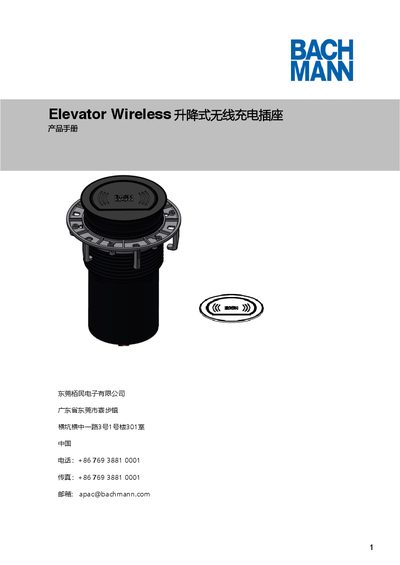
Bachmann Elevator Wireless Charging Socket User Manual
The document is a user manual for the Bachmann Elevator Wireless Charging Socket. It covers product description, including components like the power socket, USB-C interface, wireless charging pad, and on/off button. The guide details how to operate the device by pressing the button to raise or lower the charging surface. This manual is written in Chinese.
Covers: 序言 · 产品描述 · 规格参数 · 安装说明
Bachmann SC-44 Charger Quick Start Guide
This guide introduces the Bachmann SC-44 Charger with WOWSound DCC Sound Technology, designed for model train enthusiasts. It covers new features like emergency brake, crew alert, and dynamic brake operation. The guide explains how to use Audio Assist for easy configuration without programming CVs. It also details sound, light, and throttle modes, as well as programming and running the locomotive on DC or DCC power.
The SC-44 Charger supports 10 light functions, 20 lighting effects, and realistic sound with CD-quality audio. It includes three throttle modes for different operating preferences and supports MU operation. The guide assumes some familiarity with DCC systems and TCS decoders, and directs new users to TCS resources for deeper learning.
Covers: Overview · New Features · WOWSound Decoder Features · Programming Your Locomotive · Running Your New Locomotive · WOWSound® SC-44 Charger Paginated Function Mappings
Bachmann Dynamis DCC Model Train Control System User Guide
The Bachmann Dynamis is a bi-directional infrared hands-free DCC control system designed for model trains of any scale. It consists of a Command Station and a wireless Handset, allowing users to control locomotives and accessories without being tethered to the track. The system requires NMRA DCC decoder-fitted trains and includes a 40-locomotive roster database with features for editing names, icons, and addresses.
Covers: Introduction · Hardware overview · Getting Started · How to use the joystick · How to configure the locomotive roster · How to operate turnouts and accessories
Latest Bachmann manuals
Bachmann M1 Controller Hardware System Overview
Product Leaflet 470 pages · 20.1 MB · ZHThis document provides a system overview of the Bachmann M1 controller hardware, covering processor modules, I/O modules, system modules, networking…
Bachmann Elevator Wireless Charging Socket User Manual
User Manual 6 pages · 1.1 MB · ZHThis manual provides installation instructions, safety guidelines, and technical specifications for the Bachmann Elevator Wireless Charging Socket.
Bachmann SC-44 Charger Quick Start Guide
Quick Start Guide 12 pages · 176 KB · ENQuick Start Guide for the Bachmann SC-44 Charger with WOWSound DCC Sound Technology by TCS.
Bachmann Dynamis DCC Model Train Control System User Guide
User Manual 27 pages · 611 KB · ENThis manual provides instructions for setting up, operating, and configuring the Bachmann Dynamis wireless DCC model train control system.
Bachmann Emmi 20-30-40 HC Ultrasonic Cleaner Instruction Manual
User Manual 4 pages · 195 KB · ENInstruction manual for the Bachmann Emmi 20-30-40 HC ultrasonic cleaner, covering operation, safety notes, and technical specifications.
Which document do I need?
User Manual
Day-to-day operation, settings and troubleshooting. Start here if the product is already set up.
Quick Start Guide
The shortest path to a working setup, usually only a few pages.
Questions answered in Bachmann manuals
What is the operating temperature range for the M1 controller hardware?
The system operates without a fan in ambient temperatures between -40 and +70 °C.
How long can data be reliably saved on the MX200 series processor module?
The module ensures reliable data storage for over 10 years without battery buffering.
What is the maximum output power of this wireless charging socket?
The device provides a maximum output power of 22W.
From: Bachmann Elevator Wireless Charging Socket User Manual
Is it safe to use the elevator function in any room?
No, the manual states that this feature is for kitchen use only.
From: Bachmann Elevator Wireless Charging Socket User Manual
How do I use Audio Assist to configure the decoder?
Press function button 8 four times in quick succession while operating in DCC mode to enter Audio Assist. The decoder will guide you through configuration without needing to program CVs.
How do I reset the locomotive to factory defaults?
Program CV8=2, or use Audio Assist: press Button 4, Button 3, Button 2 in sequence.