
Key facts
- Manuals
- 2
- Languages
- EN
- Last added
- 2023-10-18
Featured ALDI manuals
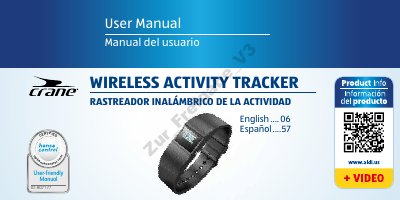
ALDI AU7-CDAT-6A/6D/6E Wireless Activity Tracker User Manual
This user manual provides instructions for using the ALDI wireless activity tracker, including how to charge, set time, connect via Bluetooth, and use features like step counting and sleep mode. It also includes safety information, troubleshooting, and disposal guidelines.
The device comes with a wristband, two display modules, an OLED screen, menu button, clip, USB charger, and reset button. It is water-resistant and uses a lithium polymer rechargeable battery.
Covers: Overview · Product contents/device parts · QR Codes · General information · Reading and storing the user manual · Explanation of symbols
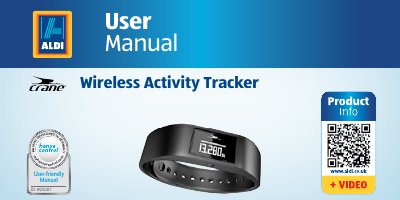
Aldi AES-CDAT-2A/2B/2C/2D Wireless Activity Tracker User Manual
This document provides instructions for the Aldi AES-CDAT-2A/2B/2C/2D wireless activity tracker. It details the scope of delivery, including the wristband, display module, and USB charger, and explains how to activate the device and connect it to the Crane Connect app via Bluetooth. The guide covers various functions such as time, step counting, distance, calorie, activity time, sleep, and alarm modes. It also includes instructions for charging the battery, inserting the display module, and putting on the wristband.
Covers: Overview · Scope of delivery · Functions · Operation · Compatible Bluetooth devices · Charging the rechargeable battery
Latest ALDI manuals
ALDI AU7-CDAT-6A/6D/6E Wireless Activity Tracker User Manual
User Manual 112 pages · 1.7 MB · ENUser manual for ALDI's wireless activity tracker, covering setup, operation, safety, and maintenance.
Aldi AES-CDAT-2A/2B/2C/2D Wireless Activity Tracker User Manual
User Manual 60 pages · 2.1 MB · ENThis user manual covers the setup, operation, modes, and maintenance of the Aldi AES-CDAT-2A/2B/2C/2D wireless activity tracker wristband.
Which document do I need?
User Manual
Day-to-day operation, settings and troubleshooting. Start here if the product is already set up.
Questions answered in ALDI manuals
What is the operating temperature range?
The device operates between +14 °F to +140 °F (–10 °C to +60 °C).
From: ALDI AU7-CDAT-6A/6D/6E Wireless Activity Tracker User Manual
How do I charge the wristband?
Use the included USB charger to charge the rechargeable battery.
From: ALDI AU7-CDAT-6A/6D/6E Wireless Activity Tracker User Manual
How long is the warranty period for this activity tracker?
The manufacturer will remedy product failure within the first three years after the date of purchase.
From: Aldi AES-CDAT-2A/2B/2C/2D Wireless Activity Tracker User Manual
What happens if I am not satisfied with the product?
You can return it to the store where it was purchased for a replacement or refund.
From: Aldi AES-CDAT-2A/2B/2C/2D Wireless Activity Tracker User Manual