
Key facts
- Manuals
- 1
- Languages
- PT
- Last added
- 2023-11-16
Featured AKSO manuals
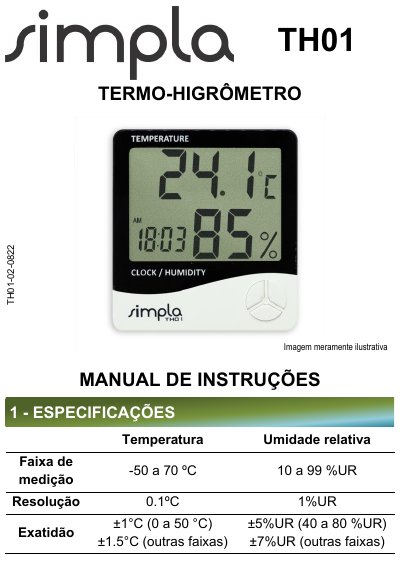
Akso TH01 Thermo-Hygrometer User Manual
The Akso TH01 is a thermo-hygrometer that measures temperature from -50 to 70 °C and relative humidity from 10 to 99 %RH. The manual gives its specifications and explains the display, clock, alarm, date, °C/°F selection and maximum/minimum memory functions.
It also describes battery installation, time and date adjustment, alarm setting, activating the alarm/exact-time signal, and replacing the AAA battery. A retractable stand and a 12/24-hour clock are listed among the additional information. This manual is written in Portuguese.
Covers: Specifications · Operating Instructions · Time/Alarm Display – MODE · Date Display – ADJ · Battery Installation – Time/Date Adjustment · Alarm Adjustment
Latest AKSO manuals
Akso TH01 Thermo-Hygrometer User Manual
User Manual 4 pages · 405 KB · PTUser manual for the Akso TH01 thermo-hygrometer with specifications, operation, alarm, memory and battery replacement instructions.
Which document do I need?
User Manual
Day-to-day operation, settings and troubleshooting. Start here if the product is already set up.
Questions answered in AKSO manuals
How do I switch the TH01 between °C and °F?
Press the °C/°F button on the back of the TH01 to change the temperature unit.
How do I clear the maximum and minimum records?
While viewing the maximum or minimum records, hold the MEMORY button for 5 seconds to erase the memory and start new records.