
Key facts
- Brand
- ifm
- Model
- TN7531
- Documents
- 2
- Languages
- JA
- Last added
- 2011-11-18
Start here
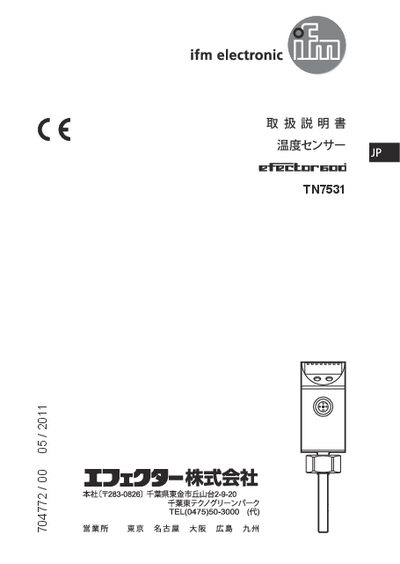
ifm TN7531 Temperature Sensor User Manual
This user manual explains how to safely install, wire and operate the ifm TN7531 temperature sensor. It includes important safety precautions such as ensuring power is off, only trained personnel performing the work, and avoiding contact with the sensing element or corrosive media.
The document describes the sensor's functions, including dual switching outputs (OUT1, OUT2), communication via IO-Link, and parameter configuration for temperature thresholds, hysteresis and wind functions. Installation guidance covers the use of M12, G14 or G12 adapters, proper torque (max 50 Nm) and greasing. Technical specifications such as operating temperature range, IP67 protection rating and sensor element type are listed in the specifications section. This manual is written in Japanese.
ifm TN7531 specifications
| Sensor element | PT1000 (DIN EN 60751 class B) |
|---|---|
| Protection rating | IP67 |
| Operating temperature | -25 °C to 70 °C |
| Storage temperature | -40 °C to 85 °C |
All ifm TN7531 documents by type
Day-to-day operation, settings and troubleshooting. Start here if the product is already set up.
Questions answered in these manuals
How are the switching outputs configured?
The OUT1 and OUT2 outputs can be set to switching mode based on temperature set points (SPx) and reset points (rPx) with options such as hysteresis, normal open/close, and wind functions, all configured via parameter settings.
What is the protection class of the sensor?
The sensor has an IP67 protection rating, making it dust‑tight and protected against immersion up to 1 m.
How should the TN7531 sensor be installed?
Use a process adapter (M12, G14, or G12) to mount the sensor on pipes, tighten the adapter to a maximum torque of 50 Nm, and apply the supplied grease before installation.
From: ifm TN7531 User Manual
How can the switching outputs be configured?
Set the setpoint (SPx) and reset point (rPx) for each output, then select the desired hysteresis or normal‑open/closed mode in the parameter settings.
From: ifm TN7531 User Manual