
Key facts
- Brand
- Colorful
- Model
- N70GT
- Category
- Motherboard
- Industry
- Computers
- Documents
- 2
- Languages
- ZH
- Last added
- 2012-03-21
Start here
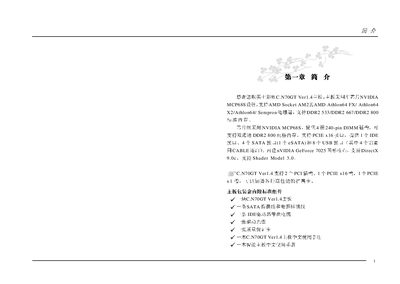
Colorful C.N70GT Motherboard User Manual
This manual covers the complete setup of the Colorful C.N70GT motherboard, including CPU compatibility, memory installation, and peripheral connections. It explains the layout of components, jumper settings, and BIOS configuration for optimal performance.
Additional sections describe how to update the BIOS in DOS mode, explain the meaning of motherboard-specific abbreviations, and provide troubleshooting steps such as clearing the CMOS and handling USB or SATA issues. This manual is written in Chinese.
Colorful N70GT specifications
| CPU Socket | AMD Socket AM2 |
|---|---|
| Memory Slots | 4 x 240‑pin DIMM slots |
| Expansion Slots | 1 x PCI‑Express x16, 1 x PCI‑Express x1, 2 x PCI |
| Integrated Graphics | NVIDIA GeForce 7025 |
| USB Ports | 8 x USB 2.0/1.1 |
All Colorful N70GT documents by type
Day-to-day operation, settings and troubleshooting. Start here if the product is already set up.
Questions answered in these manuals
How do I clear the CMOS on the C.N70GT motherboard?
Short the JBAT pins 2‑3 to clear the CMOS data.
What is the procedure to update the BIOS in DOS mode?
Boot into DOS, copy the BIOS files to a floppy, and run the appropriate update executable (e.g., AMI or Award) as described in Appendix C.
How many USB ports are available on this motherboard?
The board provides eight USB 2.0 ports – four built‑in ports and four additional ports that require a cable connection.
What CPU socket does the C.N70GT use?
It uses the AMD Socket AM2 for compatible AMD processors.