
Key facts
- Manuals
- 10
- Categories
- 2
- Languages
- ZH
- Last added
- 2012-04-10
Featured Beijing合众思壮 manuals
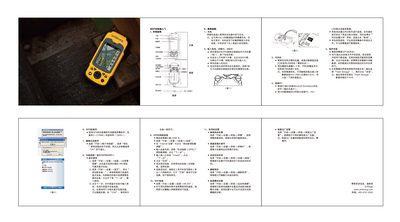
UniStrong MG758 Handheld GPS User Guide
The MG758 is a compact handheld GPS device with built‑in camera, speaker and external antenna connectors. This guide provides a fast‑track introduction to the device’s external layout and basic operation.
Key procedures covered include charging the lithium battery, installing the SIM and TF cards, powering the unit on and off, connecting to a PC via USB with ActiveSync, installing applications, and configuring GPS, camera, Bluetooth, GPRS and Wi‑Fi connections as well as screen and power‑saving settings. This manual is written in Chinese.
Covers: External Appearance · Charging · Inserting Battery and Cards · Power On/Off · PC Connection · Program Installation
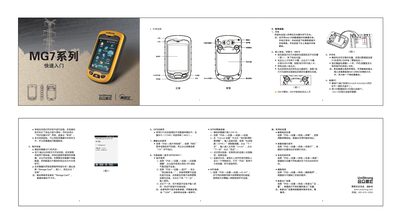
UniStrong GM7 Quick Start Guide
The UniStrong GM7 is a handheld data collector equipped with a lithium‑ion battery, TF card slot, SIM card slot, GPS, Bluetooth, Wi‑Fi and a built‑in camera. This guide provides the essential steps to get the device up and running quickly.
It covers charging the battery, inserting the battery, TF card and SIM card, powering the device on and off, installing applications, using the camera, configuring wireless connections (Bluetooth, GPRS, Wi‑Fi), adjusting screen backlight, setting automatic power‑off timers, deleting programs, and restoring factory settings. This manual is written in Chinese.
Covers: Charging · Inserting Battery, TF Card and SIM Card · Power On/Off · Program Installation · Camera Usage · Wireless Connections (Bluetooth, GPRS, Wi‑Fi)
UniStrong Yice Shoubu Software User Manual
This manual introduces the UniStrong Yice Shoubu upper‑computer software, a companion application for handling coordinate data. It covers system requirements, installation steps, menu and toolbar functions, and basic operations such as login management, data import, editing, printing, and export.
The document also details password management, data transfer between the handheld device and PC, printing preview and settings, and exporting coordinates to DXF files. Each section includes functional descriptions, step‑by‑step instructions, and important notes for reliable operation. This manual is written in Chinese.
Covers: Introduction · System Requirements · Installation · System Menu and Toolbar · User Login Management · Coordinate Data Import
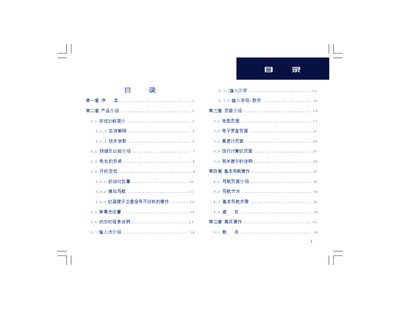
UniStrong Map60CS/Map60CSx GIS Collector User Manual
The UniStrong Map60CS/Map60CSx is a dual‑mode GPS handheld and car‑mount GIS collector. It provides satellite positioning, electronic compass, barometric altimeter, route planning, and a rich set of map and point‑of‑interest data for outdoor navigation and field data collection.
The manual is organized into an introduction, product overview, page descriptions, basic navigation procedures, advanced functions such as waypoint management and custom tools, and several appendices covering GPS basics, accessories, and coordinate system settings. This manual is written in Chinese.
Covers: Introduction · Product Overview · Page Descriptions · Basic Navigation Operations · Advanced Operations · Appendices
Latest Beijing合众思壮 manuals
Beijing UniStrong CEC9680 GSM Phone/GPS Manual
CEC9680 is a navigation phone that combines GSM, GIS, and GPS technologies. It has a seamless design and high-quality materials, with features such as intelligent voice map navigation and location information exchange.
UniStrong walkie-talkie Manual
UniStrong MG758 Handheld GPS User Guide
Quick Start Guide 1 pages · 1 MB · ZHThe UniStrong MG758 handheld GPS quick start guide explains charging, inserting battery and cards, power on/off, PC connection, and wireless setup.
UniStrong GM7 Quick Start Guide
Quick Start Guide 1 pages · 36.9 MB · ZHThe UniStrong GM7 Quick Start Guide explains how to charge, insert battery, SIM and TF cards, power on, install software, and use GPS, Bluetooth, Wi‑Fi and…
UniStrong Yice Shoubu Software User Manual
User Manual 21 pages · 561 KB · ZHThe UniStrong Yice Shoubu Software User Manual provides installation, usage, and feature instructions for version V1.0.0.0.
UniStrong Map60CS/Map60CSx GIS Collector User Manual
User Manual 87 pages · 4.3 MB · ZHUser manual for the UniStrong Map60CS/Map60CSx handheld and car‑mount GIS collector, covering features, operation steps and technical specs.
UniStrong E640 User Manual
User Manual 28 pages · 916 KB · ZHThe UniStrong E640 user manual explains configuration, operation, power management, data handling and safety notes for the high‑precision static measurement…
Garmin GPS15, GPS15L/H, GPS25LVS OEM Product User Manual
User Manual 25 pages · 417 KB · ZHThis manual provides specifications, interface details, and usage instructions for Garmin GPS15, GPS15L/H, and GPS25LVS OEM GPS modules.
UniStrong E630G RTK GPS User Manual
User Manual 94 pages · 2.9 MB · ZHThe UniStrong E630G RTK GPS user manual provides setup, operation, and technical specifications for field surveying.
UniStrong E650 User Manual
User Manual 54 pages · 1.3 MB · ZHThe manual provides configuration, operation, connection methods, RF amplifier use, and data handling for the UniStrong E650 RTK measurement system.
Which document do I need?
Quick Start Guide
The shortest path to a working setup, usually only a few pages.
User Manual
Day-to-day operation, settings and troubleshooting. Start here if the product is already set up.
Questions answered in Beijing合众思壮 manuals
How do I charge the MG758?
Insert the lithium battery into the supplied charger, or connect a mini‑USB data cable to charge the device.
How can I connect the MG758 to a PC?
Install Microsoft ActiveSync on the PC, then connect the device with the USB cable; the system will recognize it and open the synchronization wizard.
How do I charge the UniStrong GM7?
Insert the lithium battery into the supplied charger or connect the device to a PC with a mini‑USB cable; the screen shows a charging icon while charging.
How many waypoints can be stored in the device?
The device can store up to 1,000 waypoints.
What type of batteries does the Map60CS/Map60CSx use?
It uses two AA batteries.
What power sources can the E640 use?
The E640 can be powered either by its internal lithium‑battery or by an external 12 V DC supply, with automatic switching between them.