
Key facts
- Manuals
- 21
- Categories
- 1
- Languages
- EN · ZH
- Last added
- 2022-12-16
Featured Wonder manuals
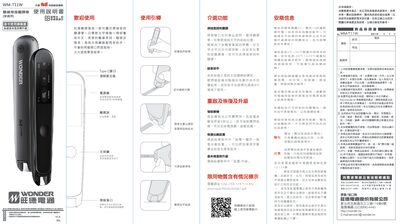
Wonder WM-T11W Translation Pen User Manual
The Wonder WM-T11W is a portable pen scanner that provides word search, translation, and pronunciation for Chinese and English text. This manual guides users through basic operation, interface features, and maintenance procedures.
Key sections cover scanning technique, power management, firmware upgrades, and safety guidelines, ensuring reliable use in everyday environments.
Covers: Welcome · Interfaces & Features · Scanning, Word Search and Translation · Reboot and Restore and Upgrade · Force‑shutdown · Restore Factory Settings
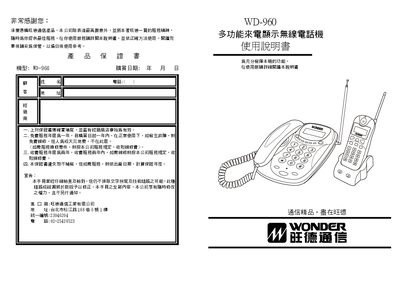
Wonder WD-960 Multi-Function Caller ID Wireless Phone User Manual
This manual provides step‑by‑step instructions for installing and using the Wonder WD‑960 wireless telephone. It covers unpacking, connecting power adapters, charging the handset battery, and configuring the device before first use.
The guide also details basic operations such as making and receiving calls, using internal intercom, managing call logs, and accessing special functions like automatic line hold, low‑battery alerts, and voice number announcement. A troubleshooting section helps resolve common issues. This manual is written in Chinese.
Covers: Packaging List · Main Features · Parts Diagram · Installation Method · Preparation Before Use · Basic Operation
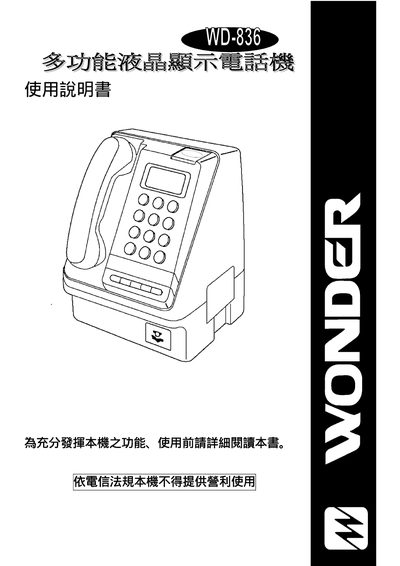
WONDER WD-836 multi-function liquid crystal display telephone Manual
This manual explains how to operate the Wondercom 836 telephone system, covering basic usage, function settings, and parameter configuration. It includes detailed instructions for credit handling, DTMF programming, and PABX integration.
The document also provides troubleshooting steps, reset procedures, and a full list of configurable options such as charge units, display settings, and various numeric ranges for system parameters. This manual is written in Chinese.
Covers: Operation Guide · Function Settings · Parameter Configuration · DTMF Settings · Credit Settings · PABX Configuration
Latest Wonder manuals
Wonder WM-T11W Translation Pen User Manual
User Manual 2 pages · 4.6 MB · ENThe Wonder WM-T11W translation pen manual explains setup, scanning, translation, and safety instructions for the portable device.
WONDER WD-8907 Manual
WONDER WD-2903 Manual
This document introduces the main features and performance of a certain brand of watch, including sports modes, heart rate monitoring, sleep monitoring, blood oxygen monitoring, and stress monitoring.
WONDER WD-3220 Manual
WONDER TW21828GE-B digit Type Wireless telephone Manual
In this white paper, we will discuss why AI is a threat to cybersecurity today and how it will continue to grow as a threat. We will outline some of the attacks that use AI and discuss how they can cause harm in today's networked environment. We will also discuss some of the techniques and strategies that businesses can use to protect themselves from AI attacks.
WONDER TW21837GE-A TW21837GE-A DUO digit Type Wireless telephone Manual
This manual introduces how to use Intel® NUC 11th Gen NUC 11 Pro Kit to build a high-performance Windows 10 workstation.
WONDER TW21838GE-A TW21838GE-A DUO digit Type Wireless telephone Manual
This is a manual for a certain appliance. It provides detailed instructions on how to operate the appliance and safety precautions.
WONDER TW21880GE-B digit Type Wireless telephone Manual
This document is a user manual for a smartwatch from a certain brand and model. The brand is XXXX and the model is XXXX. The watch can measure blood oxygen, heart rate, and sleep data.
WONDER TW21880GE-B caller ID display Wireless telephone Manual
This document introduces the features and characteristics of a wireless router of a certain brand and model
WONDER TE27850GE-A digit Type Wireless telephone Manual(1)
WONDER TE27850GE-A digit Type Wireless telephone Manual(1)(1)
The file is a product manual, introducing the features and characteristics of a product from a certain brand, including brand, model, product name and other information.
WONDER V-102 Manual
This manual is the instruction manual of Wand V-102 mobile phone. It mainly introduces the appearance, button description, safety instructions, SIM card installation, battery charging, power on and off, quick functions, basic telephone functions, input methods, phone book, messages, call records, settings, multimedia, file management, entertainment and games.
WONDER WD-150AN Electricity call owners manual
WONDER WD-208 caller ID display owners manual
WONDER WD-302 Electricity call owners manual
This document introduces a new smartphone from a certain brand. The smartphone features the latest processor and has a powerful performance. It also has a high-resolution screen and a high-resolution camera, which can take clear photos and videos. In addition, the smartphone supports multiple network connection methods, which can meet the needs of users.
- 1
- 2
Which document do I need?
User Manual
Day-to-day operation, settings and troubleshooting. Start here if the product is already set up.
Questions answered in Wonder manuals
How do I force‑shutdown the WM‑T11W?
Press and hold the power button for more than 6 seconds to force‑shutdown the device.
How do I upgrade the firmware?
Use the Settings → Upgrade menu in the device software to install the latest version.
How do I reset the device password?
Press the code‑setting key on the mother unit, then hold the pause/delete key until the unit emits a long beep; the password is reset.
From: Wonder WD-960 Multi-Function Caller ID Wireless Phone User Manual
How long should I charge the handset battery before first use?
Charge the handset battery for at least 10 hours before using the phone.
From: Wonder WD-960 Multi-Function Caller ID Wireless Phone User Manual
How can I set the credit values on the system?
Enter the desired credit value using the range 0‑9 or 00‑99 as shown in the credit settings.
From: WONDER WD-836 multi-function liquid crystal display telephone Manual