
Key facts
- Manuals
- 56
- Categories
- 4
- Languages
- ZH · EN · FI · DA
- Last added
- 2026-10-03
Featured WD manuals
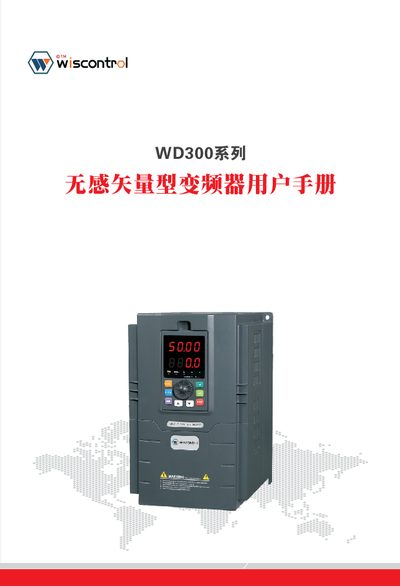
WD WD300 Series Sensorless Vector Variable Frequency Drive User Manual
This manual covers all aspects of the WD300 series sensorless vector variable frequency drive, including safety precautions, product specifications, installation and wiring, operation examples, and detailed parameter settings. It also provides fault diagnosis, maintenance procedures, and communication protocol information.
The document is organized into chapters such as Safety Precautions, Product Introduction, Installation & Wiring, Operation & Examples, Function Parameter Tables, Fault Diagnosis, Maintenance, RS485 Communication Protocol, and Application Examples, offering a complete reference for engineers and technicians working with the drive. This manual is written in Chinese.
Covers: Safety Precautions · Product Introduction · Installation and Wiring · Operation and Examples · Function Parameter Tables · Detailed Function Parameters
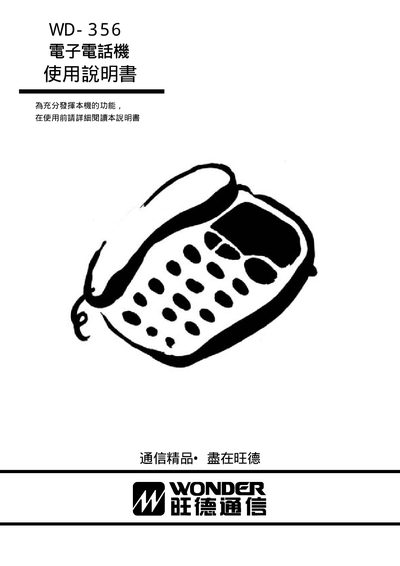
WD WD-356 Communication Device User Manual
This manual explains how to operate the WD-356 communication device, covering basic usage, function details, and configuration steps. It includes sections on pulse settings, ringer options, flash mode, hold and mute functions, as well as power and reset procedures.
The document also offers troubleshooting tips and safety information to help users maintain reliable performance. All instructions are presented in Chinese and are organized for quick reference by end‑users. This manual is written in Chinese.
Covers: Operation Instructions · Function Description · Settings Options · Pulse Configuration · Ringer Settings · Flash Settings
Western Digital Hard Drive Interface Guide
The Interface Guide helps users choose the proper internal and external connections for Western Digital hard drives. It compares SATA and PATA for internal use and outlines the benefits of each USB version, FireWire, eSATA, and Gigabit Ethernet for external connections.
The document also provides compatibility tables for operating systems, transfer‑rate specifications for each interface, and instructions on how to identify the ports on a computer. Additional support resources such as online knowledge bases, warranty information, and contact numbers are listed at the beginning.
Covers: Choosing the Right Drive Type · Internal Drive Interface Choices · External Drive Interface Choices · Interface Transfer Rates · Support and Warranty Information
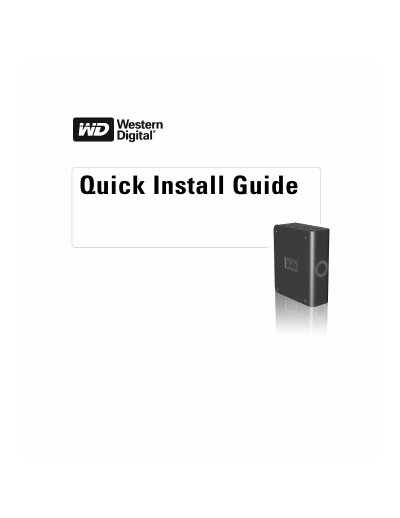
Western Digital Quick Install Guide
The guide walks you through getting started with the Western Digital external drive, including installing the latest service pack, connecting the power and USB cables, and installing drivers from the WD support site. It also shows how to use the built‑in utilities, accept security prompts, and access optional software such as Google tools.
Additional sections cover turning the drive off, troubleshooting common issues, system requirements, regulatory compliance, warranty information, and how to obtain technical support or service from Western Digital.
Covers: Getting Started · Installing the Drive · Turning Off the Drive · Troubleshooting · System Requirements · Regulatory Compliance
Latest WD manuals
WD WD300 Series Sensorless Vector Variable Frequency Drive User Manual
User Manual 128 pages · 6.5 MB · ZHThe WD300 series sensorless vector variable frequency drive user manual provides safety guidelines, installation, operation, and maintenance instructions.
WD Data Lifeguard Tools User Manual
WD Data Lifeguard Tools User Manual, introduces the installation and use of Data Lifeguard Tools.
WD TV Live Hub Media Center User Manual
This document is the user manual for WD TV Live Hub Media Center, which introduces the features and characteristics of the product, installation and use methods, etc.
WD WD-356 Communication Device User Manual
User Manual 4 pages · 80 KB · ZHThe WD-356 communication device user manual provides operating instructions, function descriptions, and setup options in Chinese.
Western Digital Hard Drive Interface Guide
Product Leaflet 10 pages · 211 KB · ENThis guide explains internal and external interface options for Western Digital hard drives, covering SATA, PATA, USB, FireWire, eSATA, and Gigabit Ethernet.
Western Digital Quick Install Guide
Quick Start Guide 4 pages · 374 KB · ENThis Western Digital Quick Install Guide provides step‑by‑step instructions for connecting, configuring, and safely removing the external USB drive.
WD WD-7901P Digital Recorder User Manual
User Manual 20 pages · 1.5 MB · ZHThe WD-7901P digital recorder user manual provides operation instructions, safety guidelines, and troubleshooting for the device.
WD WD-400 Temperature Sensor User Manual
User Manual 16 pages · 1.2 MB · ZHUser manual for the WD-400 temperature sensor, covering features, installation, RS485 communication, and alarm settings.
Western Digital My Passport Essential User Manual
User Manual 60 pages · 2.4 MB · ZHThe Western Digital My Passport Essential user manual provides setup, backup, security and troubleshooting instructions for the portable USB hard drive.
Western Digital My Book Essential User Manual
User Manual 74 pages · 3.5 MB · ZHThe Western Digital My Book Essential user manual provides setup, backup, security and troubleshooting instructions for the external hard drive.
WD Elements Play Multimedia Station User Manual
User Manual 68 pages · 2 MB · FIThe WD Elements Play multimedia station user manual provides setup, operation, and troubleshooting instructions for the device.
WD Elements Play Multimedia Drive User Manual
User Manual 66 pages · 2 MB · DAThe WD Elements Play multimedia drive user manual provides setup, operation, safety, and troubleshooting instructions.
WD My Passport Essential SE Portable Hard Drive User Manual
User Manual 2 pages · 353 KB · ZHThe WD My Passport Essential SE User Manual provides setup instructions, feature overview, specifications, and warranty information for the portable hard drive.
WD My Book External Desktop Manual
Western Digital My Book Essential Edition User Manual
User Manual 9 pages · 390 KB · ZHUser guide for the Western Digital My Book Essential Edition external USB 2.0 hard drive.
Which document do I need?
User Manual
Day-to-day operation, settings and troubleshooting. Start here if the product is already set up.
Quick Start Guide
The shortest path to a working setup, usually only a few pages.
Questions answered in WD manuals
Which communication protocol does the WD300 series support?
The drive supports RS485 communication with standard differential signaling.
From: WD WD300 Series Sensorless Vector Variable Frequency Drive User Manual
How do I safely remove the Western Digital drive?
Click the Safely Remove Hardware icon in the system tray, select the USB Mass Storage Device, and then press the Power button on the drive.
Can the drive be reformatted to NTFS?
Yes. Although the drive ships pre‑formatted as FAT32, Windows 2000 and XP users can reformat it to NTFS using the Disk Management utility.
What should I do if the device freezes during playback?
Turn the power switch off, then turn it on again to restart the recorder.
Why can’t some MP3 songs be played?
Only standard MP3 files (MPEG‑1/2/2.5 layer III) are supported; other MP3‑like files must be converted before playback.
How can I unlock the drive without using WD SmartWare?
The drive can be unlocked without WD SmartWare software using the built‑in unlock procedure.