
Key facts
- Brand
- Barco
- Model
- ADP-361
- Documents
- 2
- Languages
- JA
- Last added
- 2012-01-04
Start here
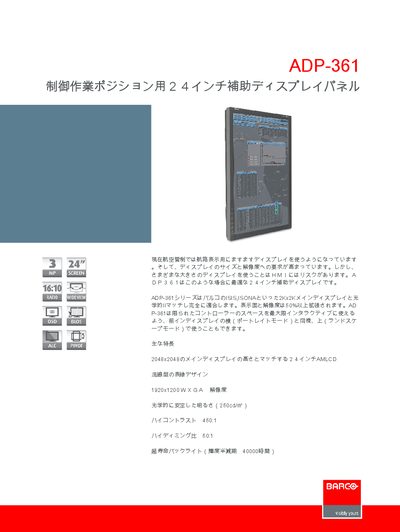
Barco ADP-361 User Manual
The ADP-361 is a 24‑inch auxiliary LCD display designed to complement Barco’s main 2K/4K displays. It can be used in portrait or landscape orientation and offers a high‑contrast, bright image suitable for control work positions.
The manual details the panel’s technical specifications, including resolution, brightness, contrast, viewing angle, and environmental ratings, as well as control keys, OSD menu, video and data interfaces, and power requirements. This manual is written in Japanese.
Barco ADP-361 specifications
| Display size | 24 inch / 61 cm diagonal |
|---|---|
| Resolution | 1200 × 1920 pixels (WXGA, portrait) |
| Brightness | 250 cd/m² (max) |
| Contrast ratio | 1000:1 (standard) |
| Dimming ratio | 50:1 |
| Color depth | 16 million colors, 256 grayscale per colour |
| Pixel pitch | 0.27 mm × 0.27 mm |
| Viewing angle | ±89° horizontal / vertical |
| Weight | 7 kg (15.4 lb) |
| Power consumption | Standard 95 W, max 100 W |
| Input voltage | 100‑240 VAC, 2.5 A |
| Operating temperature | 0 °C to 40 °C |
| Video inputs | 1 × DVI, 2 × analog |
| Control keys | UP, DOWN, ENTER, EXIT, STANDBY |
All Barco ADP-361 documents by type
Day-to-day operation, settings and troubleshooting. Start here if the product is already set up.
Questions answered in these manuals
What is the screen resolution of the Barco ADP-361?
The ADP-361 has a 1200 × 1920 pixel WXGA resolution (portrait orientation).
Which video inputs does the ADP-361 support?
It provides one DVI input and two analog video inputs.
What video input options does the ADP-361 support?
It provides one DVI input and two analog video inputs.
What is the brightness of the ADP-361 display?
The display has a stable optical brightness of 250 cd/m².