
Key facts
- Manuals
- 10
- Languages
- EN · ZH
- Last added
- 2012-07-12
Featured Master manuals
Master Chess 86421 User Manual
This manual explains how to install the six AA (Type AM3/R6) batteries, optional AC adapter, and power‑up the Master Chess 86421. It describes the board’s sensory squares, LCD display, and all keys, including GO, STOP, LEVEL, and TAKE BACK, with quick‑start steps for playing a game immediately.
Further sections cover advanced functions such as level selection, power‑saving modes, two‑player mode, game memory (up to about 200 moves), special features like chess clock, hint mode, and how to handle illegal moves, castling, pawn promotion, and opening book management.
Covers: Getting Started · Quick Start · Keys and Features · Power Saving and Battery Use · Level Selection · Two Players Mode
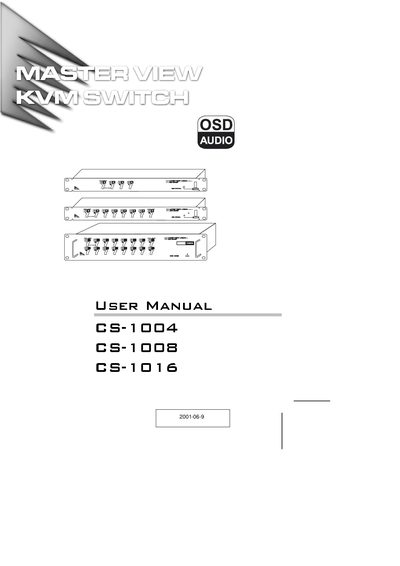
ATEN Master View CS-1004/CS-1008/CS-1016 User Manual
The Master View series from ATEN lets a single keyboard, monitor and mouse control multiple computers. Depending on the model, the unit can directly manage 4, 8, or 16 computers and, when daisy‑chained, up to 128, 256, or 512 systems.
This manual covers hardware requirements, cable connections, installation steps, OSD operation, troubleshooting, and full technical specifications. It also includes a limited warranty statement and contact information for support.
Covers: Features · Installation · Daisy Chaining · OSD Operation · Port Selection · Troubleshooting
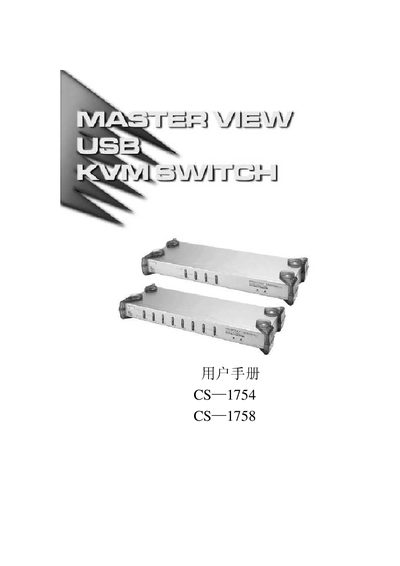
Master View CS-1754/CS-1758 User Manual
This manual describes the Master View CS-1754 and CS-1758 USB KVM switches, including their connectors, LED indicators, and supported video resolutions. It explains how to install the KVM, connect USB and PS/2 peripherals, and cascade multiple units.
Technical specifications such as power requirements, operating temperature range, and supported video modes are listed, along with troubleshooting tips and safety information for reliable operation.
Covers: Introduction · Installation · Operation · LED Indicators · Specifications · Power Requirements
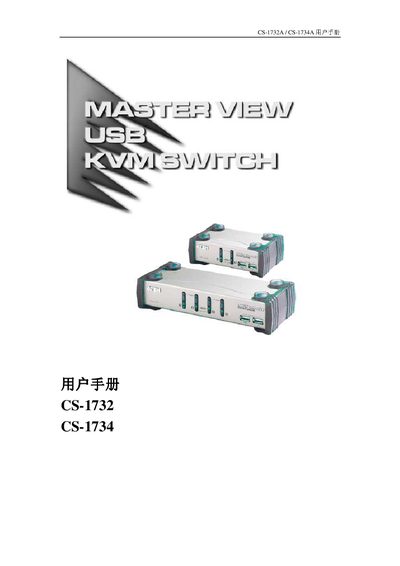
ATEN CS-1732A / CS-1734A KVM Switch User Manual
The ATEN CS-1732A and CS-1734A are dual‑direction KVM switches that combine 2 or 4 host ports with a 2‑port USB hub. They let a single control console manage multiple PCs, Macs or Sun workstations via USB or PS/2 connections and also support audio output through a single microphone.
This manual covers hardware installation, required cables, hot‑key operation, firmware upgrade procedures, detailed product specifications, troubleshooting steps and warranty information, helping users install and maintain the switch safely and efficiently. This manual is written in Chinese.
Covers: Introduction · Hardware Requirements · Hardware Installation · Hotkey Operation · Firmware Upgrade · Product Specifications
Latest Master manuals
MASTER THREE R599751 user manual
Master Three User Manual is the user manual of Master Three product produced by CineVERSUM company.
Master Chess 86421 User Manual
User Manual 60 pages · 992 KB · ENThe Master Chess 86421 user manual provides setup, operation, and feature instructions for the electronic chess computer.
MASTER VIEW KVM SWITCH CS-1708/CS-1716 KVM switcher Manual
ATEN Master View CS-1004/CS-1008/CS-1016 User Manual
User Manual 32 pages · 326 KB · ENThe ATEN Master View CS-1004/CS-1008/CS-1016 User Manual provides installation, operation, and specifications for the KVM switch.
Master View CS-1754/CS-1758 User Manual
User Manual 52 pages · 755 KB · ENThe Master View CS-1754/CS-1758 user manual provides setup, operation, and specifications for the USB KVM switch.
ATEN CS-1732A / CS-1734A KVM Switch User Manual
User Manual 37 pages · 520 KB · ZHThe ATEN CS-1732A/CS-1734A KVM Switch User Manual provides setup, operation, hotkey functions, firmware upgrade, specifications and troubleshooting.
MASTER VIEW USB-DVI KVMP SWITCH CS-1762/7764 user manual
User Manual 44 pages · 814 KB · ZHThe Master View CS-1762/CS-1764 KVMP Switch User Manual provides safety guidelines, installation steps, operation instructions, and specifications.
MASTER VIEW KVM SWITCH CS-84AC KVM switcher user Manual
Master View CS-1732A/CS-1734A KVM Switch User Manual
User Manual 37 pages · 496 KB · ZHThe Master View CS-1732A and CS-1734A KVM switches user manual provides installation, operation, and troubleshooting instructions.
Master View CS-22 KVM switcher user manual
Which document do I need?
User Manual
Day-to-day operation, settings and troubleshooting. Start here if the product is already set up.
Questions answered in Master manuals
What should I do if the mouse is not responding?
Reset the mouse (and keyboard) by simultaneously pressing Buttons 1 and 2 for three seconds, or unplug and re‑plug the mouse connector.
How do I set the station number for a daisy‑chained unit?
Use the DIP switches 1‑5 on the rear panel; each switch sets a bit of the station number.
How many USB Type‑A ports does the CS‑1754/CS‑1758 have?
The device provides two USB‑Type‑A ports: one for the CPU and one for the MEH.
What is the maximum video resolution supported by the KVM?
It supports a maximum video resolution of 2048 × 1536.
How can I switch between hosts?
You can select a host by pressing the front‑panel buttons or by using keyboard hot‑key combinations.
What should I do if the KVM switch works unstable?
Check that a DC 5 V power supply is used, verify the power connection, and reset the ports as described in the troubleshooting section.