
Key facts
- Brand
- Nokia
- Model
- BH-606
- Industry
- Electronics
- Documents
- 3
- Languages
- PL · EN
- Last added
- 2012-02-12
Start here
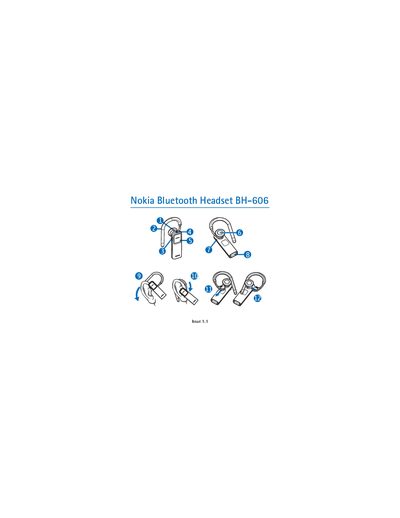
Nokia BH-606 Bluetooth Headset User Manual
The manual introduces the Nokia BH-606 Bluetooth Headset, describing its Bluetooth 2.0+EDR compliance, supported profiles (Headset Profile 1.1 and Hands‑Free Profile 1.5), and the device’s parts such as the earloop, volume key, and charger connector. It also includes regulatory information, export controls, and safety warnings.
Detailed sections cover charging the internal rechargeable battery, turning the headset on and off, pairing with a compatible phone, basic call handling, volume control, mute, handling multiple calls, resetting the device, and troubleshooting common connection issues. Battery specifications, operating temperature range, and charging times are also provided.
Nokia BH-606 specifications
| Bluetooth version | 2.0 + EDR |
|---|---|
| Supported profiles | Headset Profile 1.1, Hands‑Free Profile 1.5 |
| Talk time (full charge) | up to 8 hours |
| Standby time (full charge) | up to 280 hours |
| Charging time (full) | up to 2 hours |
| Operating temperature range | 15 °C to 25 °C (59 °F to 77 °F) |
All Nokia BH-606 documents by type
Day-to-day operation, settings and troubleshooting. Start here if the product is already set up.
Questions answered in these manuals
How long does the battery last in talk and standby mode?
A fully charged battery provides up to 8 hours of talk time and up to 280 hours of standby time.
How do I adjust the volume on the AD-43 controller?
Press the volume up (8) or volume down (10) key.
How can I mute the microphone during a call?
Press the mute key (9) to mute or unmute the microphone.