
Key facts
- Brand
- LG
- Model
- 37LH2
- Category
- Television
- Industry
- Appliances
- Documents
- 4
- Languages
- ZH · JA
- Last added
- 2012-03-22
Start here
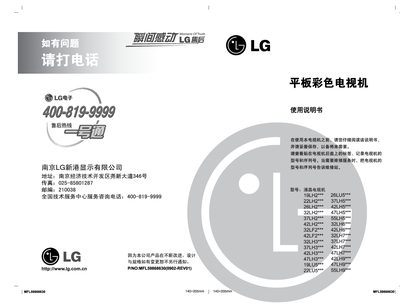
LG 19LH2***/22LH2***/26LH2***/32LH2***/37LH2***/42LH2***/32LF2***/42LF2***/32LH3***/37LH3***/42LH3***/47LH3***/19LU5***/22LU5***/26LU5***/37LH5***/42LH5***/47LH5***/55LH5***/32LH6***/42LH6***/32LH7***
This manual provides step‑by‑step instructions for installing and operating LG LCD monitors. It includes details on front‑panel controls, remote‑control usage, and connecting external devices such as USB and video inputs.
Technical specifications such as dimensions, weight, power requirements, resolution, brightness, and contrast are listed, along with safety and environmental information for the various model numbers in the series. This manual is written in Japanese.
LG 37LH2 specifications
| Dimensions (with base) | 5S20 × 65c0 × 2970 mm |
|---|---|
| Resolution (HD) | 1366 × 768 |
| Resolution (Full HD) | 1920 × 1080 |
Source: LG 37LH2* / 47LH3* Flat Color Television User Manual
All LG 37LH2 documents by type
Day-to-day operation, settings and troubleshooting. Start here if the product is already set up.
- LG 37LH2* / 47LH3* Flat Color Television User Manual 51 p
- LG 19LH2***/22LH2***/26LH2***/32LH2***/37LH2***/42LH2***/32LF2***/42LF2***/32LH3***/37LH3***/42LH3***/47LH3***/19LU5***/22LU5***/26LU5***/37LH5***/42LH5***/47LH5***/55LH5***/32LH6***/42LH6***/32LH7*** 62 p
- LG 37LH2 / 42LH2 Television User Manual 2 p
- LG 37LH2* / 47LH3* Television User Manual 52 p
Questions answered in these manuals
What must I do if water enters the TV?
Immediately disconnect the power and contact the service center.
What safety steps should I take before using the TV?
Read the safety guidance, keep the TV away from heat sources, moisture, children and flammable materials.
How do I know when the monitor is in standby mode?
The standby indicator light turns on when the monitor is in standby mode.
Can I control the monitor volume with the remote control?
Yes, the remote can adjust the volume when the monitor is set as the main source.
How should I clean the TV screen?
Use a soft, lint‑free cloth dampened with water and a small amount of mild detergent, then dry the screen before turning the TV on.
Can I mount the TV on a wall?
Yes, use a VESA‑compatible wall‑mount and have it installed by a professional; the mount must support the TV’s weight.