This user manual provides installation steps, safety warnings, operation instructions, and troubleshooting for a DVD‑ROM optical drive.
About this manual
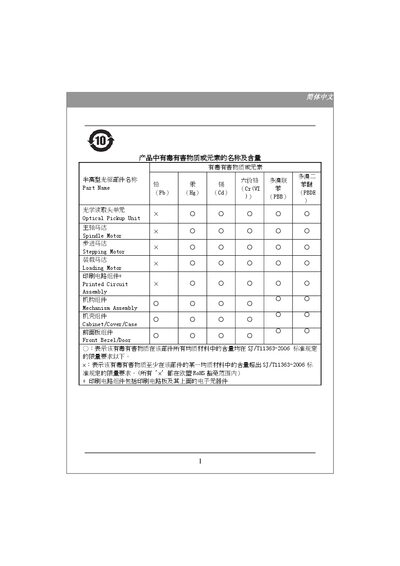
The manual begins with safety information, including warnings about hazardous substances, handling precautions, and recommended packaging for transport. It also lists system requirements such as CPU, operating system, memory, hard‑disk space, and required interfaces.
Installation procedures are detailed for both ATAPI/E‑IDE and Serial ATA versions, covering power connections, jumper settings for Master/Slave, and cable connections. Operation instructions describe tray control, status indicators, and an emergency release method, followed by a troubleshooting guide for common issues. This manual is written in Chinese.
What's inside
- Safety and Hazard Information
- System Requirements
- ATAPI/E-IDE Installation
- Serial ATA Installation
- Operation Instructions
- Troubleshooting
Specifications
| CPU requirement (ATAPI/E-IDE) | Pentium 4 1.3 GHz or above |
|---|
| CPU requirement (Serial ATA) | Pentium 4 1.3 GHz or above |
|---|
| Minimum memory (ATAPI/E-IDE) | 128 MB (Vista: 512 MB) |
|---|
| Minimum memory (Serial ATA) | 256 MB (Vista: 512 MB) |
|---|
| Minimum hard‑disk space | 650 MB of available space |
|---|
| Interface (Serial ATA) | Available Serial ATA connector |
|---|
Frequently asked questions
What should I do if the DVD‑ROM drive does not power on?
Check the DC power connection as indicated in the troubleshooting section.