
Key facts
- Manuals
- 9
- Models
- 1
- Categories
- 4
- Languages
- ZH · JA
- Last added
- 2012-03-20
Tenda models by category
Featured Tenda manuals
Tenda TEI6611S V2.0 / TEI618SK V2.0 Multi-Function Broadband Router User Manual
This manual covers hardware installation for the Tenda multi‑function broadband router, including details of the rear panel ports, front‑panel indicator lights, power requirements, and recommended installation environment. It explains how to connect the WAN and LAN ports, reset the device, and verify proper link status.
The guide also describes the router’s configuration features such as DHCP server, MAC/IP binding, UPnP, DMZ host, firewall, URL and MAC filtering, web management interface (default 192.168.0.1), static routing, DDNS, and other advanced settings. Quick installation steps and a FAQ section help users troubleshoot common issues. This manual is written in Chinese.
Covers: Hardware Installation · Front Panel Indicators · System Requirements · Installation Environment · Installation Steps · Configuration
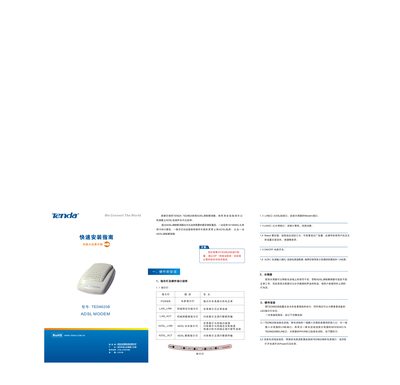
Tenda TED8620B ADSL Modem Installation Guide
This guide explains how to install the Tenda TED8620B ADSL modem. It describes the hardware layout, LED status lights, power connection, and the required Ethernet and telephone line connections. The modem must be placed in an accessible location and connected to a power source using the supplied 9 V 1 A adapter.
After the hardware is wired, the guide shows how to configure the ADSL connection using the WinPoET client on a Windows PC. It includes steps for entering the username and password, testing the link, and troubleshooting common LED indications. This manual is written in Chinese.
Covers: Hardware Installation · LED Indicators · Power and Reset · Ethernet and Telephone Ports · Connecting to PC or Router · ADSL Configuration with WinPoET

Tenda TEI502M / TEI6611S V2.0 / TEI618 User Manual
This manual covers the Tenda TEI502M, TEI6611S V2.0 and TEI618 multifunction broadband routers, which are designed for both enterprise and home use with high‑performance networking features. The routers include WAN and multiple LAN ports, DHCP server, firewall, and remote management capabilities.
The document guides users through hardware installation, front‑panel indicator meanings, system requirements, network setup (including IP address, DHCP, LAN/WAN configuration), security settings such as MAC/IP binding, URL filtering, and DMZ, as well as firmware upgrade, factory reset, and troubleshooting FAQs. This manual is written in Chinese.
Covers: Introduction · Hardware Installation · Front Panel Indicators · System Requirements · Installation Environment · Router Configuration
Tenda TER850S/860S Optical Fiber Transceiver Manual
This manual introduces the TER850S/860S optical fiber transceiver, listing the items included in the package and describing the LED indicators for power, link, and 100M status. It outlines the main features such as IEEE802.3 compliance, 10/100Mbps auto‑negotiation, and support for full‑duplex transmission over distances greater than 2 km.
Installation instructions cover safety precautions, power connection, and wiring of the RJ‑45 and SC fiber ports. The document also details communication modes, transmission distance tables, and the pin definitions for the standard RJ‑45 connector. This manual is written in Chinese.
Covers: Product Introduction · Item List · LED Indicator Explanation · Main Features · Physical and Environmental Characteristics · Installation Method
Latest Tenda manuals
Tenda TEI6611S V2.0 / TEI618SK V2.0 Multi-Function Broadband Router User Manual
User Manual 42 pages · 3.4 MB · ZHThe Tenda TEI6611S V2.0/TEI618SK V2.0 multi‑function broadband router user manual provides setup, hardware installation, and configuration instructions.
Tenda TED8620B ADSL Modem Installation Guide
Installation Guide 2 pages · 885 KB · ZHInstallation guide for the Tenda TED8620B ADSL modem, covering hardware setup, LED indicators and connection steps.
Tenda TEI502M / TEI6611S V2.0 / TEI618 User Manual
User Manual 42 pages · 4.2 MB · ZHThe Tenda TEI502M/TEI6611S V2.0/TEI618 user manual provides hardware installation, configuration, and troubleshooting instructions for the multifunction…
Tenda TER850S/860S Optical Fiber Transceiver Manual
User Manual 6 pages · 175 KB · ZHThe Tenda TER850S/860S optical fiber transceiver manual provides product overview, specifications, installation steps, and LED indicator explanations.
Tenda TEH1026G Switch User Manual
User Manual 10 pages · 174 KB · JAThe Tenda TEH1026G Gigabit Ethernet switch user manual provides setup, specifications, and troubleshooting information.
Tenda TEG1008S/1016S/1024S Gigabit Ethernet Switch User Manual
User Manual 10 pages · 186 KB · ZHThe Tenda TEG1008S/1016S/1024S manual provides setup instructions, port details, LED indicators, power specs, and installation guidelines for the gigabit…
tenda TEI6608S multi-function broadband Router user manual
Tenda TWL5401A Wireless AP User Manual
User Manual 39 pages · 3 MB · ZHThe Tenda TWL5401A wireless AP user manual provides product overview, installation steps, configuration guides, and system tools.
Tenda TWL541U Wireless USB Adapter User Manual
User Manual 26 pages · 962 KB · ZHThe Tenda TWL541U User Manual provides product overview, installation steps, software configuration, and specifications for the 54 Mbps wireless USB adapter.
Which document do I need?
User Manual
Day-to-day operation, settings and troubleshooting. Start here if the product is already set up.
Installation Guide
Mounting, wiring and first power-up. Read it before the hardware goes in.
Questions answered in Tenda manuals
What is the default IP address to access the web management interface?
The router’s default IP address is 192.168.0.1; enter it in a web browser to open the management page.
From: Tenda TEI6611S V2.0 / TEI618SK V2.0 Multi-Function Broadband Router User Manual
How do I reset the TED8620B to factory defaults?
Press the Reset button for three seconds; this restores all settings to the factory defaults.
What does the Power LED indicate?
The Power LED lights up when the modem is receiving normal power from the adapter.
What is the default IP address for the router?
The default IP address is 192.168.0.1 with a subnet mask of 255.255.255.0.
How do I reset the router to factory settings?
Press and hold the Reset button for about 5 seconds until the system LEDs stop flashing, then release; the router will restore factory defaults and restart.
What is the maximum transmission distance in full‑duplex mode?
In full‑duplex mode the transceiver can transmit over distances greater than 2 km.