
Key facts
- Manuals
- 9
- Categories
- 1
- Languages
- ZH · EN
- Last added
- 2026-10-01
Featured Unitech manuals

Unitech MS832 2D Barcode Scanner Product Leaflet
The MS832 barcode scanner is designed for plug‑and‑play use with both USB and K/B interfaces. It features an ergonomic shape, a 617 nm red LED, a 640 × 480‑pixel image sensor and a compact size of 170 × 66 × 85 mm, weighing only 120 g. The device meets IP40 protection standards and can survive drops from up to 1 m, making it suitable for commercial, medical, manufacturing and logistics environments.
It supports a wide range of 1D and 2D symbologies, including Code128, QR Code, Data Matrix, PDF417 and many others, and can be quickly configured with Unitech’s SCM software. The scanner operates from 0 °C to 40 °C, stores from –40 °C to 60 °C, and consumes less than 400 mA during use and under 90 mA in standby. Certifications include CE, FCC, BSMI and VCCI. This manual is written in Chinese.
Covers: Features · Specifications · Supported Barcodes · Physical Dimensions · Environmental Ratings · Accessories
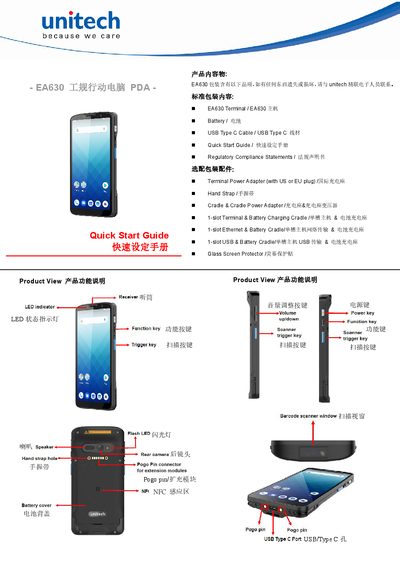
Unitech EA630 Handheld PDA Quick Start Guide
This guide introduces the Unitech EA630 handheld PDA, listing the standard package contents such as the terminal unit, battery, USB‑Type‑C cable, and optional accessories like power adapters and straps. It explains the device’s main features, including LED status indicators, scanning keys, and NFC area.
The manual details how to remove and reinstall the battery cover, describes the meaning of each LED color, and provides charging procedures – a first‑time charge of 24 hours and a normal charge of about 4 hours. Safety warnings for battery handling and connector care are also included. This manual is written in Chinese.
Covers: Product Features · Package Contents · Optional Accessories · LED Indicator Reference · Battery Cover Removal and Installation · Charging Instructions
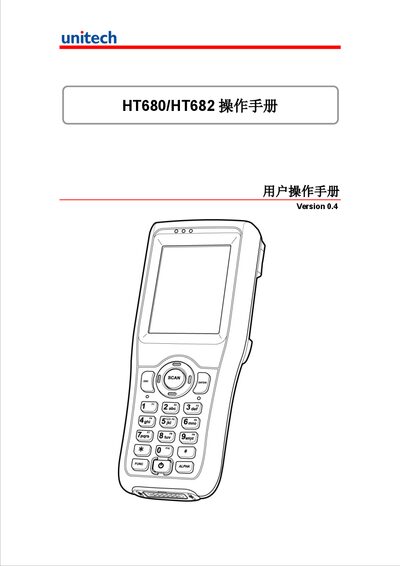
Unitech HT680/HT682 User Manual
This manual provides step‑by‑step instructions for installing, operating and maintaining the Unitech HT680/HT682 handheld terminals. It covers battery handling, first‑time setup, keyboard and scanning functions, power management, communication options and common software tools.
Additional sections describe laser safety, server settings, backup and restore procedures, and global technical support contacts, helping users get the most out of the device in field environments. This manual is written in Chinese.
Covers: Battery Precautions · Laser Safety · First Use and Setup · Keyboard and Scanning · Power Management · Communication Interfaces
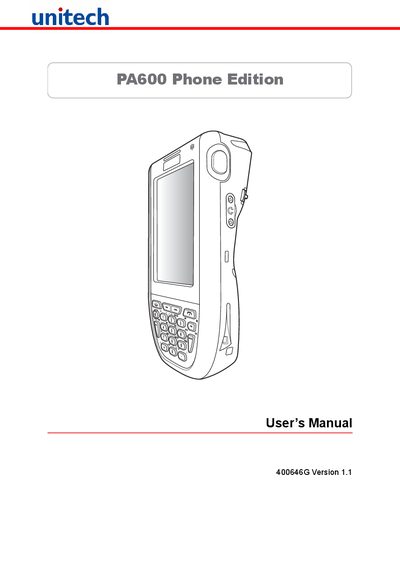
Unitech PA600 Phone Edition User Manual
This manual explains how to install, operate and maintain the PA600 Phone Edition, covering hardware setup, battery charging, connectivity options, and safety notices. It includes regulatory compliance statements, laser safety warnings, and warranty information.
Key sections describe battery handling, charging temperature limits, clean‑boot procedures, and detailed system specifications such as CPU, memory, display, and communications interfaces.
Covers: Preface · Regulatory Compliance Statements · Laser Information · Battery Notices · Getting Started · Connecting to PC
Latest Unitech manuals
Unitech MS832 2D Barcode Scanner Product Leaflet
Product Leaflet 2 pages · 10 MB · ZHThe Unitech MS832 is a lightweight 2D barcode scanner with USB/K‑B connectors, IP40 protection, 1 m drop resistance and support for many 1D/2D codes.
Unitech EA630 Handheld PDA Quick Start Guide
Quick Start Guide 2 pages · 905 KB · ZHThe Unitech EA630 handheld PDA Quick Start Guide provides setup steps, battery cover handling, LED indicator meanings, and charging instructions.
Unitech HT680/HT682 User Manual
User Manual 57 pages · 2.5 MB · ZHThe Unitech HT680/HT682 user manual explains installation, operation, battery care, laser safety and configuration for the handheld terminal.
Unitech PA600 Phone Edition User Manual
User Manual 55 pages · 3.8 MB · ENThe Unitech PA600 Phone Edition User Manual provides setup, operation, battery, laser safety, and troubleshooting instructions for the handheld device.
Unitech MS83X Scanner Operation Manual
User Manual 32 pages · 412 KB · ZHThe Unitech MS83X scanner manual explains installation, interface settings, barcode configuration and functional options.
unitech MS210 scan Implement operating instructions
Unitech PA962 palm computer Manual
Unitech MS1XX/2XX/8XX scan Implement operating instructions
User Manual 32 pages · 415 KB · ZHThis manual explains installation, interface options, and configuration for Unitech MS series scanners.
Unitech MS320 Scanner User Manual
User Manual 90 pages · 840 KB · ENThe Unitech MS320 Scanner User Manual provides installation, interface selection, programming instructions, and default settings.
Which document do I need?
Quick Start Guide
The shortest path to a working setup, usually only a few pages.
User Manual
Day-to-day operation, settings and troubleshooting. Start here if the product is already set up.
Questions answered in Unitech manuals
What connectors does the Unitech MS832 support?
It offers both USB and K/B connectors for flexible integration.
How much does the MS832 scanner weigh?
The scanner weighs only 120 g, making it very lightweight.
How do I remove the battery cover?
Rotate the knob 90° to unlock, lift the cover to 45°, then pull the battery cover out.
How long should I charge the EA630 for first use and normal use?
Charge for 24 hours on first use, then about 4 hours for normal charging cycles.
How long should I charge the battery the first time?
Charge the device for at least 4 hours to fully charge both the main and backup batteries.
What are the operating temperature limits?
The device operates between –10 °C and 50 °C.