
Key facts
- Manuals
- 11
- Categories
- 1
- Languages
- ZH
- Last added
- 2012-06-01
Featured Thermo manuals
Thermo TSQ Quantum Discovery MAX QuickStart Guide
The guide provides new users with essential information to get the TSQ Quantum Discovery MAX mass spectrometer up and running, covering registration, safety compliance, and basic operating concepts. It includes detailed instructions for configuring the instrument, selecting ion sources, and performing micro‑flow operations.
Key sections cover system configuration, ESI and APCI ion source setup, micro‑flow operation parameters, and safety guidelines for handling and moving the equipment. The document also contains an index and references to additional technical resources. This manual is written in Chinese.
Covers: Getting Started · System Configuration · Ion Source Setup · Microflow Operation · Safety and Compliance · Index
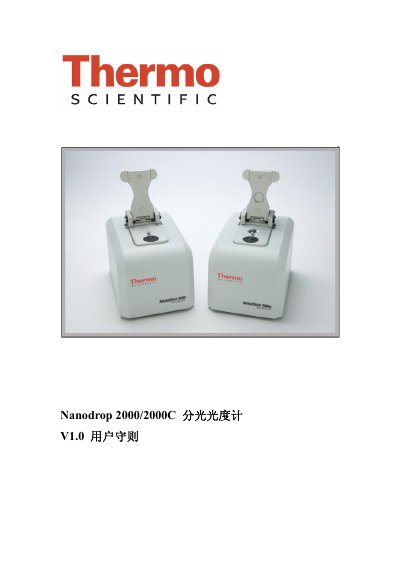
Thermo Scientific NanoDrop 2000/2000C Spectrophotometer User Manual
The NanoDrop 2000/2000C spectrophotometer from Thermo Scientific provides micro‑volume UV‑Vis measurements with a wavelength range of 190‑840 nm. It supports both the proprietary sample‑holding pedestal and traditional cuvette detection, allowing analysis of nucleic acids, proteins and other biomolecules with sample volumes as low as 0.5 µL.
The manual explains hardware installation, USB connection, software installation on Windows XP/Vista, sample loading procedures, blank calibration, and specific application modes such as protein Pierce 660 nm and cell culture measurements. Maintenance tips, cleaning instructions and troubleshooting guidance are also included. This manual is written in Chinese.
Covers: Instrument Introduction · Specifications · Sample Pedestal Loading · Cuvette Detection · Software Installation · USB Connection
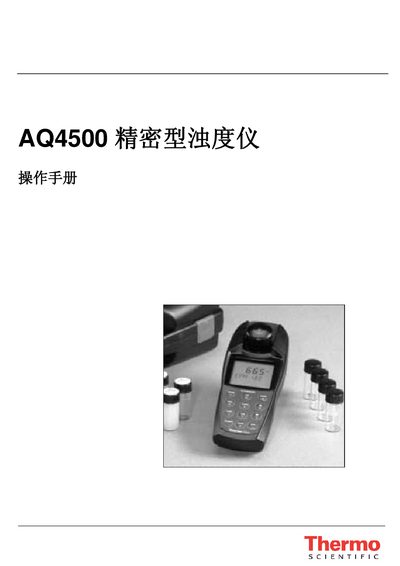
AQ4500 Turbidity Instrument User Manual
The AQ4500 is a portable turbidity instrument that uses an LED light source and follows EPA 180.1 and ISO 7027 measurement standards. It supports multiple units such as %T, ASBC, and EBC, stores up to 100 data sets, and features an IP67 waterproof rating.
This manual covers the instrument’s display, keyboard functions, battery installation, settings menu, calibration procedures, measurement methods, connection options for printers and computers via RS‑232, troubleshooting steps, and detailed technical specifications. This manual is written in Chinese.
Covers: Overview · Measurement Principle · Display · Keyboard · Instrument Setup · Settings Menu
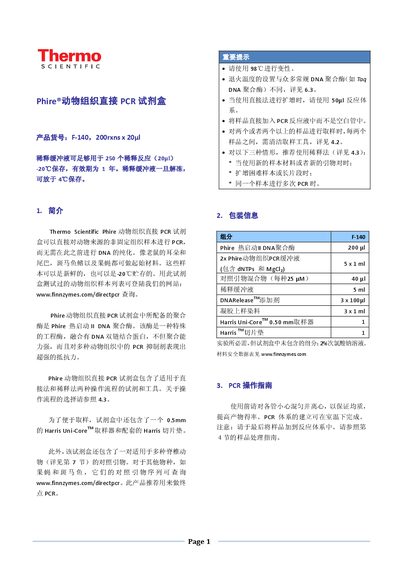
Thermo Phire Animal Tissue Direct PCR Kit User Manual
The Thermo Phire Animal Tissue Direct PCR Kit enables direct PCR amplification from animal tissue without prior DNA purification. The kit includes Phire hot‑start DNA polymerase, 2× PCR buffer, dilution buffer, DNARelease additive, Harris Uni‑Core sampling tool, and control primers.
The manual provides detailed protocols for both direct and dilution methods, guidelines for sample handling with the Harris tools, recommended cycling conditions, and a troubleshooting guide to help resolve common amplification issues. This manual is written in Chinese.
Covers: Introduction · Kit Components · PCR Operation Guide · Sample Handling and Harris Tools · Direct vs. Dilution Methods · Enzyme and Buffer Details
Latest Thermo manuals
Thermo Scientific Arktik Thermal Cycler user manual
This document is the user manual for Thermo Scientific Arktik Thermal Cycler User Manual Rev. 1.1, describing the features and characteristics of the product.
Thermo Scientific Piko Thermal Cycler User Manual
Thermo Scientific Piko Thermal Cycler User Manual Rev. 1.2 is a user manual of Thermo Scientific Piko Thermal Cycler product from Thermo Fisher Scientific Corporation
Thermo TSQ Quantum Discovery MAX QuickStart Guide
Quick Start Guide 158 pages · 3.8 MB · ZHThis QuickStart Guide introduces system setup, operation procedures, and technical information for the Thermo Finnigan TSQ Quantum Discovery MAX mass…
Thermo Scientific NanoDrop 2000/2000C Spectrophotometer User Manual
User Manual 54 pages · 2.3 MB · ZHUser manual for the Thermo Scientific NanoDrop 2000/2000C spectrophotometer, covering setup, operation, software and maintenance.
AQ4500 Turbidity Instrument User Manual
User Manual 27 pages · 339 KB · ZHThe AQ4500 turbidity instrument manual provides setup, operation, calibration, and troubleshooting instructions for the portable LED‑based device.
THERMO Orion DUAL STAR Measuring instrument Manual
Thermo Phire Animal Tissue Direct PCR Kit User Manual
User Manual 6 pages · 696 KB · ZHInstructions for using the Thermo Phire Animal Tissue Direct PCR Kit, including sample preparation, reaction setup, and troubleshooting.
Thermo Fisher POWERx X-ray Inspection System Manual
User Manual 8 pages · 698 KB · ZHThermo Fisher POWERx X‑ray inspection system manual with specifications, software features, safety certifications and service information.
Thermo Scientific ARL 4460 Metal Analyzer Product Leaflet
Product Leaflet 4 pages · 1.1 MB · ZHThe Thermo Scientific ARL 4460 Metal Analyzer brochure outlines its optical emission capabilities, features, and technical specifications.
Thermo D10P-06 Low Sodium Measurement User Manual
User Manual 4 pages · 127 KB · ZHThis manual explains how to measure low concentrations of sodium in boiler water and steam using the D10P-06 kit, covering required equipment, solution…
DureProbe 2/4 Conductivity Electrode User Manual
User Manual 8 pages · 2.6 MB · ZHUser manual for the DureProbe 2/4 conductivity electrode covering specifications, calibration and maintenance.
Which document do I need?
Quick Start Guide
The shortest path to a working setup, usually only a few pages.
User Manual
Day-to-day operation, settings and troubleshooting. Start here if the product is already set up.
Questions answered in Thermo manuals
What is the minimum sample volume required for the NanoDrop 2000/2000C?
The pedestal mode can measure as little as 0.5 µL, while the cuvette mode typically uses 1‑2 µL of sample.
From: Thermo Scientific NanoDrop 2000/2000C Spectrophotometer User Manual
What wavelength range does the NanoDrop 2000/2000C cover?
It operates over a full UV‑Vis range from 190 nm to 840 nm.
From: Thermo Scientific NanoDrop 2000/2000C Spectrophotometer User Manual
How many batteries does the AQ4500 use and how long do they last?
The instrument uses four AA batteries; alkaline cells last about 2500 hours and lithium cells about 100 000 hours.
What measurement units can the AQ4500 display?
It can display %T (percent transmittance), ASBC, and EBC units.
How should the sample be added for the direct PCR method?
Add the tissue sample directly into the PCR reaction mixture (50 µL system) rather than into an empty tube.
What cleaning procedure is required for the Harris sampling tool to avoid cross‑contamination?
After each sample, immerse the cutter tip in 2 % sodium hypochlorite solution, flush the piston, then dry with a clean paper towel; also rinse the slice pad in the same solution.