
Key facts
- Manuals
- 20
- Categories
- 2
- Languages
- ZH · EN
- Last added
- 2012-07-13
Featured InFocus manuals
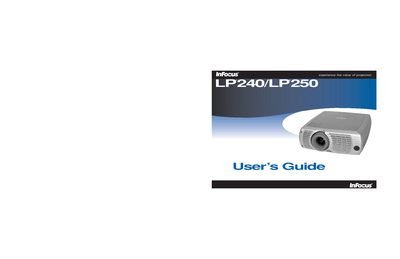
InFocus LP240/LP250 Projector User Manual
This manual covers the InFocus LP240 and LP250 digital projectors, describing their features, specifications, and accessories. It guides users through installation, computer and video connections, image adjustment, and basic operation.
Key sections include computer and optional video connections, Windows setup, image geometry adjustment, menu navigation, lamp replacement, cleaning procedures, and troubleshooting. Safety warnings and regulatory compliance information are also provided. This manual is written in Chinese.
Covers: Introduction · Required Computer Connection · Optional Computer Connection · Display Computer Image · First Use with Windows 98/2000 · Adjust Image
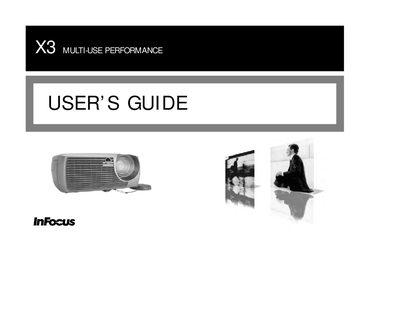
InFocus X3 User Manual
This guide covers the setup, operation, and maintenance of the InFocus X3 projector. It includes safety warnings, compliance information, and detailed instructions for connecting video sources and adjusting display settings.
The manual also lists technical specifications such as supported resolutions, lamp ratings, and regulatory certifications, helping users get the most out of the projector while ensuring safe and compliant use.
Covers: Safety Information · Regulatory Compliance · Installation · Operation · Display Settings · Specifications
InFocus IN82 Projector User Manual
This guide introduces the IN82 projector, its DLP technology, and key features such as 1080p resolution and DNX video processing. It covers safety considerations, positioning, and required accessories.
Detailed sections explain how to connect video sources via HDMI, DVI, component, S‑video, or composite, adjust image geometry, use the remote control, and perform lamp replacement and other maintenance tasks. This manual is written in Chinese.
Covers: Introduction · Positioning the projector · Connecting a video device · Displaying an image · Adjusting the image · Maintenance
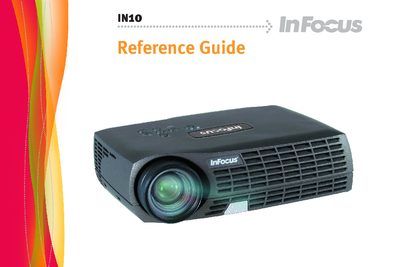
InFocus IN10 Projector Reference Guide
This reference guide covers everything needed to install and use the InFocus IN10 digital projector, including connecting a computer or video source, adjusting image size and focus, and using the remote control and on‑panel menus. It also details safety precautions, lamp handling, and cleaning procedures to keep the projector performing reliably.
The manual includes troubleshooting tips, lamp‑replacement steps, and an appendix with projection‑size tables for different screen distances. All instructions are written for the IN10 model and compatible variants (M6, LP70+, M2+). This manual is written in Chinese.
Covers: Introduction · Connecting a Computer · Adjusting Image · Connecting Video Devices · Turning Off the Projector · Troubleshooting Installation
Latest InFocus manuals
Infocus TD61 user manual
This manual introduces the characteristics and features of TD61, including installation, use and maintenance.
InFocus ScreenPlay 61md10/ScreenPlay 50md10 user manual
This manual introduces the features and usage methods of ScreenPlay® 61md10/ScreenPlay® 50md10 high-definition, ultra-thin microdisplay television.
InFocus INF4201/5501/6501 User Guide
This document provides information on the installation, connection, and basic operation of the ST-HB42A, ST-HB55A, and ST-HB65A monitors.
InFocus INF5520 user manual
This document is the user's guide for the INF5520 product, which describes the specifications, features, and safety of the product. The product complies with the EMC Directive 2004/108/EC and the Low Voltage Directive 2006/95/EC.
InFocus Projector user manual
This document is a declaration of compliance for a product. The product is a Class A digital device that complies with FCC and Canadian ICES-003 standards. It can be used in a commercial environment, but may cause interference in a residential area. The product has obtained safety certifications including UL, CUL, TÜV, NOM, and IRAM.
InFocus Projector Manual
This document describes a digital device that complies with FCC regulations and provides reasonable protection when operated in a commercial environment. The device generates, uses, and radiates radio frequency energy. Failure to install and use the device according to the instruction manual may result in harmful interference to radio communications. Using the equipment in a residential area may cause harmful interference, which the user will be responsible for correcting. The device also complies with Canadian standards. It has obtained safety certifications including UL, CUL, TÜV, NOM, IRAM EN 55022. It is classified as a Class A product and may cause radio interference in a domestic environment. The typical use of the product is in conference rooms, meeting rooms, or auditoriums.
InFocus LP815/820 user manual
InFocus LP240/LP250 Projector User Manual
User Manual 36 pages · 2.7 MB · ZHThe InFocus LP240/LP250 Projector User Manual provides setup, connection, operation, adjustment, maintenance, and safety instructions.
InFocus X3 User Manual
User Manual 45 pages · 1.7 MB · ENThe InFocus X3 user manual provides operating instructions and specifications for the X3 multi‑use projector.
InFocus IN82 Projector User Manual
User Manual 39 pages · ZHThe InFocus IN82 projector user manual provides setup, connection, operation, and maintenance instructions.
InFocus IN35 IN35W IN37 Projector Manual
InFocus IN2102/2104/2106 user manual
InFocus IN10 Projector Reference Guide
User Manual 30 pages · 2.1 MB · ZHThe InFocus IN10 projector reference guide provides setup, operation, maintenance, and safety instructions.
InFocus X1a User Manual
User Manual 45 pages · 1.8 MB · ENThe InFocus X1a user manual provides setup, operation, and safety information for the X1a projector.
InFocus ScreenPlay 7205 user manual
Which document do I need?
User Manual
Day-to-day operation, settings and troubleshooting. Start here if the product is already set up.
Questions answered in InFocus manuals
When does the projector warn that the lamp should be replaced?
A replacement warning appears after about 1,980 hours of lamp use, and the lamp will stop lighting once the timer reaches 2,000 hours.
What is the native resolution of the InFocus X3 projector?
The native resolution is XGA 1024 × 768.
From: InFocus X3 User Manual
How do I connect an HDMI source to the IN82 projector?
Plug an HDMI cable into the video‑out connector on the source and into the HDMI connector on the projector.
How can I adjust the image height on the projector?
Tilt the projector up or down using the base or a ceiling mount to raise or lower the image.
What is the procedure for replacing the lamp?
Turn off the projector and power source, then follow the step‑by‑step instructions in the lamp replacement section (pages 26‑28) to remove the old lamp and install a new one.
What are the input voltage requirements for the projector?
The projector accepts an AC input of 100‑240 V at 50‑60 Hz, with current draw of 5.0‑2.0 A for the single‑lamp model and 9.5‑3.5 A for the dual‑lamp model.