
Key facts
- Manuals
- 32
- Models
- 2
- Categories
- 4
- Languages
- ZH · EN
- Last added
- 2026-10-01
H3C models by category
Featured H3C manuals

H3C Optical Module Manual
This manual provides an overview of the optical modules supported by H3C networking devices, including QSFP28, CFP, CXP, QSFP+, SFP28, SFP+, XFP and other SFP modules. It details module types, connector interfaces, transmission rates, wavelengths, fiber modes and recommended cabling.
The document includes tables of specifications, diagrams of module appearances, and guidance on selecting appropriate fiber types and distances for various module families. It is intended for network planners, field engineers and administrators working with H3C equipment. This manual is written in Chinese.
Covers: 光模块简介 · QSFP28模块 · CFP模块 · CXP模块 · QSFP+模块 · SFP28模块

H3C S5110-CMW520-R1102 Ethernet Switch Version Description Manual
This manual provides the version number, hardware and software feature changes, MIB updates, and operation mode modifications for the H3C S5110-CMW520-R1102 Ethernet switch. It also lists version usage restrictions, known problems, and recommended work‑arounds.
Detailed upgrade procedures are included, covering local loading via console, Ethernet TFTP/FTP loading, and remote loading via Telnet. Contact information for technical support and links to related documentation are provided at the end of the document. This manual is written in Chinese.
Covers: Version Information · Hardware Feature Changes · Software Feature Changes · MIB Changes · Operation Mode Changes · Version Usage Restrictions

H3C WA2620i-AGN Wireless Access Point Installation Guide
This guide provides step‑by‑step instructions for installing the H3C WA2620i-AGN wireless access point. It covers safety precautions, required tools, hardware preparation, and detailed mounting methods for desktop, wall, or ceiling installations.
The document also explains power options (local adapter or 802.3af PoE), how to connect the device to the network, and how to log in via console, Telnet, or Web interface. Indicator light meanings and interface specifications are listed in the appendix. This manual is written in Chinese.
Covers: Device Overview · Installation Preparation · AP Installation Procedures · Power Connection Options · Network Connection · Login Methods
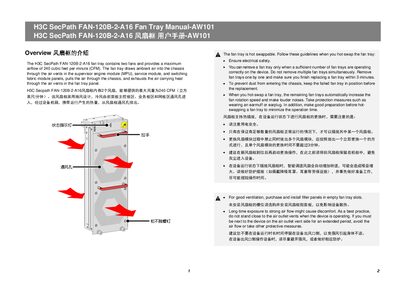
H3C FAN-120B-2-A16 Fan Tray Service Manual
The manual explains how to safely hot‑swap the H3C FAN‑120B‑2‑A16 fan tray, covering electrical safety, replacement time limits, and protective measures such as ear protection. It also describes the fan tray’s airflow design, which draws ambient air through the chassis and exhausts heat.
Installation instructions detail the required tools, orientation of the LED indicator for odd‑ and even‑numbered slots, and step‑by‑step procedures for inserting and removing the tray. Safety precautions include wearing an ESD wrist strap and avoiding contact with rotating fans.
Covers: Hot‑Swap Guidelines · Airflow and Ventilation · Installation Procedure · Tools Required · Removing the Fan Tray · Safety Precautions
Latest H3C manuals
H3C Optical Module Manual
User Manual 60 pages · 2.3 MB · ZHTechnical manual describing H3C optical modules, interfaces, specifications and application guidelines.
H3C S5110-CMW520-R1102 Ethernet Switch Version Description Manual
User Manual 22 pages · 354 KB · ZHVersion description manual for the H3C S5110-CMW520-R1102 Ethernet switch, detailing hardware/software changes, upgrade steps and known issues.
H3C WA2620i-AGN Wireless Access Point Installation Guide
Installation Guide 38 pages · 1.9 MB · ZHInstallation guide for the H3C WA2620i-AGN indoor 802.11n wireless access point, covering hardware setup, power options, and login procedures.
H3C FAN-120B-2-A16 Fan Tray Service Manual
Service Manual 3 pages · 1.7 MB · ENGuidelines for hot‑swapping, installing, and maintaining the H3C FAN‑120B‑2‑A16 fan tray, including safety and airflow details.
H3C OAP Module Reference Manual
The OAP module is a pluggable software module that is used to implement application layer functions. Through the development of the OAP module, the functions of the switch can be extended and enhanced to meet the different application needs of users. This manual introduces the design, development, configuration and testing methods of the OAP module, and provides typical application examples of the OAP module.
H3C MSR seriesRouter OAP_OAPS V2 Interface module user manual
This manual mainly introduces the hardware specifications, configuration and login methods of H3C MSR series router OAP/OAPS V2 interface modules.
H3C WAAM module user manual
H3C MSR seriesRouter NAM net analysis module user manual
This document is the user manual for H3C MSR series router NAM network analysis module, which introduces the hardware and software basics, features, installation and configuration, and common troubleshooting solutions of the product.
H3C OAP module user manual
H3C OAP module user manual, introduces the hardware specifications, installation and configuration methods of H3C OAP module
H3C MSR 50-06 Router Installation Guide
H3C MSR 50-06 Router Installation Manual introduces the features and applications of H3C MSR 50-06 router, and introduces the installation, startup and configuration of the router.
H3C MSR seriesRouter QuickStart Guide
This document introduces the different models and product features of H3C MSR series routers, including the number and types of interfaces and supported functions.
H3C MSR seriesRouter NAM net analysis module software Installation Guide
This document introduces the installation instructions for the H3C MSR series router NAM network analysis module software.
H3C SR6600Router user manual
H3C SR6600 router user manual, introduces the overview, installation, use, maintenance and other contents of H3C SR6600 router
H3C SR6600Router Interface module Manual
This manual describes the H3C SR6600 router-supported modules (such as HIM, MIM, and SAP) in terms of their models, panel appearance, indicator lights, interface attributes, and the methods for connecting interface cables. It also introduces the compatibility between various modules, main control units, and flexible interface platforms.
H3C video encoder installation manual
This document introduces the requirements for a specific protective box for outdoor installation of the encoder/decoder, as well as the requirements for various cables when connecting external devices and grounding the device. In the process of installing the encoder/decoder, please read this manual carefully to avoid possible equipment damage and personal injury.
- 1
- 2
Which document do I need?
User Manual
Day-to-day operation, settings and troubleshooting. Start here if the product is already set up.
Installation Guide
Mounting, wiring and first power-up. Read it before the hardware goes in.
Service Manual
Disassembly, diagnostics and part numbers, for repair.
Questions answered in H3C manuals
What is the transmission rate of the QSFP28 optical module with MPO interface?
The QSFP28 MPO optical module operates at a transmission rate of 100 Gbps.
How can I view the software version on an S5110 switch?
Enter the command <H3C>display version in any view to display the Comware software version and release number.
From: H3C S5110-CMW520-R1102 Ethernet Switch Version Description Manual
What memory and flash sizes are required for the S5110‑CMW520‑R1102 version?
The version requires at least 128 MB of memory and 32 MB of flash storage.
From: H3C S5110-CMW520-R1102 Ethernet Switch Version Description Manual
Which direction should the LED face for an odd‑numbered slot?
The LED should be at the bottom for odd‑numbered slots.
What protective equipment is required when hot‑swapping the fan tray?
Wear an ESD wrist strap and ear protection such as earmuffs or earplugs.
How can I view the software version on the SecPath firewall?
Run the command `display version` in any view; the software version and release number are shown.