
Key facts
- Manuals
- 20
- Models
- 2
- Categories
- 1
- Languages
- EN · ZH · JA
- Last added
- 2012-06-08
EMC models by category
Featured EMC manuals
EMC NetWorker Release 7.6 Service Pack 1 Installation Guide P/N 300-011-324 REV A02
This guide provides detailed instructions for installing or upgrading EMC NetWorker Release 7.6 Service Pack 1 on supported client, storage node, server, and console platforms. It includes software prerequisites, platform‑specific steps for AIX, HP‑UX, Linux, Windows, Mac OS X, Solaris and other UNIX variants, and post‑installation verification.
The document also describes how to configure devices, add servers to the NetWorker Console, and perform a test backup to confirm a successful installation. It is intended for system administrators responsible for NetWorker deployments.
Covers: Introduction · Software Requirements · Getting Started · Platform‑Specific Installation (AIX, HP‑UX, Linux, Windows, Mac OS X, Solaris) · Update from a Previous Release · Device Configuration
EMC ApplicationXtender Desktop 5.30 Installation Guide
The guide provides step‑by‑step instructions for installing ApplicationXtender Desktop 5.30, including required third‑party components, the setup wizard, unattended installation, and post‑install configuration of the Document Manager workstations.
It also covers customization of toolbars, view settings, OCR, export, e‑mail, and other features, plus troubleshooting, repairing, and uninstalling the software. References to related user guides and technical support information are included.
Covers: Installing ApplicationXtender Desktop · Configuring AppXtender Document Manager Workstations · Customizing the AppXtender Document Manager Window · OCR and Full‑Text Indexing · Export and E‑mail Settings · Saving and Loading Workstation Settings
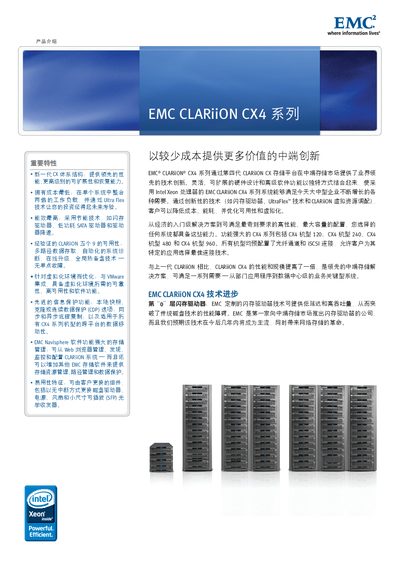
EMC CLARiiON CX4 Series Storage Platform Product Leaflet
The CLARiiON CX4 series provides a flexible, scalable hardware design combined with advanced software functions. Built on Intel Xeon processors, it offers flash‑driven low‑latency performance, dual‑protocol (Fibre Channel and iSCSI) connectivity, and UltraFlex modular expansion for future technologies.
Four models – CX4‑120, CX4‑240, CX4‑480 and CX4‑960 – share the same core architecture and are pre‑configured with Fibre Channel and iSCSI. They support hot‑swap components, integrated Navisphere management, and a suite of data‑protection features such as SnapView, MirrorView, RecoverPoint and virtual LUN technology. This manual is written in Chinese.
Covers: 产品介绍 · 重要特性 · 闪存驱动器 · UltraFlex 技术 · CLARiiON 虚拟资源调配 · 低功耗 SATA II 驱动器
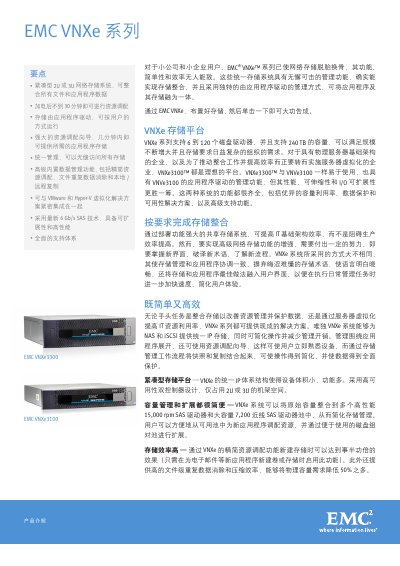
EMC VNXe3100/VNXe3300 Product Introduction
The VNXe series provides a unified IP storage platform for small and midsize businesses, supporting both NAS and iSCSI protocols. It integrates storage management with applications, offering a simple, click‑to‑configure experience and advanced data protection features such as deduplication, compression, snapshots, and replication.
Hardware includes a compact 2U or 3U chassis, dual‑controller high‑availability design, and support for 6‑120 disks with up to 240 TB capacity. The systems use 15,000 rpm SAS and 7,200 rpm near‑line SAS drives, standard 1 Gb/s Ethernet with optional 10 Gb/s ports, and Flex I/O slots for expansion. EMC’s Unisphere software suite provides unified management, virtualization integration, and additional protection packs. This manual is written in Chinese.
Covers: 产品介绍要点 · 紧凑型存储平台 · 容量管理和扩展 · 存储效率高 · Flex I/O 扩展 · 高可用性和数据保护
Latest EMC manuals
EMC EM19101 8-BIT 5 MSPS A/D CONVERTER (CMOS)
EM19101 is a 8-bit CMOS A/D converter for scanner use. The adoption of a 2-step parallel system achieves low consumption at a maximum conversion speed of 7 MSPS.
EMC EM91450 SERIES TONE/PLUSE DIALER WITH LCD INTERFACE
EMC EM91220 SERIES DATA SHEET
The EM91220 is a series of tone/pulse switchable dialers that is composed of T/P dialer and T/P dialer with 20-set memories. The EM91220 series provides necessary functions of telephone set for application in any environment, such as Pulse dialing, Tone (DTMF) dialing, Handfree dialing, keying tone , mute and pulse mute functions. Beside this, SDO (Serial Data Output) functions is provided in advance version that is designed to drive LCD driver and voice synthesizer. In this application, the dialing numbers can be displayed on LCD screen with EM32100 ( or EM32116 ).
EMC EM83702 Data Sheet
EM83702 Mouse Controller is specially designed to control mouse device. It can be directly interfaced to RS-232C and does not need any external power supply. It is versatile with both microsoft and mouse system.
EMC 1500 handbook
The EMC 1500 is an easy to mount LCD digital elapsed hour meter.
EMC NetWorker Release 7.6 Service Pack 1 Installation Guide P/N 300-011-324 REV A02
Installation Guide 158 pages · 805 KB · ENInstallation guide for EMC NetWorker 7.6 Service Pack 1, covering software requirements, platform‑specific installation steps, and verification procedures.
EMC ApplicationXtender Desktop 5.30 Installation Guide
Installation Guide 164 pages · 4.7 MB · ENThis EMC Installation Guide explains how to install and configure ApplicationXtender Desktop version 5.30.
EMC 6K VA 20K VA UPS Manual
EMC CLARiiON CX4 Model 120 net storage system Manual
EMC CLARiiON CX4 Model 480 net storage system Manual(1)
EMC CLARiiON CX4 Model 240 net storage system Manual
EMC CLARiiON CX3 Model 40 net storage system Manual
EMC CLARiiON CX4 Series Storage Platform Product Leaflet
Product Leaflet 7 pages · 1.9 MB · ZHThe EMC CLARiiON CX4 series storage platform delivers mid‑range, high‑performance, scalable storage with flash, UltraFlex, and advanced data protection…
EMC VNXe3100/VNXe3300 Product Introduction
Product Leaflet 3 pages · 837 KB · ZHThe EMC VNXe3100 and VNXe3300 are compact 2U/3U unified storage systems offering NAS and iSCSI with high availability, scalability, and data protection.
EMC Celerra VG8 Gateway Manual
User Manual 4 pages · 871 KB · JAThe EMC Celerra VG8 Gateway manual provides specifications, configuration options, and management features for the storage gateway.
Which document do I need?
Installation Guide
Mounting, wiring and first power-up. Read it before the hardware goes in.
User Manual
Day-to-day operation, settings and troubleshooting. Start here if the product is already set up.
Questions answered in EMC manuals
What should I do if the JRE is not installed on the system?
The installation will display a prompt to install the appropriate JRE version; follow the on‑screen instructions to complete the installation.
From: EMC NetWorker Release 7.6 Service Pack 1 Installation Guide P/N 300-011-324 REV A02
How do I verify that the NetWorker installation succeeded?
Run the test backup procedures described in the Verify the Installation chapter, such as starting the Console, adding a server, configuring a device, and performing an ad‑hoc backup.
From: EMC NetWorker Release 7.6 Service Pack 1 Installation Guide P/N 300-011-324 REV A02
What is the purpose of this guide?
It provides instructions on how to install the ApplicationXtender Desktop software.
From: EMC ApplicationXtender Desktop 5.30 Installation Guide
What storage protocols are supported by the CLARiiON CX4 series?
All CX4 models support both Fibre Channel and iSCSI protocols.
From: EMC CLARiiON CX4 Series Storage Platform Product Leaflet
Does the CX4 series include hot‑swap components?
Yes, components such as disks, power supplies, fans and SFP modules can be replaced without interrupting operation.
From: EMC CLARiiON CX4 Series Storage Platform Product Leaflet
How many disk drives can the VNXe series support?
The VNXe series can accommodate between 6 and 120 disk drives.