
Key facts
- Manuals
- 7
- Models
- 2
- Languages
- EN · DE
- Last added
- 2026-10-01
Druck models by category
Featured Druck manuals
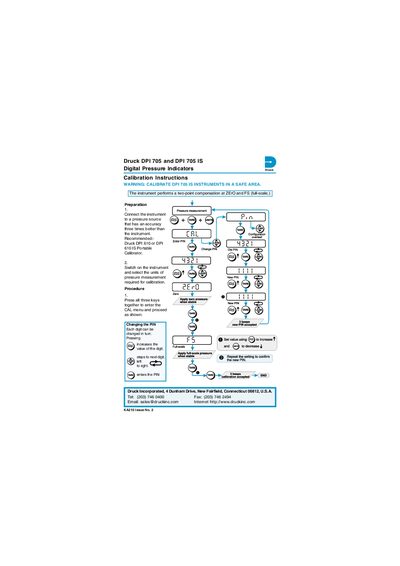
Druck DPI 705 and DPI 705 IS Digital Pressure Indicator Calibration and Configuration Instructions
These instructions describe how to calibrate and configure the Druck DPI 705 and DPI 705 IS digital pressure indicators. Preparation includes connecting the instrument to a pressure source with three‑times better accuracy and using a recommended Druck DPI 610 or DPI 610 IS portable calibrator. Safety warning: calibrate DPI 705 IS instruments in a safe area.
The procedure starts by pressing all three keys together to enter the CAL menu, where the PIN can be changed digit by digit. The instrument performs a two‑point compensation at ZERO and full‑scale (FS). The instructions apply to instruments with software version 1.02 and later; future software changes may require updated procedures.
Covers: Preparation · Calibration Procedure · Changing the PIN · Two‑point Compensation · Software Version
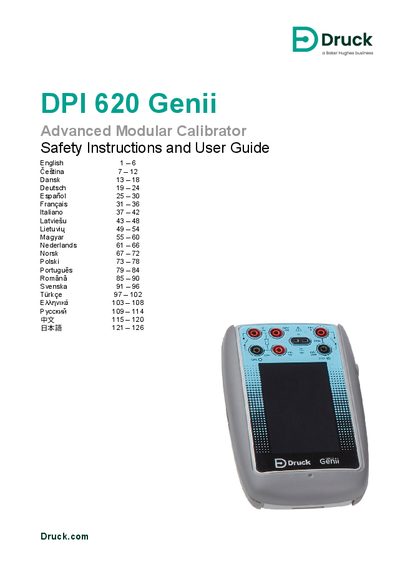
Druck DPI 620G Safety Instructions and User Guide
The DPI 620 Genii is a battery‑powered calibrator and HART® communicator that can measure electrical parameters, operate sources, and communicate via HART® and Foundation Fieldbus. It features a touch‑screen that can display up to six parameters and supports optional pressure modules.
The guide covers safety warnings, battery installation and charging, power‑on/off procedures, dashboard navigation, mode selection, and basic troubleshooting. It also lists optional accessories, over‑voltage categories, and references to the full data sheet for detailed specifications.
Covers: Overview · Equipment in the Box · Optional Items · Electrical Warnings · Battery Installation · Charging the Battery
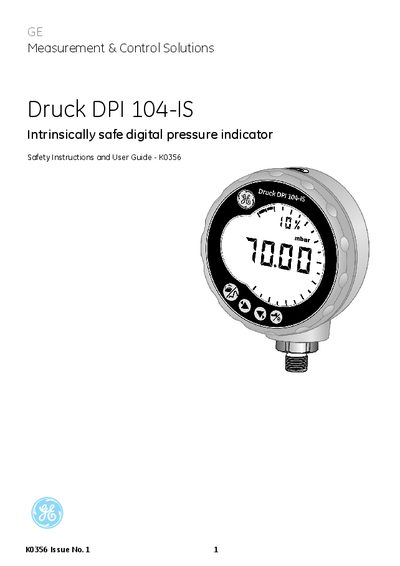
Druck DPI 104-IS Intrinsically Safe Digital Pressure Indicator User Manual
This manual outlines the safety precautions required when installing and operating the DPI 104‑IS, including the need to isolate power, avoid sparks, and use only approved batteries. It also describes the required cable types for the 8‑pin power connector and references the applicable explosion‑protection standards (EN 60079‑14, IECEx, ATEX).
The document lists the device’s key specifications such as pressure range, temperature limits, and certification markings, and directs users to the maintenance section for disposal and service information.
Covers: Safety Precautions · Marks and Symbols · Certification (ATEX & IECEx) · Battery Replacement · Pressure Range · Operating Temperature
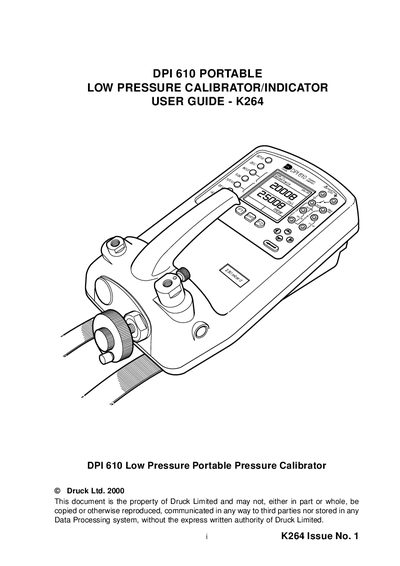
Druck K264 DPI 610 Low Pressure Portable Pressure Calibrator User Guide
This manual provides safety instructions, preparation steps, and detailed test methods for both low‑volume and larger‑volume systems. It also explains calibration procedures, service information, and returned‑goods procedures for the K264 DPI 610 calibrator.
The document includes wiring and connection diagrams, operation of the volume adjuster, use of the hand‑pump, and guidance on recording test data with the Datalog or Snapshot functions.
Covers: Safety · Operation Introduction · Preparation for Use · Test Methods (Low Volume) · Test Methods (Larger Volume) · Calibration
Latest Druck manuals
Druck DPI 705 and DPI 705 IS Digital Pressure Indicator Calibration and Configuration Instructions
User Manual 2 pages · 547 KB · ENCalibration and configuration guide for Druck DPI 705 and DPI 705 IS digital pressure indicators.
Druck DPI 620G Safety Instructions and User Guide
User Manual 130 pages · 3.3 MB · ENThe Druck DPI 620G Safety Instructions and User Guide provides safety warnings, setup steps, and operating instructions for the battery‑powered DPI 620…
Druck DPI 104-IS Intrinsically Safe Digital Pressure Indicator User Manual
User Manual 18 pages · 401 KB · ENThe user manual provides safety instructions, installation steps, and certification details for the Druck DPI 104-IS intrinsically safe digital pressure…
Druck K264 DPI 610 Low Pressure Portable Pressure Calibrator User Guide
User Manual 16 pages · 662 KB · ENUser guide for the Druck K264 DPI 610 low‑pressure portable pressure calibrator, covering safety, setup, test methods and calibration.
Druck DPI620G Genii Calibration System User Manual
User Manual 18 pages · 3.5 MB · ENThe Druck DPI620G Genii Calibration System manual provides operating instructions, specifications, and safety information for the multi‑function calibrator.
DRUCK DPI 610/615 Series Portable Pressure Calibrators
DPI 610/615 Portable Pressure Calibrators are the culmination of many years of field experience with the company’s DPI 600 series. These self-contained, battery powered packages contain a pressure generator, fine pressure control, device energising (not IS version) and output measurement capabilities, as well as facilities for 4 to 20 mA loop testing and data storage. The rugged weatherproof design is styled such that the pressure pump can be operated and test leads connected without compromising the visibility of the large dual parameter display. The mA step and ramp outputs and a built-in continuity tester extend the capabilities to include the commissioning and maintenance of control loops. DPI 610IS and DPI 615IS are available as complete maintenance tools and portable calibration standards for pressure instruments and control loops in hazardous ’Zoned‘ areas. Certified to BASEEFA and CENELEC standards, the DPI 610IS and DPI 615IS can reduce response times to breakdown.
Druck DPI 610/615 IS Portable Pressure Calibrator User Manual
User Manual 96 pages · 2 MB · DEThe Druck DPI 610/615 IS portable pressure calibrator user manual provides safety instructions, installation steps, operation modes, and technical…
Which document do I need?
User Manual
Day-to-day operation, settings and troubleshooting. Start here if the product is already set up.
Questions answered in Druck manuals
What calibrator is recommended for the DPI 705?
The recommended calibrator is the Druck DPI 610 or DPI 610 IS portable calibrator.
From: Druck DPI 705 and DPI 705 IS Digital Pressure Indicator Calibration and Configuration Instructions
How do you change the PIN on the DPI 705?
Press all three keys together to enter the CAL menu, then use the increase key to change each digit of the PIN.
From: Druck DPI 705 and DPI 705 IS Digital Pressure Indicator Calibration and Configuration Instructions
How long does it take to charge the unit via USB?
Charging through the Mini USB connection takes about 13 hours.
What is the maximum voltage allowed for the AC probe?
The AC probe must not be connected to more than 300 V CAT II.
How do I zero the calibrator?
Press the ZERO key to zero the calibrator.
From: Druck K264 DPI 610 Low Pressure Portable Pressure Calibrator User Guide
What safety warning applies to the maximum differential pressure?
Ensure the device under test can withstand up to 120 % of the calibrator’s full‑scale pressure.
From: Druck K264 DPI 610 Low Pressure Portable Pressure Calibrator User Guide