
Key facts
- Manuals
- 32
- Models
- 2
- Languages
- EN · ZH
- Last added
- 2026-10-01
Avaya models by category
Featured Avaya manuals
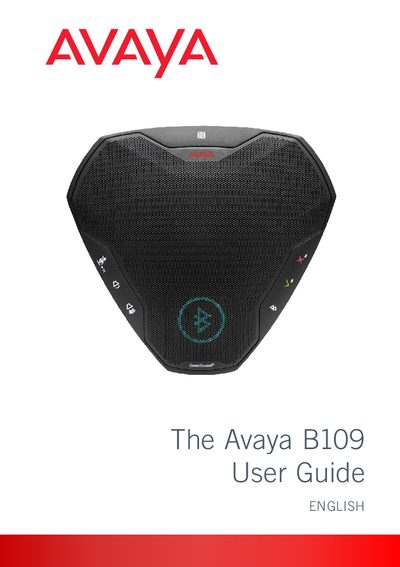
Avaya B109 Conference Unit User Guide
This guide introduces the Avaya B109 conference unit, describing its OmniSound® audio technology, LCD display, Bluetooth and USB connectivity, and battery operation. It also covers regulatory compliance and warranty information.
The manual details how to connect the device to computers, mobile phones, and Bluetooth accessories, explains keypad functions, headset usage, software upgrades, and provides technical data and maintenance tips.
Covers: Introduction · Description · Connections and Buttons · Using with a Computer · Using with a Bluetooth Device · Settings
Avaya 4610SW IP Telephone User Guide
This guide explains how to set up and operate the Avaya 4610SW IP Telephone. It includes detailed instructions for making calls, using speed‑dial, call log, web access, and configuring telephone options.
The document also provides troubleshooting steps, headset and handset information, and instructions for backup/restore and network settings, helping users maintain reliable phone performance.
Covers: Introducing Your 4610SW IP Telephone · Using Your 4610SW IP Telephone · Speed Dial Application · Call Log Application · Web Access Application · Telephone Options
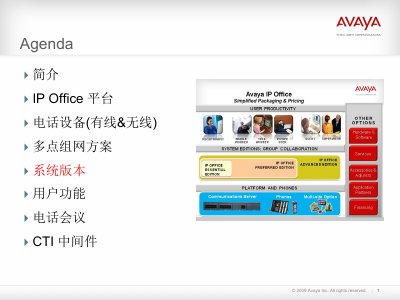
Avaya IP Office Team Collaboration Manual
The document introduces Avaya IP Office team collaboration solutions, describing three editions – Basic, Preferred and Advanced – and their respective communication capabilities such as voicemail, auto‑attendant, conference calling and call routing. It also outlines the value propositions and pricing for each edition.
Key functional highlights include Voicemail Pro with expandable ports, Meet‑Me conference support for up to 64 participants, advanced call recording, and integrated reporting tools for monitoring customer service performance. This manual is written in Chinese.
Covers: Introduction · IP Office Platform · Phone Devices (Wired & Wireless) · Multi‑site Networking · System Versions · User Functions
Avaya 9620 IP Phone User Manual
The Avaya 9620 SIP IP phone user manual provides step‑by‑step instructions for basic operation, menu navigation, and configuration of phone features. It details the layout of icons, screen functions, and hardware controls such as the USB charging port.
The guide also explains call management functions—including call forwarding, conference calls, speed‑dial setup, and visual alerts—as well as audio settings, background identifiers, and integration with external applications like the built‑in web browser. This manual is written in Chinese.
Covers: Introduction and Phone Overview · Navigation and Icon Guide · Phone Screen Options (Calling & Ringing) · Call Management and Forwarding · Contacts, Speed Dial and Favorites · Audio, Volume and AGC Settings
Latest Avaya manuals
Avaya B109 Conference Unit User Guide
User Manual 21 pages · 3 MB · ENThe Avaya B109 User Guide provides setup, operation, and maintenance instructions for the B109 conference unit.
AVAYA IP Office 9500 Series Phone User Guide
AVAYA IP Office T7000 Telephone User Guide
This guide describes the basic functions and operations of the T7000 telephone.
Avaya 4610SW IP Telephone End User Guide
The Avaya 4610SW IP telephone is an innovative telephone that gives you access to the World Wide Web while offering the latest features and applications. The display area allows up to six application-specific buttons to be presented and labeled at one time. Additionally, six Line/Feature buttons and four softkeys provide access to powerful features.
AVAYA IP Office M7310 Telephone User Guide
This document is the user guide for the AVAYA M7310 telephone, providing instructions on how to use the phone and its features.
Avaya 1140E IP Deskphone with SIP Software User Guide
This document is a user guide for Avaya 1140E IP Deskphone with SIP Software, including the features and characteristics of SIP Software Release 4.3.
AVAYA 2420 Digital telephone USER'S guide
This is the user manual for Avaya Inc.'s 2420 digital phone released in 2007.
AVAYA IP Office 9600 Series User Guide
This document is the user guide for AVAYA IP Office 9600 Series. It provides detailed information about the product, including user instructions and notices.
Avaya 9640 IP Telephone End User Guide
This is a user manual for Avaya 9640 IP Telephone
Avaya one-X Deskphone Edition for 9620 IP Telephone User Guide
This is a user manual for Avaya one-X™ Deskphone Edition for 9620 IP Telephone
Avaya 1120E IP Deskphone with SIP Software User Guide
This document is the user manual of Avaya 1120E IP Deskphone with SIP Software
AVAYA 3641/3645 Wireless IP Telephone Accessories User Guide
This manual introduces the use of the Avaya 3641/3645 wireless IP telephone, including the basic operations of the phone, phone settings, etc.
Avaya one-X Deskphone SIP for 9608/9611G IP Telephone User Guide
Avaya one-X™ Deskphone SIP for 9608/9611G IP Telephone User Guide
AVAYA IP Office 1608 1616 Phone user manual
This guide describes the features and usage of the IP Office 1608 and 1616 phones.
Avaya one-X Deskphone H.323 9608/9611G User Guide
This document provides the user guide for Avaya one-X™ Deskphone H.323 9608/9611G. The phone has a range of features and characteristics.
- 1
- 2
Which document do I need?
User Manual
Day-to-day operation, settings and troubleshooting. Start here if the product is already set up.
Service Manual
Disassembly, diagnostics and part numbers, for repair.
Installation Guide
Mounting, wiring and first power-up. Read it before the hardware goes in.
Questions answered in Avaya manuals
How do I clear the list of paired devices?
Hold down for five seconds to clear the list of paired devices on the Avaya B109.
How can I disable the keypad tone?
Hold down for five seconds to disable the keypad tone on the Avaya B109.
Where can I view the IP address status of the phone?
Select the Options menu and choose "Viewing IP Address Status".
What is the price of the IP Office Basic edition?
The Basic edition is priced at $795 per system.
What additional features does the Preferred edition provide over the Basic edition?
The Preferred edition adds Voicemail Pro with 4 ports (expandable to 40), Meet‑Me conference for up to 64 parties, advanced call routing, and call recording capabilities.
How many speed‑dial entries can be programmed on the 9620?
The phone supports up to ten speed‑dial entries.