
Key facts
- Brand
- GE
- Model
- PJ1
- Category
- Digital cameras
- Industry
- Electronics
- Documents
- 2
- Languages
- ZH
- Last added
- 2012-03-16
Start here
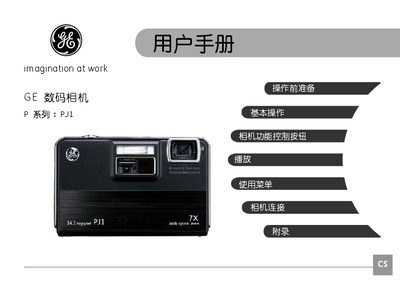
GE PJ1 Digital Camera User Manual
This manual begins with safety precautions, explaining where not to store or use the camera, how to handle the battery and memory card, and the importance of formatting cards before use. It then guides the user through installing the battery and SD/SDHC card, powering the camera on and off, and configuring language, date, and time settings.
Subsequent sections describe the various shooting modes (auto, portrait, night, scene selections, video, etc.), how to use zoom, flash, self‑timer, and other functions, and includes a troubleshooting guide for common issues such as slow memory‑card write speed or recording interruptions. This manual is written in Chinese.
All GE PJ1 documents by type
Day-to-day operation, settings and troubleshooting. Start here if the product is already set up.
Mounting, wiring and first power-up. Read it before the hardware goes in.
- GE PJ1camera Manual 20 p
Questions answered in these manuals
How do I install the PC to Link software?
Insert the PC to Link CD into the optical drive, select the installation file, and follow the on‑screen instructions.
From: GE PJ1camera Manual
How do I start a capture session?
Open the PC to Link software, click “Start Capture”, and the camera will begin projecting.
From: GE PJ1camera Manual
Where should I avoid storing the camera?
Do not store the camera in rain, very humid, dusty places, or where it receives direct sunlight or high temperatures.
What type of memory card should I use?
Use a new or properly formatted SD/SDHC card, preferably a high‑speed (Class 4 or higher) card before recording.