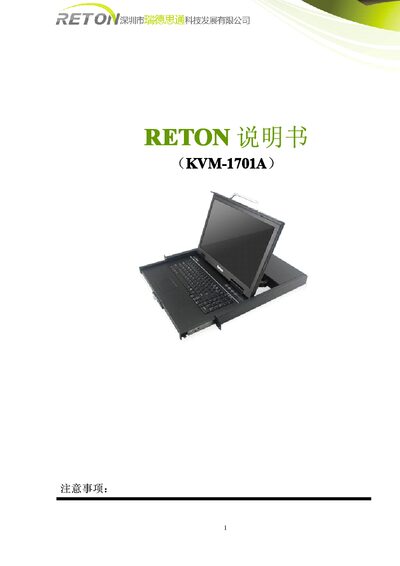
The Reton KVM-1701A manual provides installation, operation, and technical specifications for the 1U LCD KVM control platform.
About this manual
The Reton KVM-1701A is a 1U height LCD KVM control platform that integrates a display, keyboard and mouse into a single unit, allowing direct control of a single host without separate peripherals. It supports multiple hardware platforms and operating systems and can be installed in standard 19‑inch racks.
The manual covers safety notices, rack‑mount installation, cable connections (PS/2 and USB), power setup, operation procedures, hot‑plug support, troubleshooting, and detailed technical specifications of the display, power, and mechanical features. This manual is written in Chinese.
What's inside
- Product Description
- Features
- Installation
- Cable Connections
- Operation
- Technical Specifications
- Environmental Conditions
Specifications
| Display type | W X G A T F T |
|---|
| Resolution | 1280 × 1024 |
|---|
| Brightness | 250 cd/m² |
|---|
| Contrast ratio | 600:1 |
|---|
| Working voltage | 3.3V DC |
|---|
| Maximum LCD tilt angle | 120° |
|---|
Frequently asked questions
How do I turn on the LCD KVM platform?
Press the LCD POWER key; the LCD power turns on and the LED indicator lights green.
What is the maximum tilt angle of the LCD screen?
The LCD screen can be opened up to a maximum of 120°.
What cable length is recommended for VGA connections?
VGA cables should not exceed 5 meters in length.
Does the KVM platform support hot‑plugging?
Yes, the platform supports hot‑plugging on most operating systems, though some (e.g., Linux, SCO Unix) may not support it.