
Key facts
- Manuals
- 9
- Categories
- 1
- Languages
- ZH
- Last added
- 2012-03-12
Featured Shenzhen市潮流网络 manuals
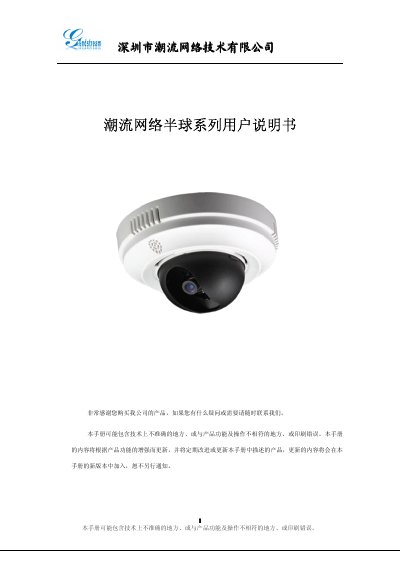
ChaoLiu Network Technology GXV3611 Video Server User Manual
The GXV3611 video server from ChaoLiu Network Technology is a network camera system built on an embedded Linux OS with H.264 video compression and SIP functionality. It supports dual‑stream video, two‑way audio, alarm inputs/outputs, and PoE power.
The manual provides safety warnings, detailed hardware descriptions, installation steps, configuration procedures (login, network, video, SIP, DDNS, firmware upgrade), and troubleshooting guidance, including plugin installation for Internet Explorer and mobile viewing tips. This manual is written in Chinese.
Covers: Product Overview · Main Functions · Appearance Description · Device Installation · Login and System Configuration · Video and Network Settings
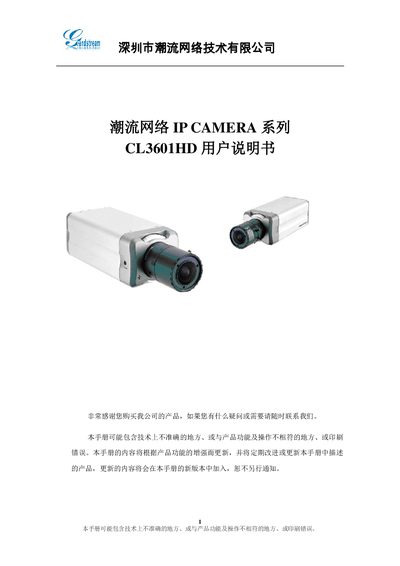
Chaoliu Network CL3601HD IP Camera User Manual
This manual provides safety warnings, power requirements and handling instructions for the CL3601HD IP camera. It includes detailed guidance on installing the device, connecting power and network cables, and preparing the camera for use.
The guide also explains how to log into the camera’s web interface, configure video settings, network parameters, DDNS, SIP, alarm inputs, motion detection, storage options, and system logging. Troubleshooting tips and firmware upgrade procedures are included. This manual is written in Chinese.
Covers: Safety and Precautions · Product Overview · Appearance and Interface Description · Device Installation · Login and Web Interface · Video and Network Configuration
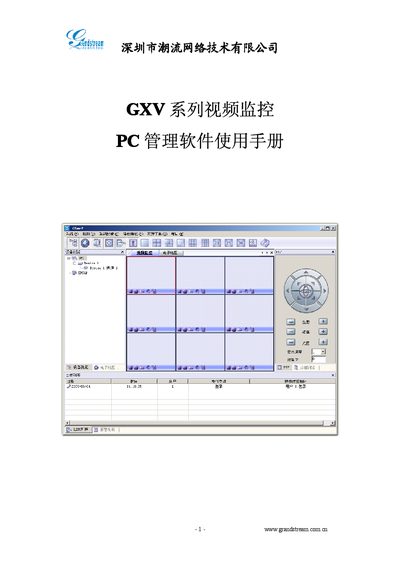
Grandstream GXV Series Video Monitor PC Management Software User Manual
The Grandstream GXV series video monitor PC management software provides a distributed system architecture that supports up to 36 video channels, electronic maps, PTZ control, and alarm functions. It runs on Windows 2000/XP and requires a P4 CPU, 128 MB RAM, 40 GB HDD and DirectX 7.0 or higher.
The manual explains how to install the software, configure devices, set up timetables, alarm linkage, and storage options, and includes a troubleshooting appendix for common issues such as login failures and missing alarm notifications. This manual is written in Chinese.
Covers: 1. 简介 · 2. 软件安装 · 3. 界面说明 · 4. 软件操作指南 · 5. 添加设备 · 6. 时间表配置

Grandstream GXV Series Video Monitor MView User Manual
This manual introduces the MView mobile video monitoring application for the Grandstream GXV series. It describes supported network types (3G, Wi‑Fi, CMNET) and the ability to view live video, control PTZ cameras, capture images, record video, and playback recordings.
The guide covers system requirements, installation steps, uninstall procedure, interface layout, and detailed operation instructions such as configuring device parameters, setting up network connections, watching video streams, PTZ control, capture/record functions, video playback, and device search within a LAN. This manual is written in Chinese.
Covers: Introduction · Installation Requirements · MView Installation · MView Uninstall · Interface Description · Operation Guide
Latest Shenzhen市潮流网络 manuals
ChaoLiu Network Technology GXV3611 Video Server User Manual
User Manual 25 pages · 2.5 MB · ZHChinese user manual for the GXV3611 video server covering installation, operation, and technical specifications.
Chaoliu Network CL3601HD IP Camera User Manual
User Manual 20 pages · 980 KB · ZHUser manual for the Chaoliu Network CL3601HD IP camera covering safety, installation, configuration and operation.
Grandstream GXV Series Video Monitor PC Management Software User Manual
User Manual 15 pages · 1.2 MB · ZHUser manual for Grandstream GXV series video monitor PC management software, covering installation, interface, and configuration.
Grandstream GXV Series Video Monitor MView User Manual
User Manual 9 pages · 1.8 MB · ZHThe Grandstream GXV Series MView user manual explains installation, configuration, and operation of the mobile video monitoring software.
Shenzhen grandstream technology grandstream IP CAMERA series CL3601LL user manual
Grandstream GXV3651 IP Camera User Manual
User Manual 28 pages · 2.4 MB · ZHUser manual for the Grandstream GXV3651 IP camera covering installation, configuration, and operation.
Shenzhen grandstream technology grandstream DVS series user manual
Shenzhen grandstream technology grandstream IP CAMERA series user manual
Grandstream DVS Series User Manual
User Manual 27 pages · 834 KB · ZHUser manual for Grandstream DVS series video servers covering safety, installation, operation and troubleshooting.
Which document do I need?
User Manual
Day-to-day operation, settings and troubleshooting. Start here if the product is already set up.
Questions answered in Shenzhen市潮流网络 manuals
Which video compression formats does the camera support?
The camera supports H.264 and MJPEG video compression.
Can the camera be powered over Ethernet (PoE)?
Yes, the device supports PoE power supply.
Why is there no map prompt when an alarm occurs?
The map prompt must be enabled in the alarm linkage configuration; otherwise the map will not show the alarm icon.
From: Grandstream GXV Series Video Monitor PC Management Software User Manual
Why is there no alarm sound when an alarm occurs?
Enable the alarm sound in the alarm linkage settings to hear a notification.
From: Grandstream GXV Series Video Monitor PC Management Software User Manual
What are the minimum system requirements for MView?
The app requires Windows CE 5.0 or later, at least 64 MB of memory, a CPU of 400 MHz or higher, and a screen resolution of 240 × 320.
From: Grandstream GXV Series Video Monitor MView User Manual
How do I control a PTZ camera with MView?
Connect the PTZ unit to the RS‑485 interface, configure its parameters in MView, then use the on‑screen up/down/left/right controls to rotate the camera and zoom in or out.
From: Grandstream GXV Series Video Monitor MView User Manual