
Key facts
- Manuals
- 7
- Categories
- 1
- Languages
- EN · ZH
- Last added
- 2012-06-11
Featured Western manuals
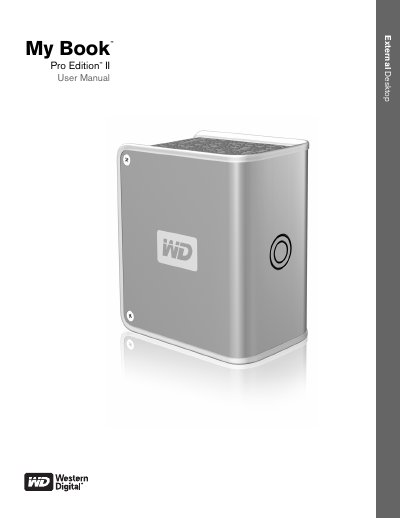
Western Digital My Book Pro Edition II User Manual
This manual guides you through getting started with the My Book Pro Edition II, including kit contents, system requirements, and operating‑system updates for both Mac and Windows. It also explains how to register the product and outlines handling precautions to protect the drive.
Further sections cover the drive’s RAID options, LED indicators, interface choices (FireWire 800, FireWire 400, USB 2.0), connecting the device, replacing the internal drive, and troubleshooting common issues. The appendix provides regulatory compliance, warranty details, and support contact information.
Covers: Getting Started · About Your WD Drive · Choosing an Interface · Connecting the Device · Replacing a Drive · Troubleshooting
Western Digital My Book Live User Manual
This manual covers everything you need to get started with the My Book Live network attached storage, including hardware installation, network connection, and initial configuration. It also explains how to use WD SmartWare, set up remote access, and manage users and shared folders.
Additional sections detail media streaming, backup and restore procedures, troubleshooting steps, and warranty information, helping both home and small‑office users maintain their data safely and efficiently. This manual is written in Chinese.
Covers: Important User Information · Product Overview · Hard Disk Connection and Setup · Backup / Restore (WD SmartWare) · Managing WD Software · Control Panel Introduction
Acronis True Image WD Edition User Manual
This manual provides installation instructions, system requirements, and usage guidance for Acronis True Image WD Edition. It includes details on supported operating systems, media types, and startup parameters for advanced configuration.
The document also covers the Acronis Drive Cleanser utility, troubleshooting tips, and licensing information. All instructions are based on the software version released between 2000 and 2009.
Covers: System Requirements · Supported Operating Systems · Supported Media · Installation · Startup Parameters · Drive Cleanser
Latest Western manuals
WESTERN DIGITAL CORPORATION WD1100-07 Host Interface Logic
This is a document generated by ICminer.com Electronic-Library Service.
WESTERN DIGITAL WD8250/82C50/16C450 Element(ACE)
WESTERN DIGITAL WD1510-00 01 02 LIFO/FIFO buffer register
This is a PDF file with Powered by ICminer.com Electronic-Library Service CopyRight 2003 Powered by ICminer.com Electronic-Library Service CopyRight 2003 Powered by ICminer.com Electronic-Library Service CopyRight 2003 Powered by ICminer.com Electronic-Library Service CopyRight 2003 content
Western States Contracting Alliance Master Price Agreement user manual
This is a user guide for WSCA Master Price Agreement, including contract number, contract terms, products and services etc.
Western Digital My Book Pro Edition II User Manual
User Manual 29 pages · 1.2 MB · ENThe Western Digital My Book Pro Edition II user manual provides setup, RAID configuration, safety, and troubleshooting instructions for the external storage…
Western Digital My Book Live User Manual
User Manual 121 pages · 4.7 MB · ZHThe Western Digital My Book Live user manual provides setup, backup, sharing, and troubleshooting instructions for the network storage device.
Acronis True Image WD Edition User Manual
User Manual 61 pages · 1.9 MB · ENUser manual for Acronis True Image WD Edition backup software bundled with Western Digital drives.
Which document do I need?
User Manual
Day-to-day operation, settings and troubleshooting. Start here if the product is already set up.
Questions answered in Western manuals
How do I update my operating system on a Mac?
Open the Apple menu and select Software Update.
How do I register my Western Digital product?
Register online at register.wdc.com.
How can I register my My Book Live device?
Visit http://register.wdc.com and follow the on‑screen instructions to register the product online.
Which network port does My Book Live use?
The device connects to the network via an RJ‑45 Ethernet port.
How much RAM is required to run Acronis True Image WD Edition?
The software requires at least 128 MB of RAM.
Which file systems can Acronis True Image WD Edition back up?
It can back up volumes formatted with FAT16/32 or NTFS.