
Key facts
- Manuals
- 29
- Models
- 4
- Categories
- 1
- Languages
- ZH · EN
- Last added
- 2026-09-29
Sensaphone models by category
Featured Sensaphone manuals
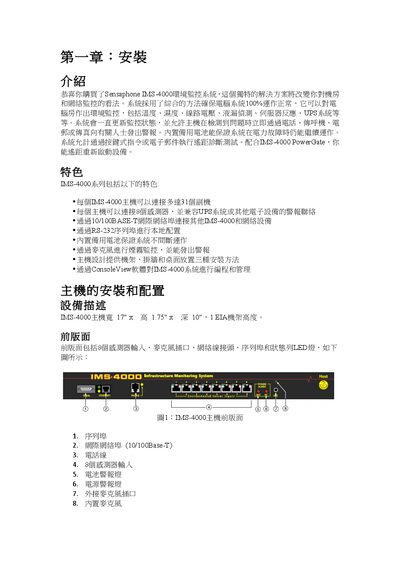
Sensaphone IMS-4000 Environmental Monitoring System Installation Guide
The IMS-4000 is a rack‑mountable environmental monitoring system that tracks temperature, humidity, voltage, liquid leaks, smoke, and more. It can be installed in a rack, on a wall, or on a desktop and supports up to 31 remote units and 8 sensors per host.
The guide explains hardware installation, power and battery indicators, sensor wiring, network configuration via RS‑232 or Ethernet, SNMP settings, and firmware requirements. It also provides detailed procedures for battery replacement and sensor installation for smoke and airflow modules. This manual is written in Chinese.
Covers: Installation Options (Rack, Wall, Desktop) · Front and Rear Panel Description · Sensor Input Connections · Power and Battery Indicators · Network Configuration (Serial and Ethernet) · SNMP and Remote Access Settings

Sensaphone Sentinel Installation and Setup Guide
This guide covers the installation of the Sentinel monitoring system, including physical mounting, power connections, network setup, and wiring of up to twelve sensor inputs. Safety precautions, warranty information, and technical support details are also included.
The manual explains how to configure the device via its web interface, manage users and zones, and interpret alarm LEDs and relay outputs. Appendices provide specifications, thermistor tables, testing procedures, and instructions for returning the unit for repair.
Covers: Installation Overview · Physical Description and Layout · Power and Network Configuration · Sensor Input Wiring · LED Indicators and Buttons · Web Interface Setup
Latest Sensaphone manuals
Sensaphone IMS-4000 Environmental Monitoring System Installation Guide
Installation Guide 117 pages · 7.9 MB · ZHInstallation and configuration guide for the Sensaphone IMS-4000 environmental monitoring system, covering setup, networking, sensors and battery maintenance.
Sensaphone Sentinel Installation and Setup Guide
Installation Guide 33 pages · 3.5 MB · ENThe Sensaphone Sentinel Installation and Setup Guide provides step‑by‑step instructions, safety information, and specifications for the cloud‑based…
sensaphone Skymetry
Sensaphone is a remote monitoring system that can send alarms to you and your support personnel instantly via voice phone call, pager message, e-mail message, or Skymetry website.
sensaphone ISACC
This document lists detailed specifications of Sensaphone M1500 system, including memory, input, output, communication interface, size and weight, power requirements, battery backup, enclosure, operating environment, real-time clock, data logger, local indicators and system integrity
sensaphone 1108 Desktop Monitoring System Manual
The Sensaphone 1108 is a versatile desktop monitoring system designed for programming flexibility. It monitors power, temperature, and other important environmental conditions to protect computers, equipment, and processes. If unsafe conditions occur, the system will automatically contact you by phone at up to eight different phone numbers to alert you to unsafe conditions. The system communicates in voice-synthesized English, and even lets you listen in to actual on-site sounds.
SENSAPHONE 1104 Desktop Monitoring System Manual
SENSAPHONE Express Manual
SENSAPHONE EXPRESS QUICK REFERENCE GUIDE
SENSAPHONE® EXPRESS QUICK REFERENCE GUIDE is a quick reference guide for SENSAPHONE® EXPRESS
SENSAPHONE Express user manual
Sensaphone Express User's Manual, introduces the safe use of Sensaphone Express, including preparation before use, installation, operation, etc.
SENSAPHONE EXPRESS II Manual
SENSAPHONE ® EXPRESS II Remote Monitoring System is a remote telemetry system for environmental and industrial monitoring, communication, and control. It is equipped with 8 universal inputs, configurable as dry contact, pulse count, 0-5V or 4-20mA analog, or temperature inputs. Easy-to-install expansion cards let you increase your monitoring capacity by an additional 32 universal input channels. Each input, whether standard-installed or expanded, is fully programmable and complete with a two-color LED to indicate the alarm status locally. Express II also features built-in AC power monitoring and a built-in microphone for sound level monitoring.
SENSAPHONE EXPRESS II user manual
This manual introduces the features and functions of Sensaphone Express II, helping users to safely and reliably use the device.
SenSaphone SCADA 3000 user manual v2.34
This document is the SenSaphone® SCADA 3000 User's Manual, which provides installation and operating instructions for the product, as well as important safety instructions.
sensaphone 2000 user manual
This manual provides detailed instructions for using the Sensaphone 2000, including installation, operation, and maintenance.
SENSAPHONE IMS-4000 Infrastructure Monitoring System user manual
IMS-4000 is a Sensaphone infrastructure monitoring system that has been carefully designed to provide years of safe, reliable performance. Read this manual for detailed installation and operating instructions.
SENSAPHONE IMS Manual(PDF)
The IMS series of Sensapahone products allows you to watch over many of the potential threats in your computer room. They combine environmental monitoring, physical security, network monitoring and more into one easy to manage system. The IMS System is always storing history and trending information, and will notify the appropriate personnel when conditions exceed acceptable limits.
- 1
- 2
Which document do I need?
Installation Guide
Mounting, wiring and first power-up. Read it before the hardware goes in.
Questions answered in Sensaphone manuals
How many sensor inputs does the IMS‑4000 support?
The IMS‑4000 host unit provides eight sensor inputs.
From: Sensaphone IMS-4000 Environmental Monitoring System Installation Guide
What is the default password for the IMS‑4000 console?
The default password is “ims4k”.
From: Sensaphone IMS-4000 Environmental Monitoring System Installation Guide
How many sensor inputs does the Sentinel have?
The Sentinel provides twelve sensor inputs for dry contacts, thermistors, or 4‑20 mA transducers.
What type of network connection does the Sentinel use?
It includes a 10/100BASE‑T Ethernet port for network connectivity.