
Key facts
- Manuals
- 4
- Categories
- 2
- Languages
- EN · JA
- Last added
- 2012-03-15
Featured PLYMPUS manuals
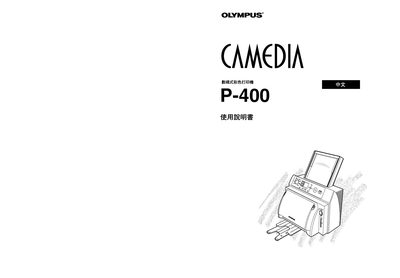
Olympus P-400 Printer Manual
This manual explains how to install, configure, and use the Olympus P-400 printer. It includes safety information, hardware overview, and step‑by‑step procedures for loading media and printing.
Additional sections cover routine maintenance, troubleshooting common issues, and technical specifications of the printer. Contact information for Olympus support is provided at the end of the document.
Covers: Introduction · Setup · Operation · Maintenance · Specifications · Troubleshooting
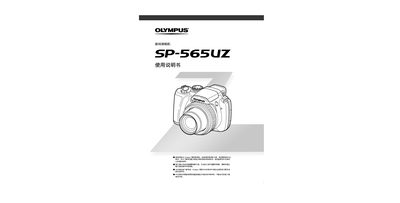
Olympus SP-565UZ Camera User Manual
This manual provides step‑by‑step instructions for using the Olympus SP‑565UZ digital camera, covering basic operation, shooting modes, and essential settings. It also includes guidance on printing photos via PictBridge and using the camera’s built‑in menu.
Additional sections describe the self‑timer, silent mode, battery handling, and a parts list for service reference. The document is intended for end users who need clear instructions in Japanese. This manual is written in Japanese.
Covers: How to Use the Camera · Shooting Modes · Printing Photos (PictBridge) · Menu Functions · Self‑Timer · Silent Mode
Latest PLYMPUS manuals
Olympus P-400 Printer Manual
User Manual 156 pages · 11.7 MB · ENThe Olympus P-400 Printer Manual provides setup, operation, and maintenance instructions for the P-400 printer.
PLYMPUS TURBOMO 640S/640/230 Manual
Olympus SP-565UZ Camera User Manual
User Manual 92 pages · 6 MB · JAOfficial Olympus SP-565UZ camera manual with operating instructions, shooting modes, printing options and menu functions.
PLYMPUS Stulus800 Manual
Which document do I need?
User Manual
Day-to-day operation, settings and troubleshooting. Start here if the product is already set up.
Questions answered in PLYMPUS manuals
Who is the manufacturer of the printer?
The printer is manufactured by Olympus Optical Co., Ltd.
How can I print photos directly from the camera?
Use the PictBridge printing function (refer to page 64).
How do I switch the camera to silent mode?
Select the silent mode option in the menu (see page 68).