
Key facts
- Manuals
- 16
- Models
- 7
- Categories
- 1
- Languages
- EN
- Last added
- 2026-09-29
Infinity models by category
Featured Infinity manuals
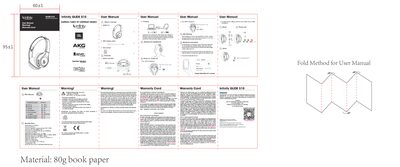
Infinity GLIDE 510 Wireless On-Ear Headphone User Manual
This manual covers everything you need to get started with the Infinity GLIDE 510 wireless on‑ear headphones, including what's in the box, button functions, LED indicators, charging guidelines, Bluetooth connection steps, and EQ switching. It also lists the technical specifications of the headphones and provides safety and disposal instructions.
Additional sections explain how to register the product for warranty service, detail the limited warranty terms, and give guidance on proper handling, cleaning, and battery replacement to ensure safe and long‑lasting use.
Covers: Warranty Information · Product Registration · What's in the Box · Buttons and LEDs · Charging Guidelines · Bluetooth Pairing
Latest Infinity manuals
Infinity GLIDE 510 Wireless On-Ear Headphone User Manual
User Manual 1 pages · 1.3 MB · ENThe Infinity GLIDE 510 user manual provides setup, Bluetooth pairing, usage instructions, specifications, and warranty information for the wireless on‑ear…
INFINITY NF4 SLI Manual
This document is a motherboard user manual, which provides installation information and product specifications. The manufacturer does not express any position or provide any guarantee or implication regarding the specific applicability of the manual and the product. Users must assume their own risks.
INFINITY P965/P965-S motherboard Manual
This document is a FCC and DOC statement about the 935-P96501-044G and 94400650S products. The equipment has been tested and complies with the limits for a Class B digital device according to Part 15 of the FCC rules. These limits provide reasonable protection against harmful interference in residential installations. The equipment generates, uses, and can radiate radio frequency energy, and may cause harmful interference to radio communications if not installed and used according to the instruction manual. If the equipment does cause harmful interference to radio or television reception, the user is encouraged to try to correct it by reorienting or relocating the receiving antenna, increasing the separation between the equipment and the receiver, connecting the equipment to a different circuit, or consulting a dealer or experienced radio TV technician for help.
INFINITY nF4 Ultra-U Manual
This manual provides information on installing, using, and maintaining the System Board.
INFINITY NF-M2 Manual
This manual mainly introduces how to use the motherboard
INFINITY NF-UL TRA-M2/NF-M2 Manual
This document is the user manual for the system board, containing copyrighted information. It provides usage guidelines and precautions for the product.
INFINITY C51PV-M2/G System Board User Manual
This manual provides detailed information on the 935-GF6151-000G 92110627 system board.
INFINITY C51PV-M2/G system board Manual
This user manual is a motherboard installation manual, which mainly introduces the function features and installation methods of the motherboard. Please read this user manual carefully to ensure that the motherboard is installed correctly.
INFINITY CFX3200-M2/G Manual
This document is a FCC and DOC statement for a product. It describes the radio frequency energy generated, used and radiated by the product and provides measures to solve the interference to radio communication.
INFINITY CFX3200-M2/G master Manual
This document is a statement about product specifications, describing the class, compliance standards, and potential causes of interference for the equipment. It also provides measures to resolve interference issues.
INFINITY CFX3200-M2/G System Board User Manual
This manual provides detailed information about the system board.
INFINITY NF Series system board Manual(1)
This manual is for the user manual of the motherboard. It mainly introduces the function characteristics and installation and use methods of the motherboard.
INFINITY NF Series system board Manual(1)(1)
INFINITY NF Series System Board User Manual
This manual introduces the features of System Board 935-NF4F05-300G.
INFINITY NF-ULTRA-M2 NF-M2 system board Manual
Motherboard User Manual
Which document do I need?
User Manual
Day-to-day operation, settings and troubleshooting. Start here if the product is already set up.
Questions answered in Infinity manuals
How do I pair the Infinity GLIDE 510 with a Bluetooth device?
Hold the power button for 2 seconds; the headphones will enter pairing mode and can be discovered by your device.
From: Infinity GLIDE 510 Wireless On-Ear Headphone User Manual
How can I reset the headphones to factory settings?
Press and hold the power button for 6 seconds while the headphones are shut down to restore factory defaults.
From: Infinity GLIDE 510 Wireless On-Ear Headphone User Manual