
Key facts
- Manuals
- 15
- Categories
- 1
- Languages
- ZH
- Last added
- 2012-08-08
Featured Eagle manuals
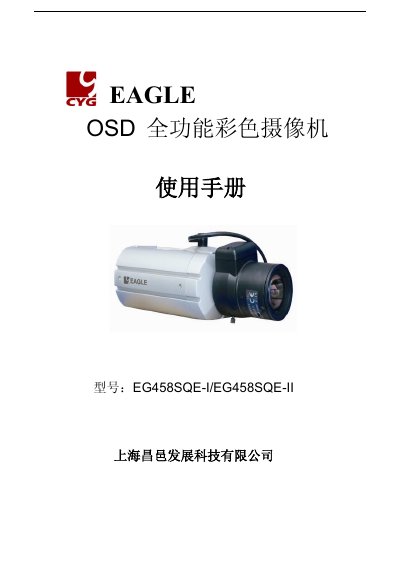
Eagle EG458SQE-I/EG458SQE-II Full-Function Color Camera User Manual
This manual covers the features of the Eagle EG458SQE‑I and EG458SQE‑II full‑function color cameras, including 530TVL resolution, day/night mode, electronic aperture, and built‑in DNR. Detailed sections describe each part of the camera, recommended installation methods, and connection options for lenses, monitors, and power supplies.
Safety warnings, preventive measures, and troubleshooting tips are provided to ensure reliable operation in various environments. The specification table at the end lists key technical data such as sensor type, power requirements, and operating temperature. This manual is written in Chinese.
Covers: Features · Precautions · Parts Names and Functions · Connections · Camera Operation · Common Questions

CadSoft Eagle Graphical Layout Editor User Manual
This manual describes how to install Eagle on Windows, Linux, and Mac OS X systems, how to upgrade from earlier versions, and how to manage licensing for single‑user or network installations. It also explains the software’s main components, such as the Schematic Editor, Layout Editor, and Library Editor.
The document includes detailed command references, language‑setting procedures, and tips for using scripts, design rules, and the control panel. An index at the end lists all commands and user‑language variables for quick lookup. This manual is written in Chinese.
Covers: Installation Conditions · First Installation · Upgrade Instructions · License Management · EAGLE Functions · Control Panel
Latest Eagle manuals
Eagle 400 Manual
This document is the Eagle 400 manual, which contains product usage instructions, safety warnings and warranty information.
EAGLE TREE Instruction Manual for the Airspeed MicroSensor V3 Document Version 1.1
This document is the user manual for Eagle Tree Systems Airspeed MicroSensor V3. It includes installation and operation instructions.
EAGLE TREE Instruction Manual for the Altimeter MicroSensor V3 Document Version 1.1
The Altimeter MicroSensor V3 instruction manual describes how to use this product
EAGLE TREE FDR-02/FDR-PRO USB Flight Data Recorder (Standard Pro) Patent Pending Instruction Manual Document Version 3.7
EAGLE TREE ECU-JETCAT ECU-AMT ECU-FADEC Seagull Jet ECU Interfaces Instruction Manual Document Version 1.2
The Seagull Jet ECU Interface, in conjunction with the Seagull Pro Flight System, provides real-time data and audible feedback about the state of your Model Jet, including ECU turbine RPM, temperature, throttle percentage, voltage, and status messages.
EAGLE TREE Battery Backup Harness Instruction Manual Document Version 1.0
This document is an instruction manual for the installation and operation of the Battery Backup Harness. The harness is compatible with MicroPower and Data Recorder products, allowing you to connect a secondary battery to prevent device reboot due to low primary battery voltage. The manual provides detailed instructions on the connection process and usage precautions.
EAGLE TREE Spektrum JR Data Interface Instruction Manual Document Version 1.1
This instruction manual will guide you through the installation and operation of your Spektrum™ and JR™ Data Interface
EAGLE TREE GPS-5HZ Data Recorder GPS Expander V3 Instruction Manual Document Version 2.6
This document is an instruction manual for the Data Recorder GPS Expander V3, providing installation and operation guidance. The product features a 5Hz update rate, low power consumption, and battery backup, making it suitable for Eagle Tree's recording and wireless telemetry products. It is also compatible with various Eagle Tree recorders and dashboards.
EAGLE TREE GPS-V4 Micro GPS Expander V4 Instruction Manual Document Version 1.4
This instruction manual is for Eagle Tree GPS-V4, which introduces the features, functions and precautions of the product.
EAGLE TREE Altimeter MicroSensor V4 Instruction Manual Document Version 1.1
Eagle Tree Systems Altimeter MicroSensor V4 User Manual, introduces the features and characteristics of Altimeter MicroSensor V4, installation and operation methods
EAGLE FREE GFORCE-LOW/GFORCE-HIGH 3 Axis G-Force MicroSensor Instruction Manual Document Version 1.2
This document is a user manual for the 3 Axis G-Force MicroSensor. It introduces the function and usage of the sensor.
Eagle Pump user manual
This manual provides important information about the installation, operation and safe use of this product. This information should be given to the owner/operator of this equipment.
EAGLE Version 5 Manual
This document introduces the free trial version of CAD software, which includes functions such as schematic editing, layout editing, and autorouting. The software has 20 years of experience and success, and can design entire circuit boards and generate manufacturing data.
Eagle EG458SQE-I/EG458SQE-II Full-Function Color Camera User Manual
User Manual 32 pages · 720 KB · ZHThe Eagle EG458SQE-I/II user manual provides setup, operation, safety precautions, and specifications for the full‑function color CCTV camera.
CadSoft Eagle Graphical Layout Editor User Manual
User Manual 282 pages · 4.4 MB · ZHThe CadSoft Eagle User Manual provides installation, licensing, and usage instructions for the graphical layout editor.
Which document do I need?
User Manual
Day-to-day operation, settings and troubleshooting. Start here if the product is already set up.
Questions answered in Eagle manuals
What should I check if the screen shows no image?
Verify that the power cable is correctly connected, the video cable is attached to the camera’s video output, the DC/VIDEO switch matches the lens type, and the lens brightness setting is correct.
From: Eagle EG458SQE-I/EG458SQE-II Full-Function Color Camera User Manual
How can I clean a dirty lens?
Use a soft, clean cloth to gently wipe the lens surface.
From: Eagle EG458SQE-I/EG458SQE-II Full-Function Color Camera User Manual
What is required to upgrade from an older version of Eagle?
Upgrading requires following the “Upgrade old version” instructions and may involve updating library file formats and data structures.
How can I obtain a license for multiple users?
The manual explains multi‑user licensing under the “Licenses 多用户授权” section, including network installation considerations.