
Key facts
- Brand
- IBM
- Model
- G40
- Documents
- 2
- Languages
- JA
- Last added
- 2011-11-28
Start here
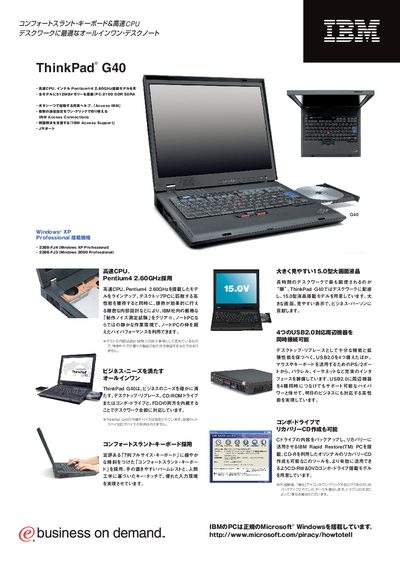
IBM ThinkPad G40 User Manual
This manual describes the ThinkPad G40 notebook, featuring a 15.0‑inch TFT LCD, Intel Pentium 4 2.60 GHz processor, 512 MB PC‑2100 DDR SDRAM, and four USB 2.0 ports. It also outlines the built‑in CD‑RW/DVD combo drive, optional accessories, and pre‑installed software such as Windows XP Professional.
Additional sections cover recovery options with IBM Rapid Restore, warranty information, and contact details for IBM support in Japan. This manual is written in Japanese.
IBM G40 specifications
| Memory | 512 MB PC‑2100 DDR SDRAM |
|---|---|
| Hard Disk | 30 GB, 4200 rpm |
| USB Ports | 4 × USB 2.0 |
| Optical Drive | CD‑RW/DVD combo drive |
| Operating System | Windows XP Professional |
Source: IBM ThinkPad G40 User Manual
All IBM G40 documents by type
Day-to-day operation, settings and troubleshooting. Start here if the product is already set up.
Questions answered in these manuals
How many USB 2.0 ports does the ThinkPad G40 have?
The ThinkPad G40 provides four USB 2.0 ports for peripheral connections.
What operating system comes pre‑installed on the ThinkPad G40?
Windows XP Professional is pre‑installed on the device.
How many USB ports are available on the ThinkPad G40?
The ThinkPad G40 provides four USB 2.0 ports for peripheral connections.
What wireless networking option is available on some models?
Certain models include an optional 802.11b wireless LAN CardBus adapter.