
Key facts
- Brand
- Genius
- Model
- G-Note 5000
- Category
- Other Electronics
- Documents
- 2
- Languages
- ZH
- Last added
- 2012-03-22
Start here
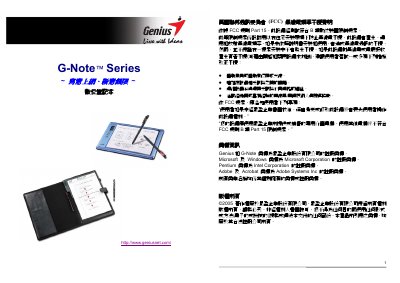
Genius G-Note 5000/7100 Digital Notebook User Manual
This manual introduces the Genius G-Note series, a portable digital notebook that records handwritten notes and stores them in built‑in memory. It covers hardware setup, battery installation, and how to use the included Digital Organizer software on Windows.
Detailed sections explain the function keys, menu settings, writing area dimensions, power management, and troubleshooting steps such as changing writing direction, formatting the memory, and replacing pens or batteries. This manual is written in Chinese.
Genius G-Note 5000 specifications
| Writing area (G‑Note 5000) | 150 mm × 210 mm (A5) |
|---|---|
| Writing area (G‑Note 7100) | 210 mm × 263 mm (A4/Letter) |
| Internal memory | 32 MB flash |
| Battery life (continuous use) | ≈ 100 hours |
| Dimensions (G‑Note 5000) | 281 mm × 180 mm × 15 mm |
Source: Genius G-Note 5000/7100 Digital Notebook User Manual
All Genius G-Note 5000 documents by type
Day-to-day operation, settings and troubleshooting. Start here if the product is already set up.
Questions answered in these manuals
What is the maximum number of pages that can be stored on each model?
The G‑Note 5000 can store about 150 pages, while the G‑Note 7100 can store about 75 pages in its 32 MB memory.
What should I do if digital note pages overlap?
Press the new‑page button (/) before you start writing; the LCD will show a new blank page to prevent overlap.
Why does the digital pen not work?
Check that the pen’s battery is installed correctly with the positive side up; an incorrectly installed battery will prevent the pen from functioning.