
Key facts
- Brand
- AgfaPhoto
- Model
- Compact 100
- Category
- Digital cameras
- Industry
- Electronics
- Documents
- 3
- Languages
- EN · DE · ZH
- Last added
- 2012-03-24
Start here
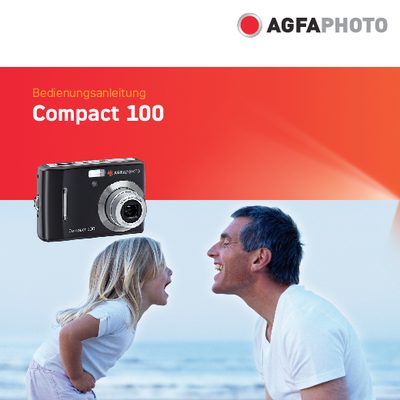
AgfaPhoto Compact 100 Camera User Manual
This manual offers step‑by‑step instructions for setting up and using the AgfaPhoto Compact 100 digital camera. It includes safety warnings, battery handling, and basic operation such as powering the camera on and off, inserting memory cards, and navigating the menu system.
The guide also details the camera’s main features—10 MP resolution, optical and digital zoom, LCD display, and internal flash memory—as well as shooting modes, playback functions, connectivity options, and troubleshooting tips. System requirements for connecting the camera to a computer are listed for both Windows and Macintosh platforms. This manual is written in German.
AgfaPhoto Compact 100 specifications
| Resolution | 10 megapixels |
|---|---|
| Optical Zoom | up to 3× |
| Digital Zoom | up to 5× |
| Image Sensor | 1/2.3 inch OCD |
| LCD Monitor | 2.7‑inch color |
| Internal Flash Memory | 32 MB |
| SD Card Support | up to 4 GB |
| SDHC Card Support | up to 32 GB |
All AgfaPhoto Compact 100 documents by type
Day-to-day operation, settings and troubleshooting. Start here if the product is already set up.
Questions answered in these manuals
How should I insert or remove the battery?
Turn off the camera before installing or removing the battery and use only the provided battery and charger.
What safety precautions should I follow when handling the camera?
Do not take the camera apart, avoid moisture and extreme temperatures, do not touch the lens, keep it out of direct sunlight, and clean it with a slightly damp soft cloth.
How should I insert or remove the battery?
Switch off the camera before inserting or removing the batteries and use only the supplied batteries.
How many megapixels does the Compact 100 have?
It has a 10‑megapixel (10 million pixel) resolution.
What type of memory cards can be used with the Compact 100?
The camera supports SD cards up to 4 GB and SDHC cards up to 32 GB.