
Key facts
- Manuals
- 8
- Categories
- 1
- Languages
- ZH
- Last added
- 2012-03-24
Featured 网络摄像机 manuals
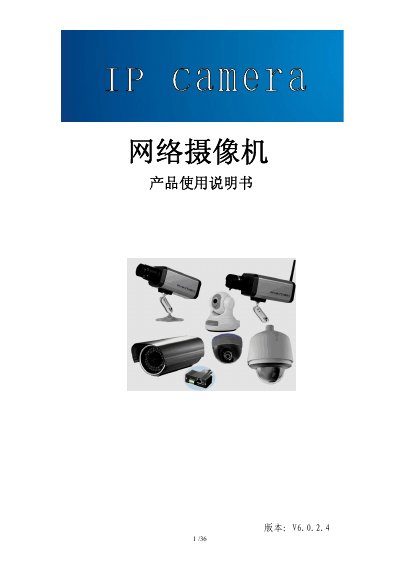
Network Camera User Manual
This manual provides an overview of the network camera series, including product features, basic technical parameters, and recommended usage environments. It describes the hardware components, connection diagrams for various camera types (storage gun, wireless storage gun, infrared dome, waterproof, and high‑speed dome), and the required accessories.
The guide details step‑by‑step procedures for installing the camera, configuring network settings, using the provided software tools, and performing common maintenance tasks such as password reset, firmware upgrade, and troubleshooting video or audio issues. This manual is written in Chinese.
Covers: Product Overview · Appearance and Installation · Device Search and Software Installation · Software Configuration · Appendices · FAQ

Kangming Net Camcorder User Manual
This manual explains how to install and configure the Kangming net camcorder. Installation is simple, with built‑in IEEE 802.11b/g Wi‑Fi that requires no additional hardware. The device supports UPnP for plug‑and‑play networking, and can be accessed via HTTP, RTSP, FTP, or email.
The camcorder offers both MPEG‑4 and Motion JPEG streaming at up to 30 fps, night‑vision using built‑in LEDs, and local storage on an SD card. Safety and compliance information for FCC and CE certifications are also included. This manual is written in Chinese.
Covers: Main Features · Installation · Network Configuration · Streaming Options · Night Vision · SD Card Functions
Davicom TPCam-1001 User Manual
This manual provides step‑by‑step instructions for installing the TPCam‑1001 camera, connecting power and network cables, and configuring hardware settings. It also explains how to access the camera’s web interface for network setup, video streaming, and advanced features such as DDNS, NTP and motion detection.
The guide covers client software requirements, viewing options, recording and playback functions, as well as troubleshooting tips and wireless connection options for supported models. This manual is written in Chinese.
Covers: Product Introduction · Installation · Web Interface Settings · Viewing the Camera · Using the Camera · Troubleshooting
Latest 网络摄像机 manuals
net camcorder IP-Cam Manual
This document provides a user guide for network cameras, including product introduction, installation, device search, video property settings and PTZ control operations, system settings, alarm settings, control panel, etc. Network cameras have the features of easy installation, wide range of applications, support for multiple protocols, simple configuration, video viewing and recording, alarm monitoring, etc.
Network Camera User Manual
User Manual 36 pages · 2.8 MB · ZHChinese network camera user manual covering installation, configuration, and troubleshooting.
Kangming Net Camcorder User Manual
User Manual 67 pages · 1.1 MB · ZHThe Kangming net camcorder user manual provides setup, network configuration, and operation instructions.
Davicom TPCam-1001 User Manual
User Manual 48 pages · 2 MB · ZHInstallation, configuration and operation guide for the Davicom TPCam‑1001 network camera.
net camcorder easy Manual(3)
net camcorder easy Manual(2)
net camcorder easy Manual(1)
net camcorder easy Manual(1)(1)
Which document do I need?
User Manual
Day-to-day operation, settings and troubleshooting. Start here if the product is already set up.
Questions answered in 网络摄像机 manuals
How can I reset the password if I forget it?
Press and hold the RESET button on the camera or the junction box for more than 5 seconds while powered on; the device will restore factory defaults, and the default username and password are both “admin”.
How many video streams can the TPCam‑1001 handle at once?
The camera can display up to 16 video streams simultaneously.
What operating system is required for the client software?
A Windows XP/2000 (or later) system with Internet Explorer 4.0 or newer is required.