
Key facts
- Manuals
- 7
- Categories
- 1
- Languages
- ZH · EN
- Last added
- 2012-03-21
Featured 摄像机 manuals
Camcorder User Manual
This manual explains how to operate the camcorder, including shooting photos and video, using night mode, and managing memory cards. It also provides safety precautions such as proper battery handling and temperature limits.
Important safety notes warn against disassembly, exposure to liquids, and using the device outside the recommended temperature range of 0°C to 40°C. Battery removal is advised when the camcorder will not be used for an extended period. This manual is written in Chinese.
Covers: About This Manual · Safety Precautions · Power and Battery · Shooting Photos · Shooting Video · Night Mode
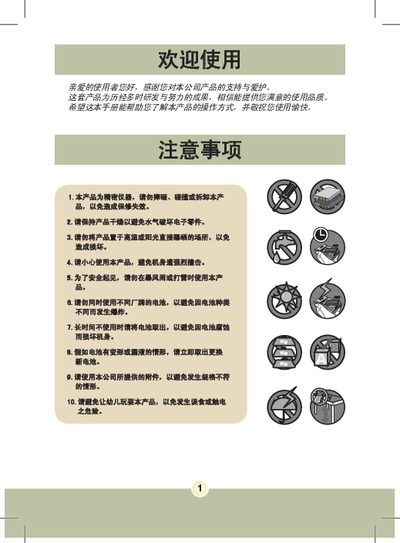
Camcorder User Manual
The manual explains safety precautions such as keeping the device dry, avoiding drops, high temperatures and using only the supplied accessories. It then guides the user through preparation, battery installation, charging, memory‑card insertion, wrist‑band attachment and basic menu operation.
The later sections list technical specifications, supported video and photo resolutions, LCD size, battery type, dimensions and compatible computer operating systems. This manual is written in Chinese.
Covers: Safety Precautions · Preparation · Battery Installation · Charging Instructions · Memory Card Insertion · Wristband Attachment
Kinpus WDR Camera User Manual
This manual provides instructions for installing, operating, and maintaining the Kinpus WDR camera. It includes safety precautions, menu navigation, and configuration of features such as wide dynamic range, digital zoom, and privacy masking.
The document also lists technical specifications, supported video standards, power requirements, and environmental limits, helping users set up the camera for optimal performance in various conditions. This manual is written in Chinese.
Covers: Safety Precautions · Menu Navigation · OSD Settings · Camera Identification and Communication · Language and User Name Settings · Reset and Factory Defaults
Camcorder User Manual
The manual begins with safety notices, covering handling, temperature limits, water exposure, and battery safety. It explains how to install, charge, and maintain the Li‑ion battery, as well as proper disposal and recycling.
Subsequent sections describe the camcorder’s physical parts, how to insert SD/MMC cards, power the device on and off, switch between modes, and use basic functions such as recording, playback, and connecting to a computer via USB.
Covers: Safety Notice · Getting Started · Parts of the Camcorder · Battery Installation and Charging · Using SD/MMC Card · Powering On/Off
Latest 摄像机 manuals
Camcorder User Manual
User Manual 92 pages · 2.3 MB · ZHOperating instructions, safety guidelines, and troubleshooting for the camcorder.
Camcorder User Manual
User Manual 52 pages · 6.1 MB · ZHThis user manual provides safety warnings, setup steps, battery and memory‑card usage, and specifications for the camcorder.
Kinpus WDR Camera User Manual
User Manual 13 pages · 6.1 MB · ZHUser manual for the Kinpus WDR camera covering operation, safety, menu settings, and specifications.
Camcorder User Manual
User Manual 493 pages · 22.6 MB · ENThis user manual provides safety instructions, battery handling, setup steps, and basic operation guidance for a digital camcorder.
Camcorder User Manual
User Manual 493 pages · 22.6 MB · ENThis user manual provides safety guidelines, setup instructions, and basic operation details for a digital camcorder.
camcorder BL-7518PMC/BL-7526PMC Manual
GC-755N/P Camcorder User Manual
User Manual 7 pages · 199 KB · ZHThis manual provides operating instructions, setup steps, and specifications for the GC-755N/P camcorder.
Which document do I need?
User Manual
Day-to-day operation, settings and troubleshooting. Start here if the product is already set up.
Questions answered in 摄像机 manuals
What should I do if the memory card is locked?
Unlock the memory card or format it before use.
From: Camcorder User Manual
How can I prevent battery leakage when the camcorder is not used for a long time?
Remove the battery from the camcorder.
From: Camcorder User Manual
How long should I charge the battery the first time?
Charge the battery for at least 4 hours before first use.
From: Camcorder User Manual
What is the operating temperature range of the camera?
The camera can operate from -10 °C to +50 °C.
How many privacy mask zones can be configured?
Up to eight privacy mask zones can be set.
Can I use the camcorder while it is charging?
Yes, you can power on and use the camcorder when charging with the adapter; an icon on the LCD indicates charging is in progress.
From: Camcorder User Manual