
Key facts
- Manuals
- 6
- Categories
- 1
- Languages
- EN · ZH
- Last added
- 2012-04-01
Featured Zebex manuals
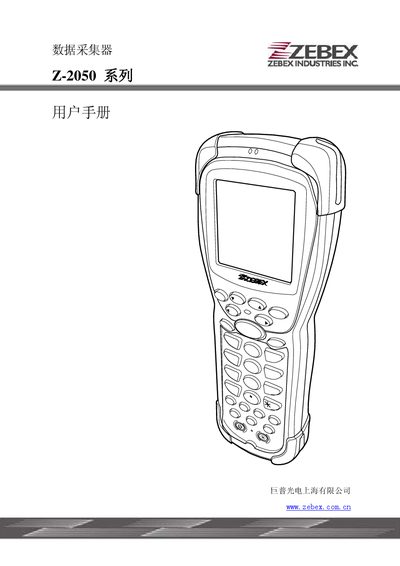
ZEBEX Z-2050 Series Date Collect User Manual
This manual describes the Z-2050 data‑collection device, its hardware interfaces and supported barcode symbologies. It includes information on RS232 and USB connections, as well as FCC compliance details.
The document also lists the barcode formats the unit can read, such as Code 39, Code 128 and various 2‑D symbologies, and provides troubleshooting tips and part numbers for service and repair.
Covers: Introduction · RS232 Interface · USB Interface · Barcode Symbologies · FCC Information · Specifications

ZEBEX Z-107x Series Mobile Data Collector User Manual
The Z-107x Series is a pocket‑size mobile data collector with a display, LED indicators, a buzzer, and RS‑232/USB interfaces. It stores up to 1000 barcode records in its 32 KB internal memory and can be programmed via the supplied WinTaskGen software.
This manual covers unpacking, hardware description, battery charging, power‑on and scanning procedures, data upload methods, menu‑driven settings (LCD contrast, beep volume, system timer, barcode types), and includes a full specification sheet. This manual is written in Chinese.
Covers: Introduction · Unpacking · Appearance and Description · Battery Charging · Power On and Scan Test · Upload Data to PC
ZEBEX Z-6082 Laser Scanning Platform User Manual
This manual describes the Z-6082 all‑direction laser scanning platform, including unpacking, hardware layout, power connection, and installation. It explains how to connect the device to a PC or POS system via RS‑232, keyboard (PS/2) or USB interfaces, and provides step‑by‑step scanning tests.
Additional sections cover scanning methods (sweep and contact modes), indicator and buzzer signals, sleep mode, host‑controlled operation, safety precautions, and detailed specifications. Appendices contain wiring diagrams, pin definitions, full specifications, troubleshooting, and configuration settings for barcode and RFID/EAS functions. This manual is written in Chinese.
Covers: Introduction · Unpacking · Appearance and Description · Power Connection · Scanning Test · Fixed Installation
Latest Zebex manuals
ZEBEX CCD Barcode Scanner user Set up Fixed Manual
Zebex Z-1070 Z-1071 manual
ZEBEX Power Pack mobile date products user manual
ZEBEX Z-2050 Series Date Collect User Manual
User Manual 44 pages · 1.2 MB · ENThe ZEBEX Z-2050 series user manual provides instructions for date collection and operation.
ZEBEX Z-107x Series Mobile Data Collector User Manual
User Manual 15 pages · 644 KB · ZHThe ZEBEX Z-107x Series mobile data collector user manual provides setup, operation, charging, data upload, and configuration instructions.
ZEBEX Z-6082 Laser Scanning Platform User Manual
User Manual 75 pages · 806 KB · ZHThe ZEBEX Z-6082 user manual provides setup, operation, and maintenance instructions for the all‑direction laser scanning platform.
Which document do I need?
User Manual
Day-to-day operation, settings and troubleshooting. Start here if the product is already set up.
Questions answered in Zebex manuals
How do I charge the Z‑107x battery?
Connect the supplied charger to the DC‑JACK; the LED turns red. Charge at least 8 hours for the first charge and repeat 3‑5 deep‑charge cycles for best performance.
What methods can I use to upload data to a PC?
Data can be uploaded via the WinTaskGen software or directly through RS‑232/USB using a terminal with 9600 bps, 8‑N‑1 settings.
How do I connect the Z‑6082 to a PC or POS terminal?
Connect the data cable’s crystal‑tip end to the platform’s “host” slot, then attach the other end to the PC/POS via RS‑232, keyboard (PS/2) or USB, using an external 5 V power adapter if the host port cannot supply power.
What are the power requirements for the Z‑6082?
The platform requires a 5 V DC power source, typically 5 V @ 1000 mA supplied via the data cable or an external 5 V power adapter.