
Key facts
- Manuals
- 2
- Categories
- 1
- Languages
- ZH · EN
- Last added
- 2012-01-13
Featured poc manuals
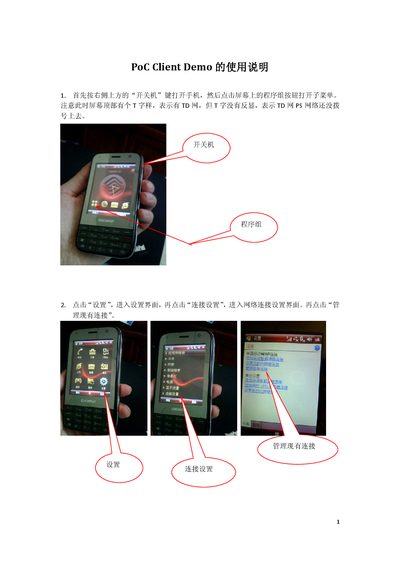
Poc Client Demo Phone User Manual
The manual starts with turning on the phone using the power button, then navigating to Settings → Connection Settings to configure the TD network. After establishing a connection, you open the wpoc application, log in with a single tap, and can see your own number and contacts. Selecting a contact and pressing the "call" button creates a session, and the remote phone will display an "Answer call" prompt.
During a call you use the Talk button to speak and the Over button to stop speaking; multiple sessions can exist simultaneously, so you may need to select the correct session line before talking. To leave a session, long‑press the session line and choose Leave. When finished, log out via the Logout option before pressing OK to exit the app. A data cable can be used for charging and file transfer, but the app may not work while the cable is connected because it can be treated as a modem. This manual is written in Chinese.
Covers: Power On · Network Settings · Login Procedure · Making Calls · Talk and Over · Multiple Sessions
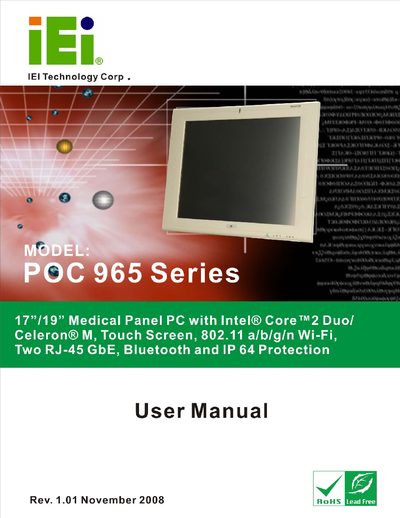
IEI Technology POC-965 Series Medical Panel PC User Manual
The POC-965 Series is a 17"/19" medical‑grade panel PC featuring Intel® Core™2 Duo or Celeron® M processors, a touch screen, Wi‑Fi 802.11 a/b/g/n, Bluetooth, two RJ‑45 GbE ports and IP64 protection. The manual outlines the hardware layout, pre‑installed components and safety warnings to ensure reliable and safe use in medical environments.
Installation instructions cover unpacking, anti‑static precautions, mounting options, connector wiring, power configuration and operating mode selection. Detailed sections describe the graphics, audio, wireless modules and system power options, while the specifications chapter lists the technical parameters of the product.
Covers: Introduction · General Overview · External Overview · Internal Overview · Specifications · External Peripheral Interface Connectors
Latest poc manuals
Poc Client Demo Phone User Manual
User Manual 5 pages · 403 KB · ZHThis user manual explains how to power on, configure network, log in, make calls, and properly log out of the Poc Client Demo phone.
IEI Technology POC-965 Series Medical Panel PC User Manual
User Manual 182 pages · 7.7 MB · ENThe IEI Technology POC-965 Series Medical Panel PC User Manual provides setup, operation, safety and specification details for the device.
Which document do I need?
User Manual
Day-to-day operation, settings and troubleshooting. Start here if the product is already set up.
Questions answered in poc manuals
How do I start a call?
Select a logged‑in contact and tap the "call" button to create a session.
How do I end a call or leave a session?
Long‑press the session line, choose "Leave" from the menu, or press the Over button after speaking.
What should I do if a component is missing from the POC-965 Series package?
Contact the IEI reseller or vendor you purchased the unit from, or email IEI sales at [email protected].
From: IEI Technology POC-965 Series Medical Panel PC User Manual
How many RJ‑45 ports are provided on the POC-965 Series?
The device includes two RJ‑45 Gigabit Ethernet ports.
From: IEI Technology POC-965 Series Medical Panel PC User Manual