
Key facts
- Manuals
- 10
- Languages
- ZH · JA · EN
- Last added
- 2012-03-27
Featured iAUDIO manuals
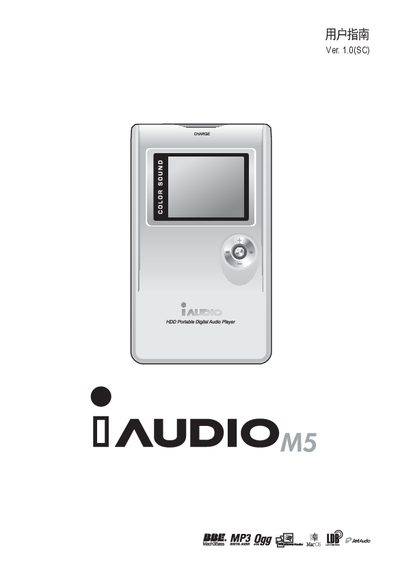
Cowon iAUDIO M5 User Manual
This manual introduces the iAUDIO M5 portable media player, describing its components, LCD display, and basic operation methods. It also covers the various playback modes, file management, and recording functions.
Safety precautions, power‑adapter requirements, firmware upgrade procedures, and troubleshooting tips are detailed, along with warranty and customer‑support information. This manual is written in Chinese.
Covers: Safety Precautions · Product Components · LCD Display · Basic Operation · Playback Modes · Connecting to a Computer
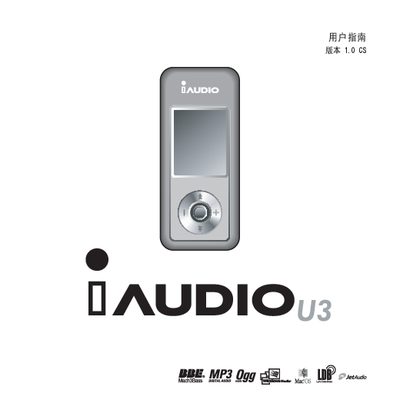
iAUDIO U3 Phone User Manual
The iAUDIO U3 is a compact handheld multimedia player that supports audio formats such as FLAC, MP3, OGG, WMA and WV, as well as MPEG‑4 video. It features a small form factor (31.5 × 72.0 × 18.0 mm) and can play music for up to 20 hours on a single charge.
The manual covers safety precautions, including keeping the device away from water and avoiding high‑volume use, and explains basic controls, menu navigation, recording modes, FM radio, and troubleshooting steps. Detailed menu lists and function descriptions help users get the most out of the device. This manual is written in Japanese.
Covers: Safety Precautions · Device Overview · Basic Operation · Menu List · Recording Modes · FM Radio
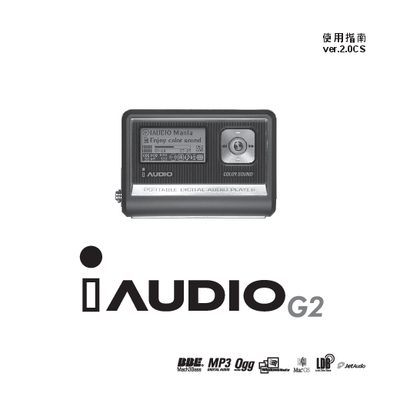
iAUDIO G2 Phone User Manual
This manual covers the iAUDIO G2 mobile phone, detailing its supported audio formats, button functions, display specifications, and power management. It also explains how to perform firmware updates and use the USB connection for data transfer.
Key sections include audio format support (MP3, WMA, WAV, OGG), a 128 × 64 graphic LCD, a 16 Ω speaker with 13 mW output, and a frequency response of 20 Hz – 20 kHz. Firmware can be downloaded and installed via the provided download options.
Covers: Supported Audio Formats · Device Controls · LCD Display · Speaker and Audio Output · Battery and Power · USB Connectivity
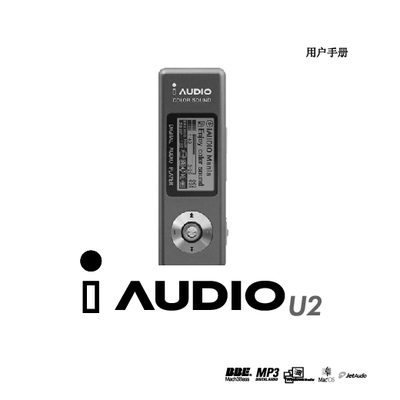
iAUDIO U2 User Manual
The iAUDIO U2 is a portable MP3 player produced by Cowon Systems. The manual outlines its main components such as the LCD display, USB interface, battery, and the JetShell software for media management.
It includes step‑by‑step instructions for basic operations, charging, connecting to a computer via USB, and using the built‑in JetShell application. Troubleshooting tips and safety information are also provided.
Covers: iAUDIO Overview · JetShell · USB Interface · LCD Display · Battery
Latest iAUDIO manuals
IAUDIO T2 Manual
This document provides a user guide and functional instructions for the COWON iAUDIO T2 audio player. The product is developed by COWON SYSTEMS, Inc. and is intended for home use only. The document details various aspects of the product, including the names of different parts, status indicators, charging methods, file storage and transfer with a PC, and firmware updates. It also covers the basic functions of the device, such as music playback, FM radio, and recording. The settings section includes instructions for mode switching, JetEffect, play mode, display settings, timer, recording, FM radio, and information. The document concludes with information on factory reset, CD program support guide, and JetShell.
iAUDIO 7 Manual
This document describes the features and characteristics of the iAUDIO 7 product from COWON, including its scope of use, software copyright information, usage precautions, basic and main function usage methods, and settings instructions.
IAUDIO G3 Manual
iAUDIO G3 User Guide, introduces the product's usage methods, precautions, product specifications, etc.
iAUDIO X5 user manual
iAUDIO X5 User's Guide, introduces the use of iAUDIO X5, functions and specifications
Cowon iAUDIO M5 User Manual
User Manual 36 pages · 6.1 MB · ZHThe Cowon iAUDIO M5 user manual provides safety guidelines, operation instructions, and technical specifications for the portable media player.
iAUDIO U3 Phone User Manual
User Manual 68 pages · 6.3 MB · JAThe iAUDIO U3 phone user manual provides safety instructions, basic operation, menu overview, and troubleshooting for the handheld multimedia device.
iaudiO F1 phone user manual
iAUDIO G2 Phone User Manual
User Manual 52 pages · 6.3 MB · ENThe iAUDIO G2 phone user manual provides instructions for operating, configuring, and updating the device.
iAUDIO U2 User Manual
User Manual 52 pages · 5.2 MB · ENThe iAUDIO U2 user manual provides operating instructions, feature descriptions, and troubleshooting for the portable MP3 player.
iAUDIO G2 User Manual
User Manual 53 pages · 6.4 MB · ENThe iAUDIO G2 user manual provides operating instructions, supported audio formats, LCD specifications, and firmware update steps.
Which document do I need?
User Manual
Day-to-day operation, settings and troubleshooting. Start here if the product is already set up.
Questions answered in iAUDIO manuals
Which power adapter should be used with the iAUDIO M5?
Only the power adapter supplied by Cowon Systems or a USB connection should be used.
What should I do if the device becomes overheated?
Contact your local dealer representative if the device shows signs of overheating.
What safety precautions should be taken when using the iAUDIO U3?
Do not expose the device to water, avoid high‑volume operation, and never modify or disassemble it, as these actions can void the warranty and cause damage.
What are the physical dimensions of the iAUDIO U3?
The iAUDIO U3 measures 31.5 mm × 72.0 mm × 18.0 mm (excluding protrusions).
What is the size and type of the iAUDIO G2 display?
The phone features a 128 × 64 graphic LCD screen.
What is the speaker impedance of the iAUDIO G2?
The built‑in speaker has a 16 Ω impedance.