
Key facts
- Manuals
- 2
- Categories
- 1
- Languages
- EN
- Last added
- 2012-03-09
Featured Freecom manuals
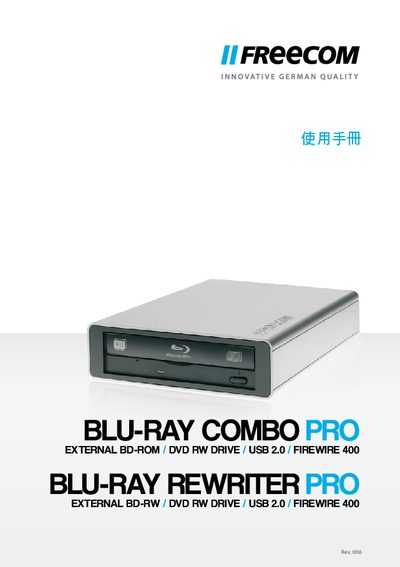
Freecom Blu-ray Rewriter Pro / Blu-ray Combo Pro User Manual
The manual describes the Freecom Blu-ray Rewriter Pro / Blu-ray Combo Pro, an external BD‑ROM / DVD‑RW drive that connects via USB 2.0 or FireWire 400. It lists the supported media types (CD, DVD, Blu‑ray) and provides an overview of the device’s features.
Installation and usage instructions cover system requirements, connection steps, and supported operating systems for both Windows and Mac platforms. The guide also includes technical specifications and troubleshooting tips.
Covers: Product Overview · System Requirements · Installation · Operation · Technical Specifications · Troubleshooting
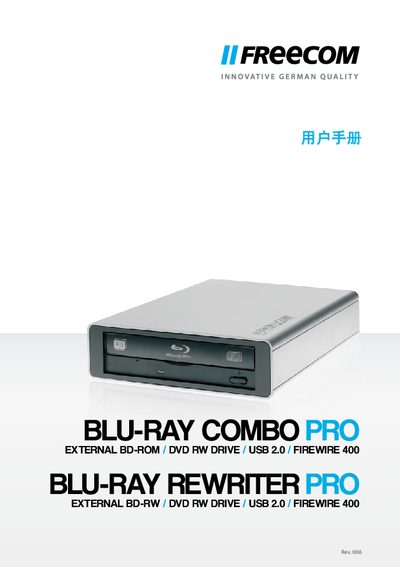
Freecom Blu-ray Rewriter Pro / Blu-ray Combo Pro User Manual
The Freecom Blu-ray Rewriter Pro / Blu-ray Combo Pro is an external optical drive that supports Blu‑ray, DVD, and CD media. It connects to a computer via USB 2.0 (and is backward compatible with USB 1.1) and can be used with Windows or Mac systems.
The manual provides system requirements, supported operating systems, installation steps, and safety information. It lists the media formats the drive can read and write, and includes technical specifications such as CPU speed, RAM, and interface details.
Covers: Introduction · Supported Media · System Requirements · Interface Options · Operating System Compatibility · Installation
Latest Freecom manuals
Freecom Blu-ray Rewriter Pro / Blu-ray Combo Pro User Manual
User Manual 13 pages · 597 KB · ENThe Freecom Blu-ray Rewriter Pro / Blu-ray Combo Pro user manual provides setup, operation, and specifications for the external BD‑ROM/DVD‑RW drive.
Freecom Blu-ray Rewriter Pro / Blu-ray Combo Pro User Manual
User Manual 13 pages · 852 KB · ENThe Freecom Blu-ray Rewriter Pro / Blu-ray Combo Pro User Manual explains setup, operation, and specifications for the external BD/DVD drive.
Which document do I need?
User Manual
Day-to-day operation, settings and troubleshooting. Start here if the product is already set up.
Questions answered in Freecom manuals
Which operating systems are supported by the Freecom Blu‑ray Rewriter Pro?
It works with Windows XP, Vista, and 7, as well as Mac OS X 10.4.8.
From: Freecom Blu-ray Rewriter Pro / Blu-ray Combo Pro User Manual
What interfaces can be used to connect the drive to a computer?
The drive can be connected via USB 2.0 or FireWire 400.
From: Freecom Blu-ray Rewriter Pro / Blu-ray Combo Pro User Manual
What interface does the device use for connection to a computer?
The drive connects via USB 2.0 and is also backward compatible with USB 1.1.
From: Freecom Blu-ray Rewriter Pro / Blu-ray Combo Pro User Manual
What media formats can the drive read and write?
It supports BD‑ROM, BD‑RE, BD‑R, DVD‑ROM, DVD+R, DVD+RW, DVD‑RAM, CD‑ROM, CD‑ROM XA, CD‑I, Photo‑CD, Video‑CD, CD‑Extra, CD‑Text, CD‑R, and CD‑RW.
From: Freecom Blu-ray Rewriter Pro / Blu-ray Combo Pro User Manual