
Key facts
- Manuals
- 5
- Categories
- 1
- Languages
- EN · ZH
- Last added
- 2026-10-01
Featured Fiio manuals
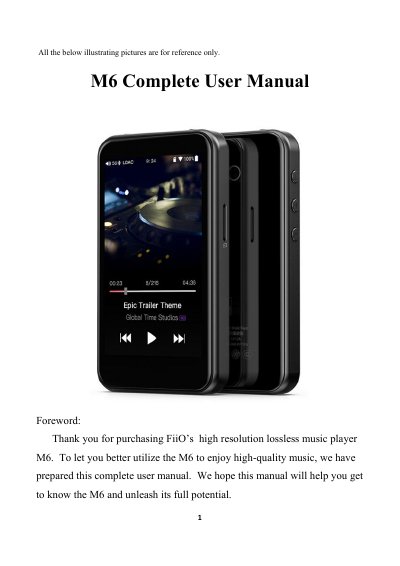
FiiO M6 User Manual
This manual introduces the FiiO M6 high‑resolution digital audio player, describing its hardware features such as the Exynos 7270 processor, dual AK4490EN DACs, 2 GB internal memory, up to 512 GB micro‑SD storage, and a 480 × 800 LG IPS touchscreen. It also details the user interface, including the main menu, drop‑down menus, and settings screens for Wi‑Fi, Bluetooth, audio output, and system functions.
Operational guidance covers button functions, power‑on/off procedures, volume control, playback controls, and how to use the Type‑C USB port, 3.5 mm headphone/line‑out, and USB DAC. Connectivity sections explain Wi‑Fi setup, Bluetooth pairing (both transmitter and receiver modes), and audio codec selection. The manual finishes with firmware update instructions, status bar information, and technical support resources.
Covers: Introduction · Buttons and ports · Main menu and drop‑down menu · Settings · Wi‑Fi · Bluetooth function
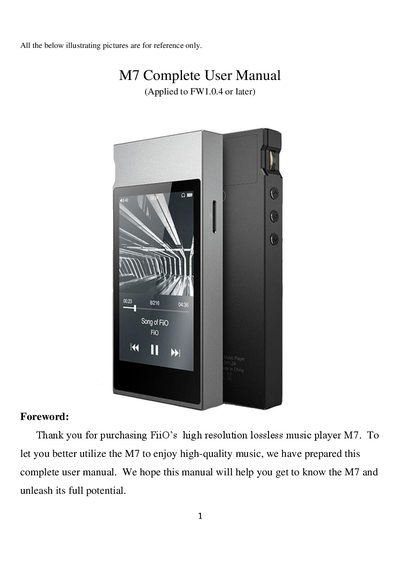
FiiO M7 Complete User Manual
This manual introduces the FiiO M7, a high‑fidelity digital audio player built on a Samsung Exynos 7270 processor with dual AK4490EN DACs, 2 GB memory and a 480×800 LG IPS touchscreen. It explains the layout of buttons, ports, and the main menu, and guides you through Bluetooth pairing, audio settings, FM radio, firmware updates, and more.
Detailed sections cover button functions, Bluetooth codec selection, USB DAC usage, EQ presets, gesture controls, and troubleshooting tips such as system reboot and lock‑screen key settings. The FAQ at the end answers common questions about Android version, SD‑card access, Bluetooth codecs, and firmware upgrades.
Covers: Introduction · Buttons and ports · Main menu display · Bluetooth function · Audio settings · FM radio
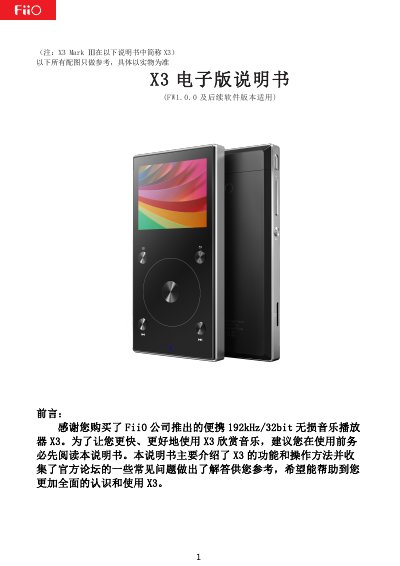
FiiO X3 Portable Lossless Music Player User Manual
This manual introduces the FiiO X3 portable lossless music player, covering its high‑resolution audio support, Bluetooth, TF card expansion, and various audio outputs. Detailed sections describe each button, interface, and how to operate the device.
The guide also provides step‑by‑step instructions for menu navigation, firmware upgrades, usage tips, and answers to common questions such as TF‑card compatibility, storage formatting, and Bluetooth pairing. This manual is written in Chinese.
Covers: Product Introduction · Buttons and Interface · Menu Operation Diagrams · Menu Operation Details · Firmware Upgrade · Usage Tips
Fiio K5 Pro Desktop Headphone Amplifier Quick Start Guide
This guide introduces the Fiio K5 Pro, a desktop headphone amplifier and USB DAC. It describes the front‑panel controls, input and output ports, and the power/volume knob used to operate the device.
Key sections explain how to power the unit on and off, the priority rules for coaxial and optical inputs, supported audio formats, driver installation for Windows, and important safety precautions. A checklist of items included in the package is also provided.
Covers: Buttons and ports · Power on/off · Input and output priority · Supported audio formats · Driver installation · Precautions
Latest Fiio manuals
FiiO M6 User Manual
User Manual 28 pages · 3.4 MB · ENThe FiiO M6 user manual explains how to operate the high‑resolution music player, covering buttons, menus, Wi‑Fi, Bluetooth, audio settings, and firmware…
FiiO M7 Complete User Manual
User Manual 26 pages · 2.3 MB · ENThe FiiO M7 user manual provides full instructions for operating the high‑resolution digital audio player.
FiiO X3 Portable Lossless Music Player User Manual
User Manual 21 pages · 1.9 MB · ZHThe FiiO X3 user manual explains features, controls, menu navigation, firmware upgrade and troubleshooting for the portable lossless music player.
Fiio K5 Pro Desktop Headphone Amplifier Quick Start Guide
Quick Start Guide 4 pages · 344 KB · ENQuick start guide for the Fiio K5 Pro desktop headphone amplifier/USB DAC, covering buttons, ports, operation, and safety notes.
FIIO HBTR Bluetooth Headphone Amplifier Quick Start Guide
Quick Start Guide 1 pages · 8.6 MB · ZHQuick start guide for the FIIO HBTR Bluetooth headphone amplifier, covering power, pairing, controls and safety notes.
Which document do I need?
User Manual
Day-to-day operation, settings and troubleshooting. Start here if the product is already set up.
Quick Start Guide
The shortest path to a working setup, usually only a few pages.
Questions answered in Fiio manuals
How do I turn the M6 on and off?
Press and hold the power/lock button for 2 seconds to turn the device on; while on, hold the same button to display the power‑off/reboot menu, or press briefly to toggle the screen. Holding for 10 seconds forces a reboot.
From: FiiO M6 User Manual
What kind of Bluetooth codec does the M7 support?
The M7 supports the Bluetooth codecs LDAC, aptX‑HD, aptX and SBC.
Which input has priority when both coaxial and optical are connected?
The coaxial input takes priority; unplug the coaxial cable if you want to use the optical input.
From: Fiio K5 Pro Desktop Headphone Amplifier Quick Start Guide