
Key facts
- Manuals
- 4
- Categories
- 1
- Languages
- EN · RU
- Last added
- 2026-10-03
Featured FARO manuals
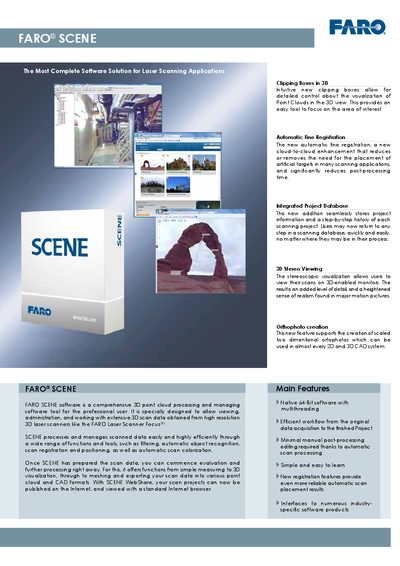
FARO SCENE Software User Manual
The FARO SCENE software manual provides an overview of the application’s capabilities, including orthophoto creation, clipping boxes, 3‑D stereo viewing, automatic fine registration, and extensive data‑management tools. It explains how to import, process, analyze, and export scan data, as well as how to share projects via WebShare.
System requirements, supported file formats, navigation options, and typical areas of application such as architecture, civil engineering, and forensics are detailed, helping users set up the software and integrate it with other CAD and visualization tools.
Covers: Orthophoto creation · Clipping Boxes in 3D · 3D Stereo Viewing · Automatic Fine Registration · Data Management · Import & Export
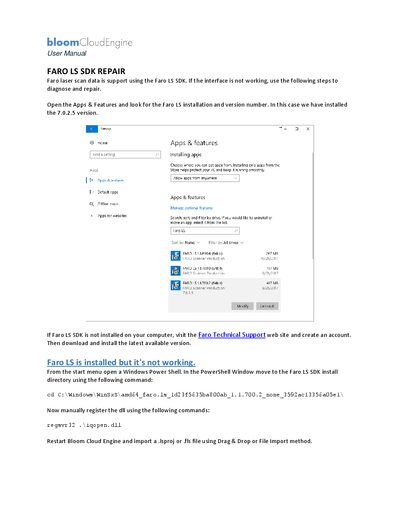
FARO LS SDK User Manual
This manual explains how to verify the FARO LS SDK installation, reinstall the software if needed, and manually register required DLL files. It is intended for users who encounter issues with the SDK on Windows systems.
The guide walks through checking the installed version, navigating to the SDK folder via PowerShell, registering the iqopen.dll file, and finally restarting Bloom Cloud Engine to import scan projects. Follow each step to restore full functionality of the FARO LS SDK.
Covers: Checking Installation · Reinstalling the SDK · Registering the DLL · Importing Scan Files · Troubleshooting
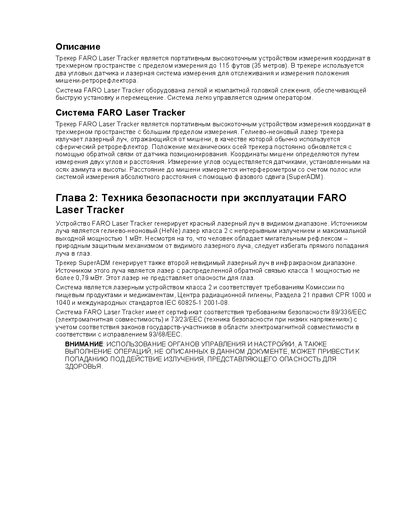
FARO Laser Tracker User Manual
This manual covers the safety standards, component description and basic handling of the FARO Laser Tracker. It includes warnings, compliance information (IEC 60825‑1) and an overview of the device’s hardware.
The guide details the installation steps, Ethernet (RJ‑45) and CAT5 connections, calibration procedures, measurement ranges and operation of features such as the RetroProbe and CAM2 Measure. Software tools and troubleshooting tips are also provided. This manual is written in Russian.
Covers: Safety · System Components · Setup · Calibration · Operation · Ethernet Interface
Latest FARO manuals
FARO SCENE Software User Manual
User Manual 2 pages · 324 KB · ENThe FARO SCENE software manual describes features, system requirements, data handling, and sharing tools for 3‑D point‑cloud processing.
FARO LS SDK User Manual
User Manual 1 pages · 427 KB · ENUser manual for diagnosing, repairing, and reinstalling the FARO LS SDK software.
FARO Laser Tracker User Manual
User Manual 41 pages · 568 KB · RUThe FARO Laser Tracker user manual provides safety instructions, system components, setup, calibration and operation guidelines.
FARO focus laser Scanner Manual
Which document do I need?
User Manual
Day-to-day operation, settings and troubleshooting. Start here if the product is already set up.
Questions answered in FARO manuals
What operating systems are required for FARO SCENE?
FARO SCENE runs on 64‑bit Microsoft Windows 7, Vista or XP (Professional, SP2 or higher).
How does FARO SCENE achieve automatic scan registration?
It uses Automatic Fine Registration, a cloud‑to‑cloud enhancement that reduces or removes the need for artificial targets and speeds up post‑processing.
How can I check which version of FARO LS SDK is installed?
Open Apps & Features, locate the FARO LS installation entry, and view the version number (e.g., 7.0.2.5).
From: FARO LS SDK User Manual
How do I manually register the FARO LS SDK DLL?
Open a Windows PowerShell, change to the SDK install directory, and run `regsvr32 .\iqopen.dll`.
From: FARO LS SDK User Manual
Which safety standard does the FARO Laser Tracker comply with?
It complies with IEC 60825‑1 (2001‑08).