
Key facts
- Manuals
- 2
- Models
- 1
- Languages
- ZH
- Last added
- 2012-04-09
EPRC10-ST models by category
Featured EPRC10-ST manuals
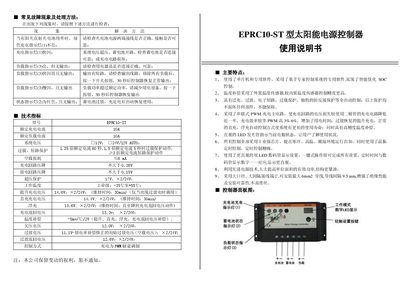
EPRC10-ST Solar Power Supply Controller User Manual
This manual provides detailed instructions for installing, wiring, and operating the EPRC10-ST solar power supply controller. It includes safety precautions, connection diagrams, and step‑by‑step procedures for normal use and for configuring the various operating modes such as PWM charging, light‑controlled delay, and timer functions.
The document also describes fault symptoms and troubleshooting methods, explains the meaning of the indicator LEDs, and lists the technical specifications of the controller, including rated charge and load currents, input voltage range, operating temperature, and mechanical dimensions. This manual is written in Chinese.
Covers: Common Fault Symptoms and Troubleshooting · Main Features · Installation and Wiring · Operating Modes · LED Indicator Functions · Technical Specifications
Latest EPRC10-ST manuals
EPRC10-ST solar power supply controller Manual (1)
This document introduces the common failure phenomena and troubleshooting methods of the EPRC10-ST solar power controller, and provides the technical specifications and main features of the product.
EPRC10-ST Solar Power Supply Controller User Manual
User Manual 2 pages · 226 KB · ZHUser manual for the EPRC10-ST solar power supply controller with installation, operation, and troubleshooting instructions.
Which document do I need?
User Manual
Day-to-day operation, settings and troubleshooting. Start here if the product is already set up.
Questions answered in EPRC10-ST manuals
What does the charge indicator light mean?
When the charge indicator (LED 1) stays steady green, the charging circuit is operating normally; if it flashes rapidly, the controller is in the charging phase.
How should the controller be connected to the solar panel?
Connect the solar panel’s positive lead to the controller’s “+” terminal and the negative lead to the “–” terminal, ensuring correct polarity; reverse connection will trigger the reverse‑polarity indicator.